


























































Bforartists 5.3.0
Tear-Off Menus Release 📌
One of the largest milestone releases yet: tear off any menu or panel and keep it floating where you work.
Blender 5.4.0 Alpha


From Blender
From Blender
Brought in from Blender
The Blender features in this build come along with the weekly merges, laid out the Bforartists way.
From Blender 5.4
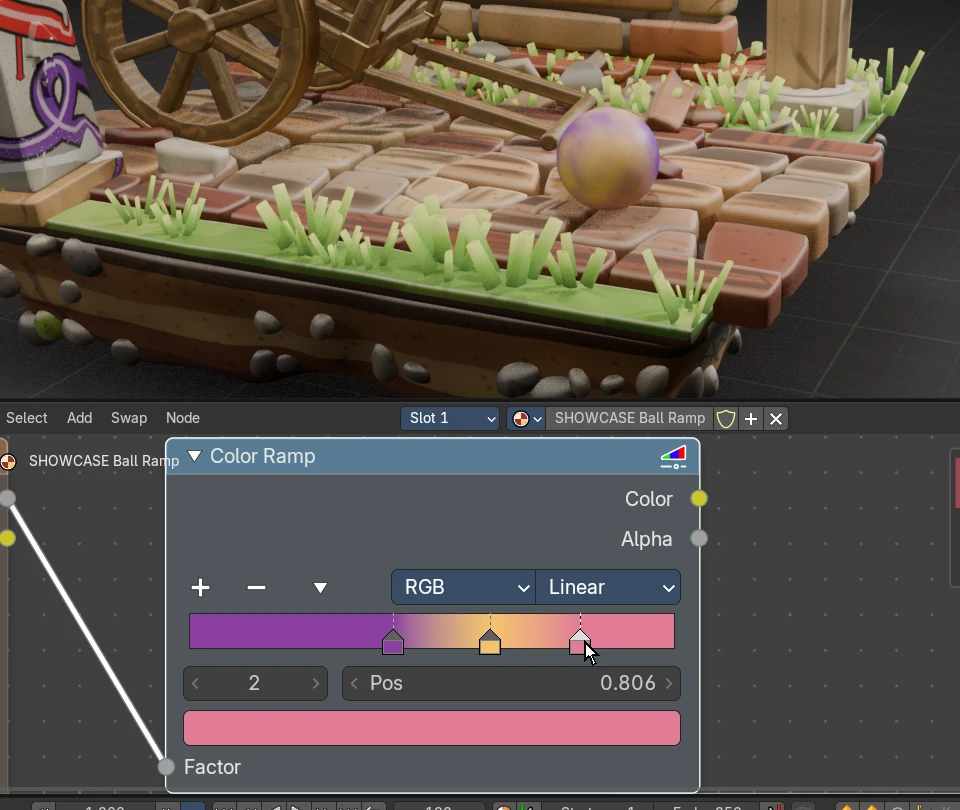
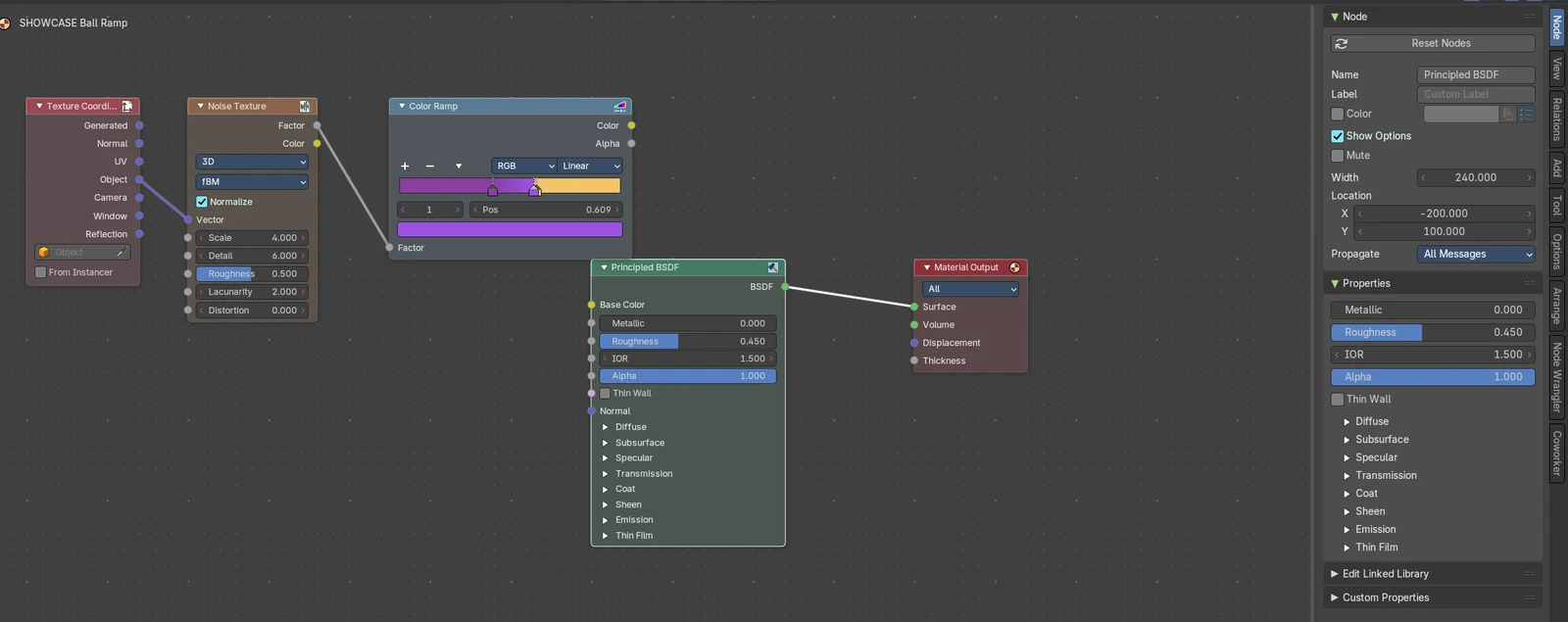
ColorRamp stops snap
Hold Ctrl while dragging a ColorRamp stop to snap it.
Interface
From Blender
Brought in from Blender
The Blender features in this build come along with the weekly merges, laid out the Bforartists way.
Accessibility
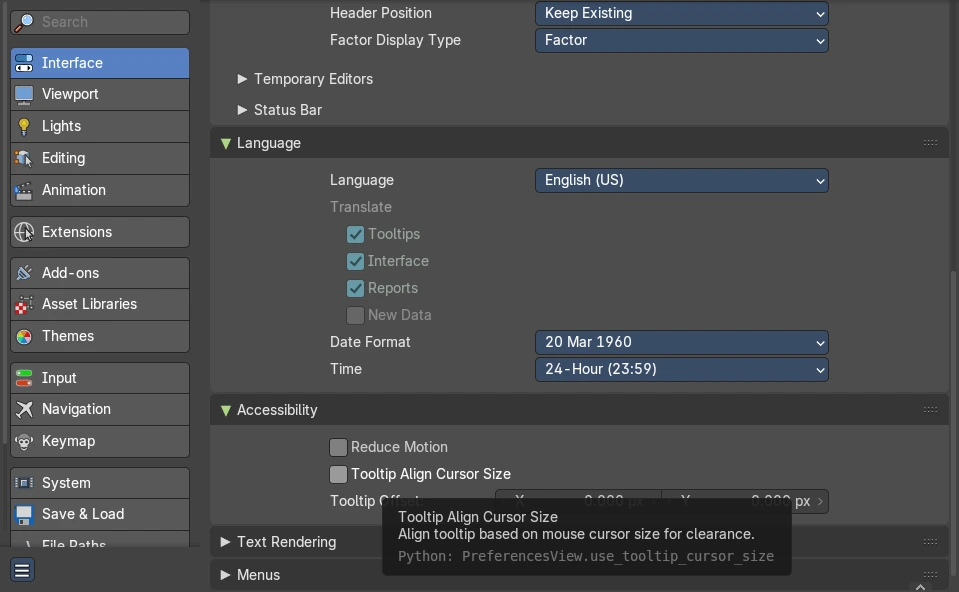
Tooltips for larger cursors
New preferences offset tooltips, so a larger mouse cursor no longer covers them.
From Blender
From Blender
Brought in from Blender
The Blender features in this build come along with the weekly merges, laid out the Bforartists way.
Interface
From Blender
Brought in from Blender
The Blender features in this build come along with the weekly merges, laid out the Bforartists way.
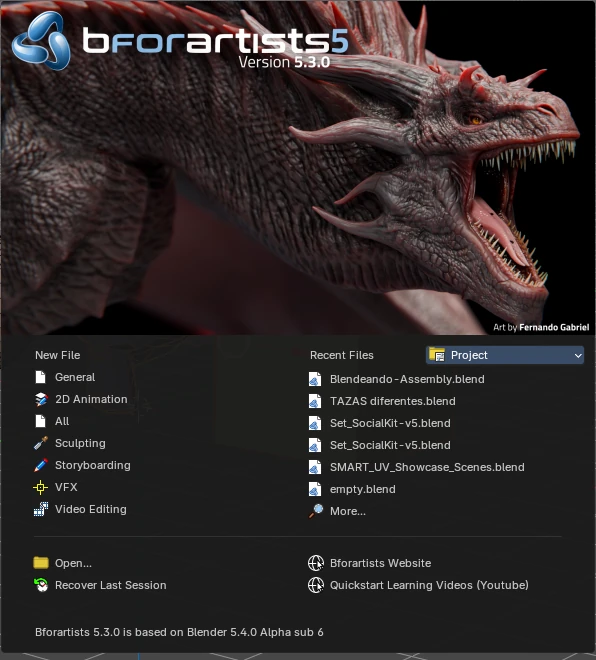
Splash screen
Projects on the splash screen
The Projects selector moves into the recent files column, off the artwork.
From Blender
From Blender
Brought in from Blender
The Blender features in this build come along with the weekly merges, laid out the Bforartists way.
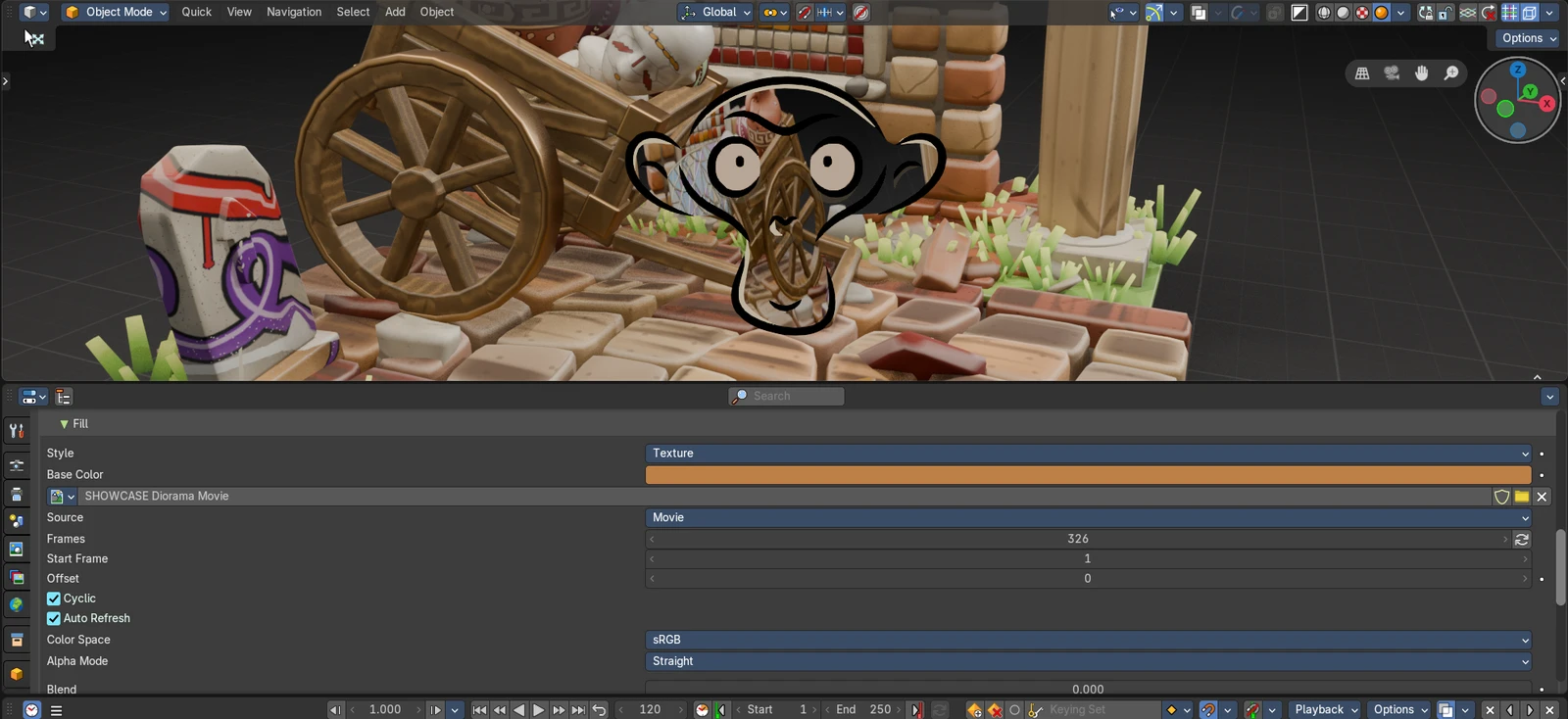
From Blender 5.4
Movie textures in the material
Pick a movie or image sequence as the Stroke or Fill texture, with its color space.
From Blender
From Blender
Brought in from Blender
The Blender features in this build come along with the weekly merges, laid out the Bforartists way.
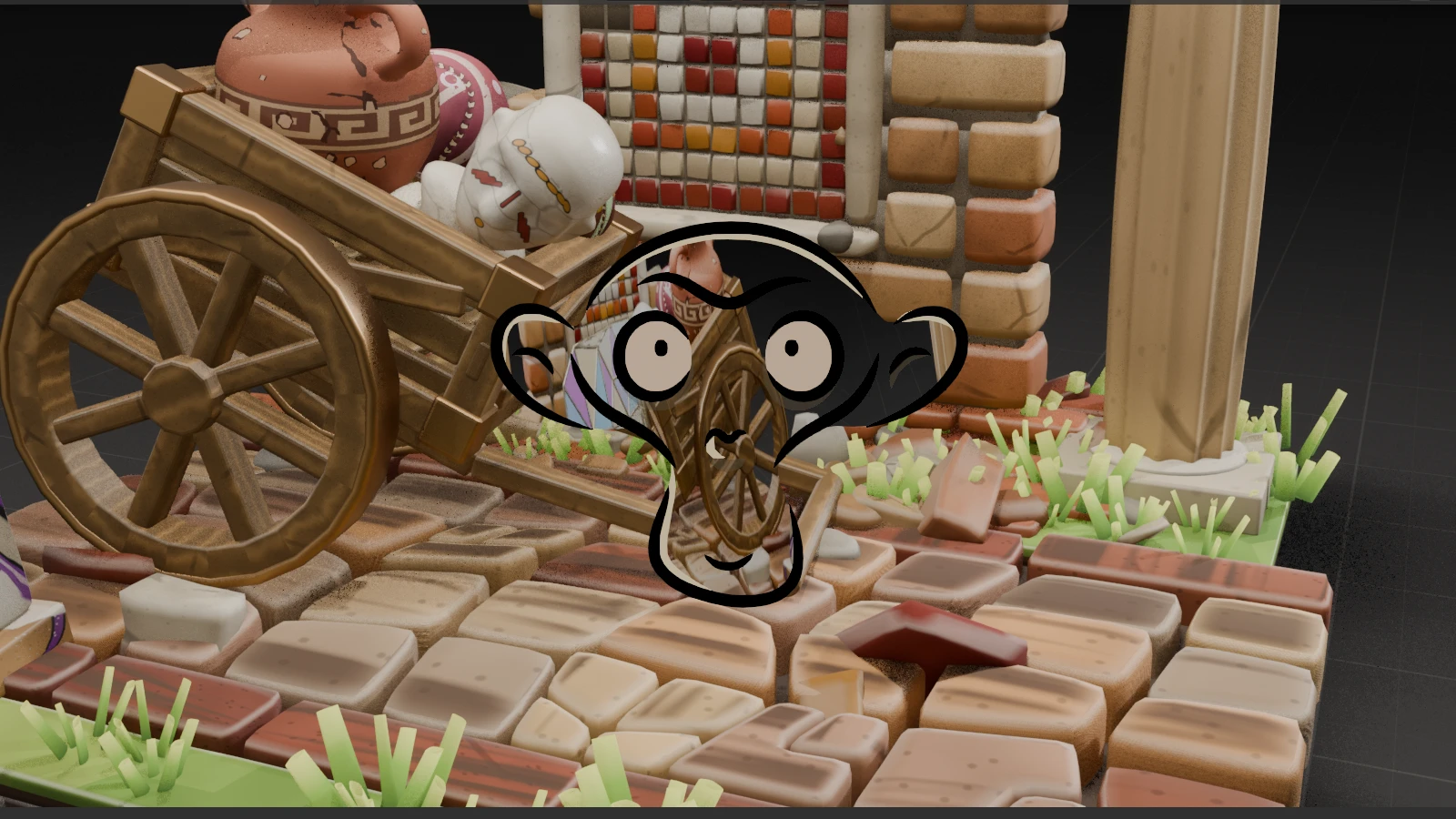
From Blender 5.4
Grease Pencil materials
Movies and image sequences as Stroke and Fill textures, with color space, and a Randomize Seed.
Interface
From Blender
Brought in from Blender
The Blender features in this build come along with the weekly merges, laid out the Bforartists way.
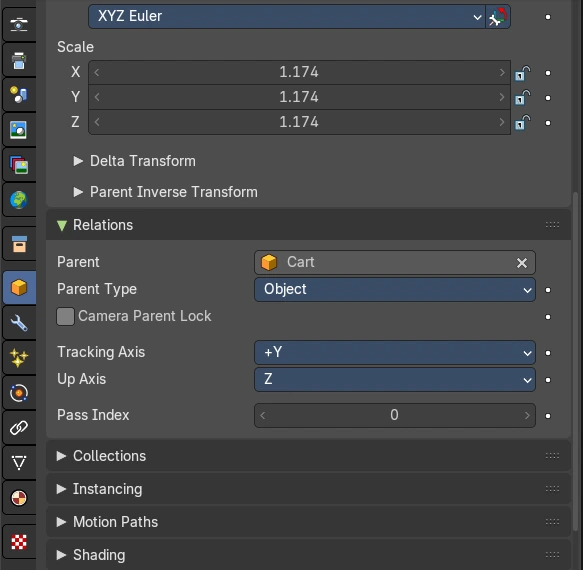
Polish
40+ layout fixes
Checkboxes on the left, labels in front of sliders, and double entries removed across the Properties editor, Movie Clip Editor, Sequencer and Grease Pencil.
From Blender
From Blender
Brought in from Blender
The Blender features in this build come along with the weekly merges, laid out the Bforartists way.
From Blender 5.4
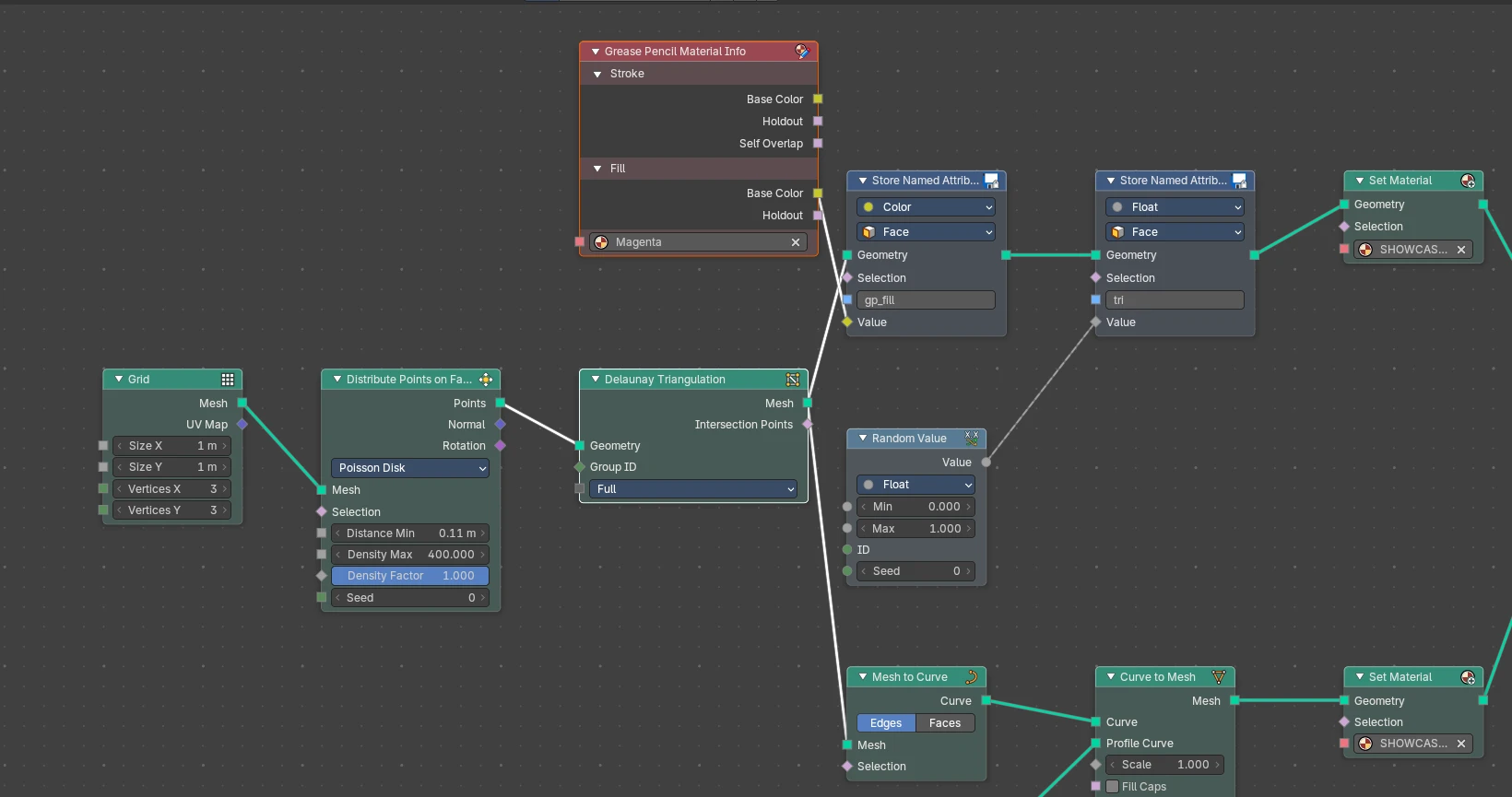
Grease Pencil Material Info node
Read Grease Pencil material settings inside Geometry Nodes.
Highlights
From Blender
Brought in from Blender
The Blender features in this build come along with the weekly merges, laid out the Bforartists way.
Preferences
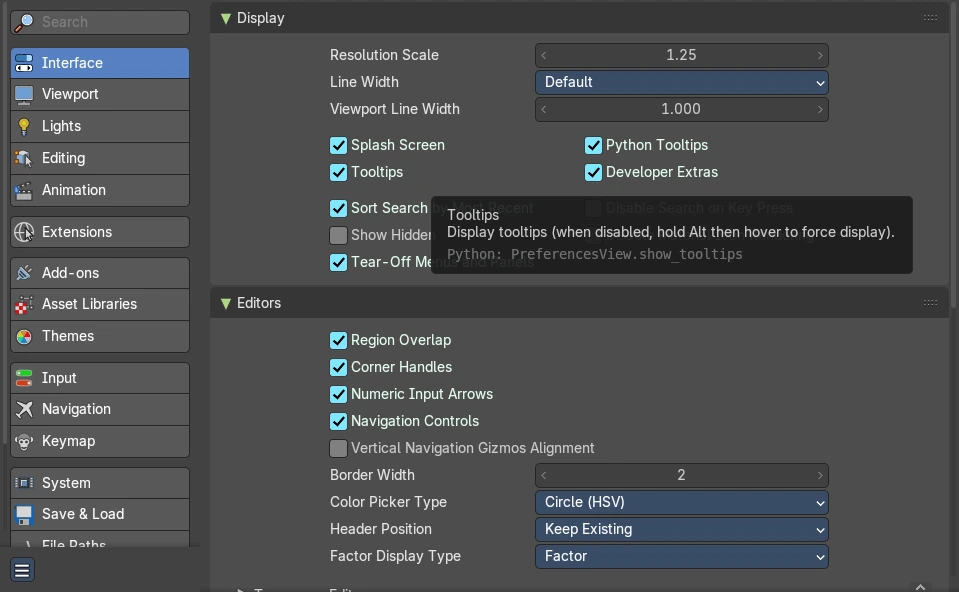
Tear-offs are optional
Switch tear-offs off in Preferences > Interface > Display.
From Blender
From Blender
Brought in from Blender
The Blender features in this build come along with the weekly merges, laid out the Bforartists way.
From Blender 5.4
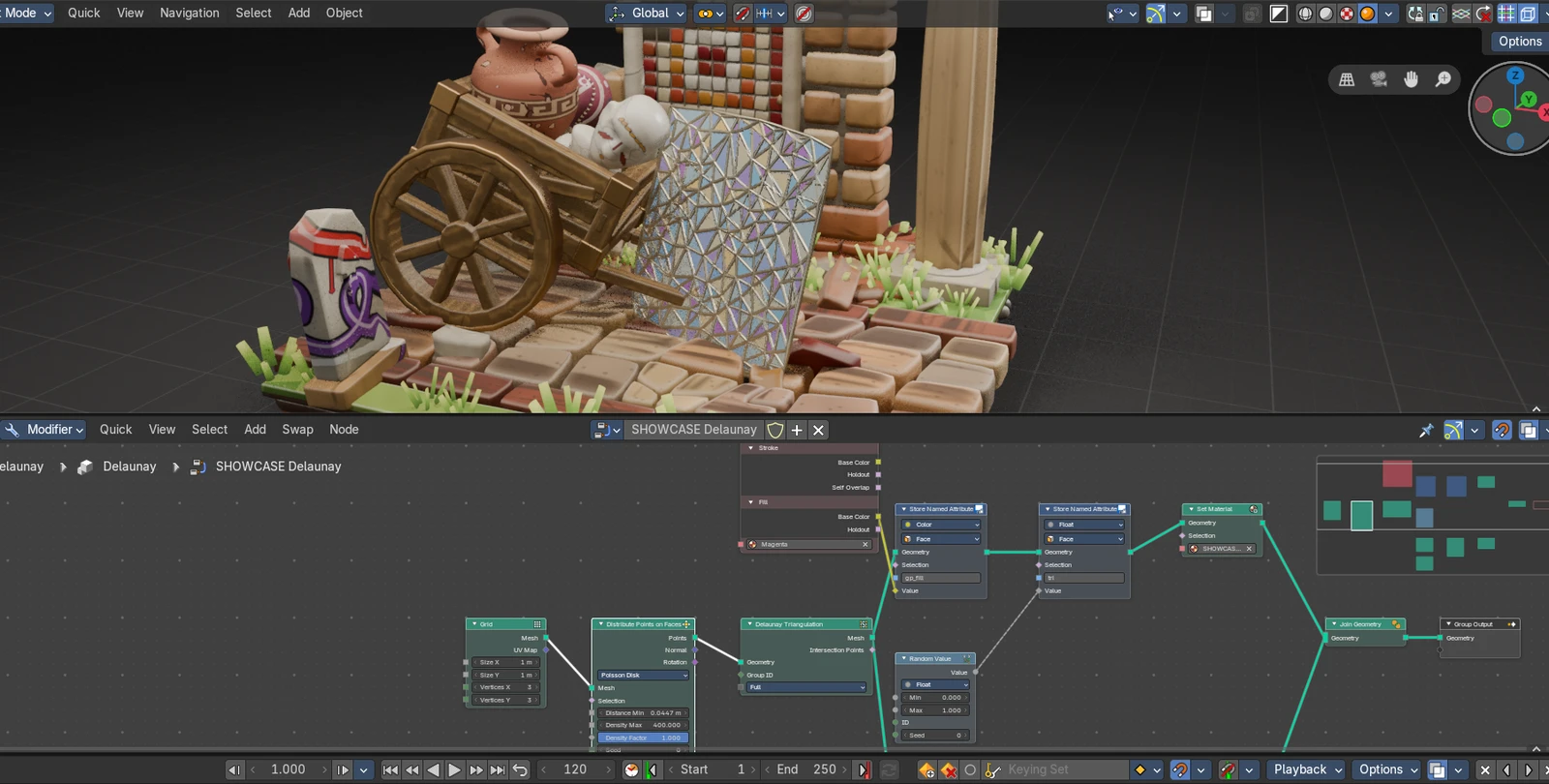
Delaunay Triangulation and Grease Pencil Material Info
Two new nodes in Geometry Nodes.
Interface
From Blender
Brought in from Blender
The Blender features in this build come along with the weekly merges, laid out the Bforartists way.
Outliner
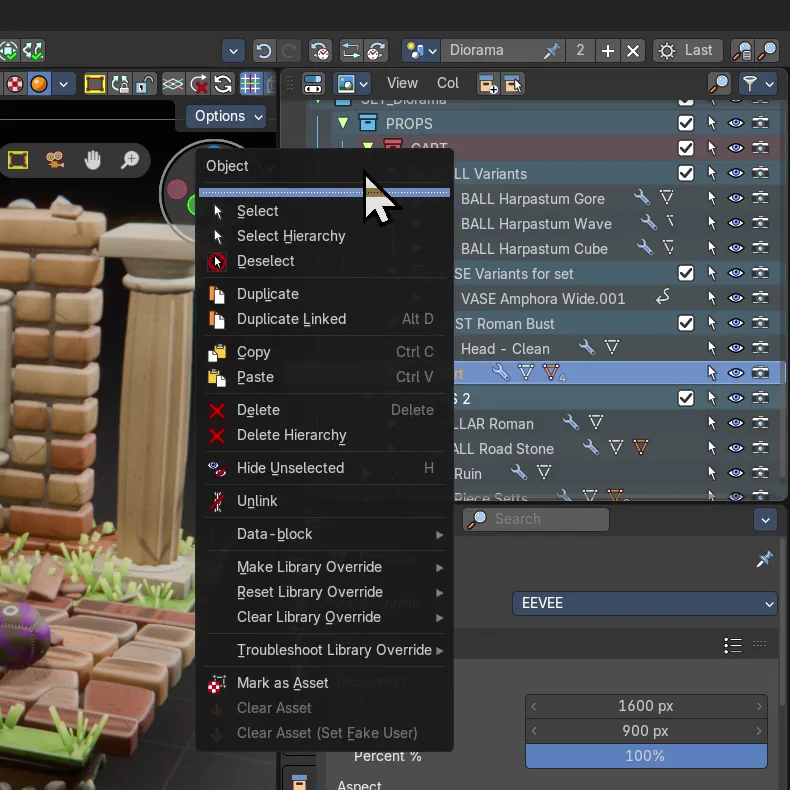
New Collection from Selection
The Outliner's New Collection button moves the selected objects into the new collection.
xan2622
From Blender
From Blender
Brought in from Blender
The Blender features in this build come along with the weekly merges, laid out the Bforartists way.
From Blender 5.4
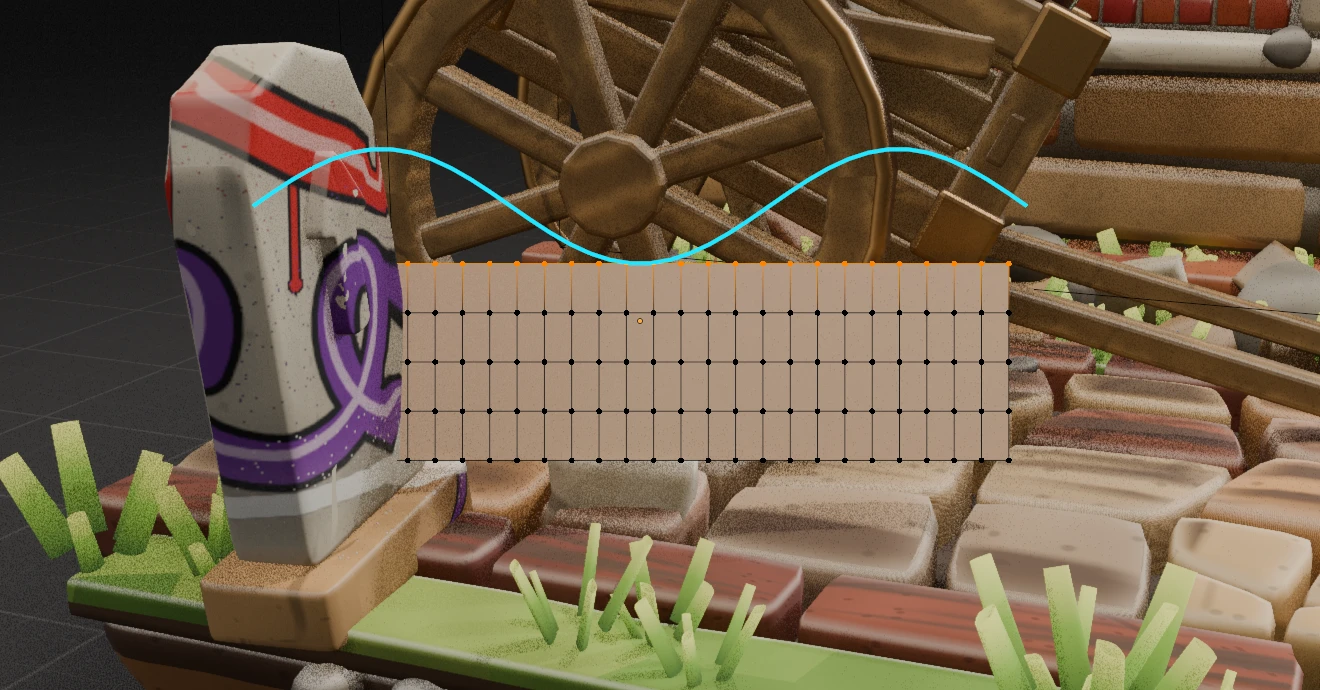
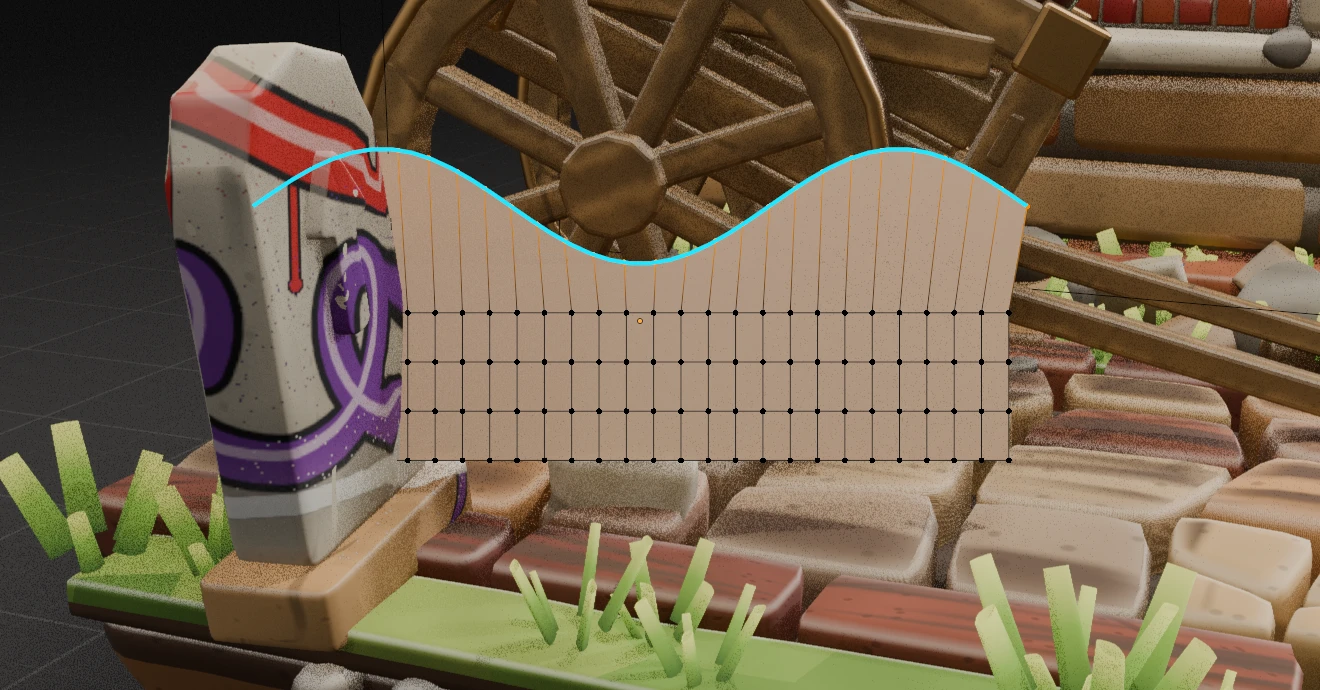
Fit Edge Loops To Annotation
Shape edge loops along an annotation stroke.
Assets
From Blender
Brought in from Blender
The Blender features in this build come along with the weekly merges, laid out the Bforartists way.
Asset Libraries
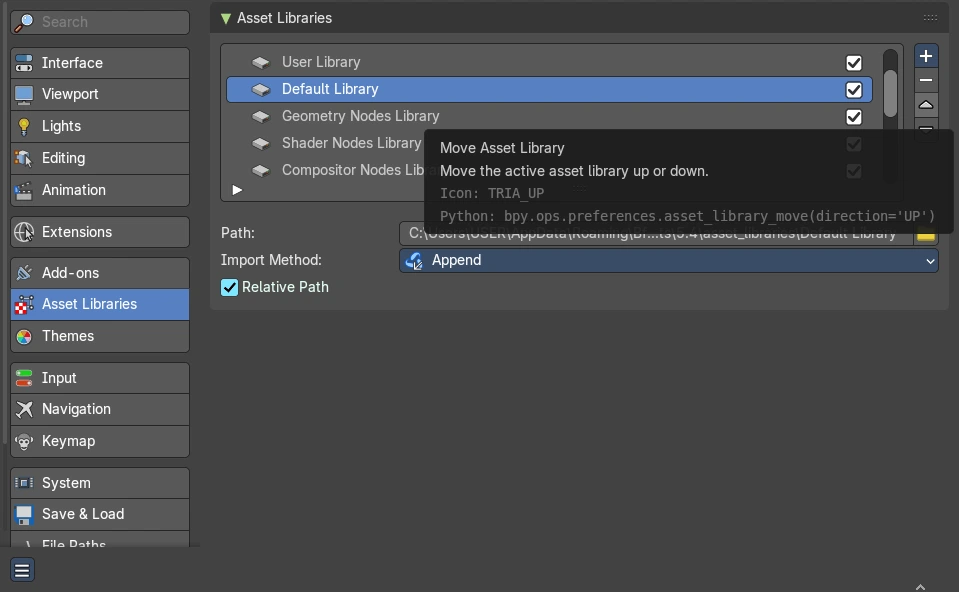
Reorder asset libraries
Reorder your libraries in Preferences and Projects.
Interface
From Blender
Brought in from Blender
The Blender features in this build come along with the weekly merges, laid out the Bforartists way.
Layout
Split Editor Edge
Right-click an area edge to split it at the cursor, the inverse of Merge Editor Edge.
Viewport and Modeling
From Blender
Brought in from Blender
The Blender features in this build come along with the weekly merges, laid out the Bforartists way.
Selection
Faster selecting
Shift + double-click selects islands in Edit Mode, L picks linked strokes in Grease Pencil, and Ctrl click extends in tree views.
Highlights
From Blender
Brought in from Blender
The Blender features in this build come along with the weekly merges, laid out the Bforartists way.
Tear-Off Menus
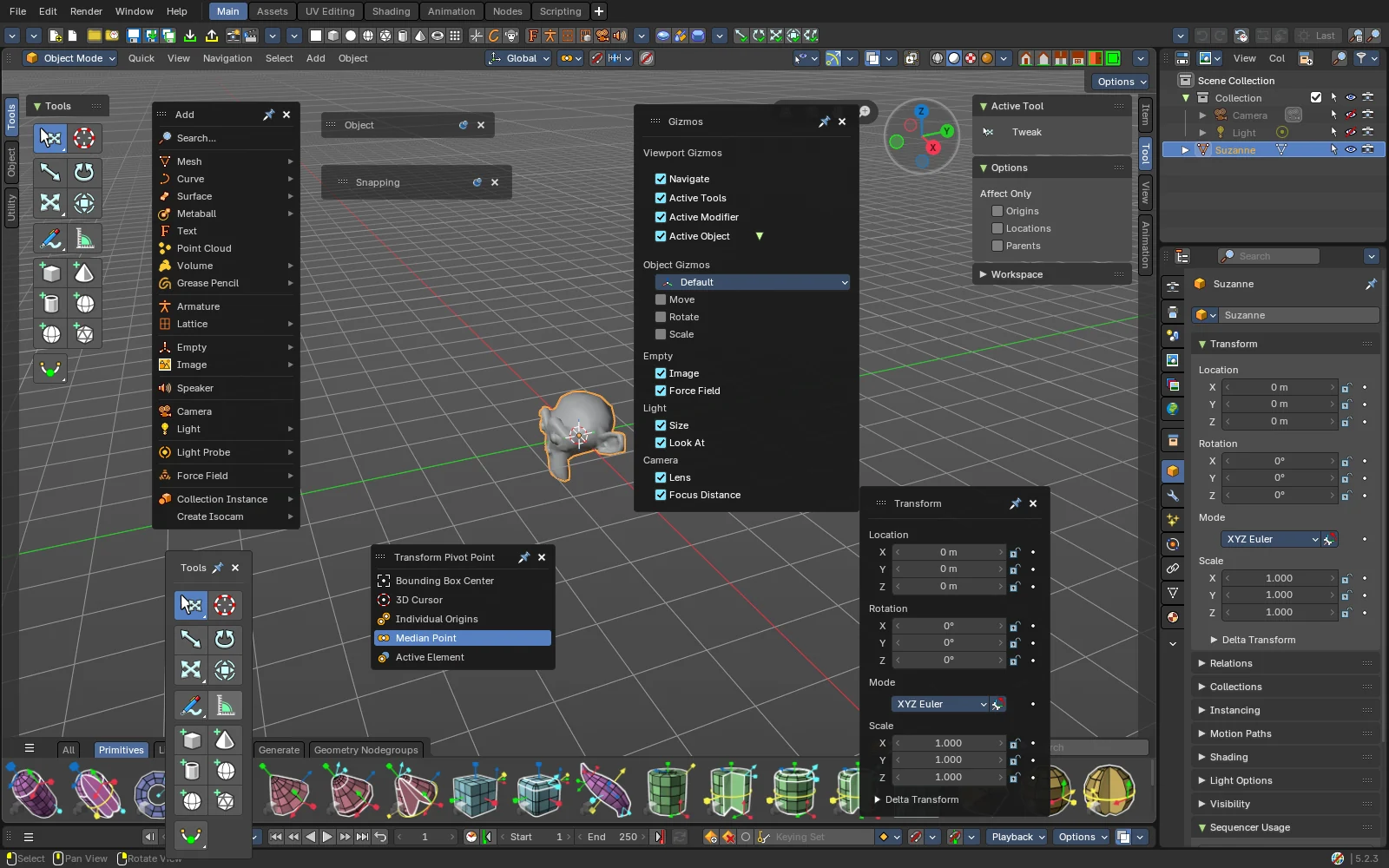
Tear-offs that stay out of the way
- Double-click to collapse a tear-off to a strip, resize it, or crop a long menu to the part you use.
- A tear-off shows in its own workspace, editor and mode, and comes back when you return.
- Tear-offs save with the .blend file and the startup file, with position, size and collapsed state.
- Turn them off in Preferences > Interface > Display.
Assets
From Blender
Brought in from Blender
The Blender features in this build come along with the weekly merges, laid out the Bforartists way.
Assets
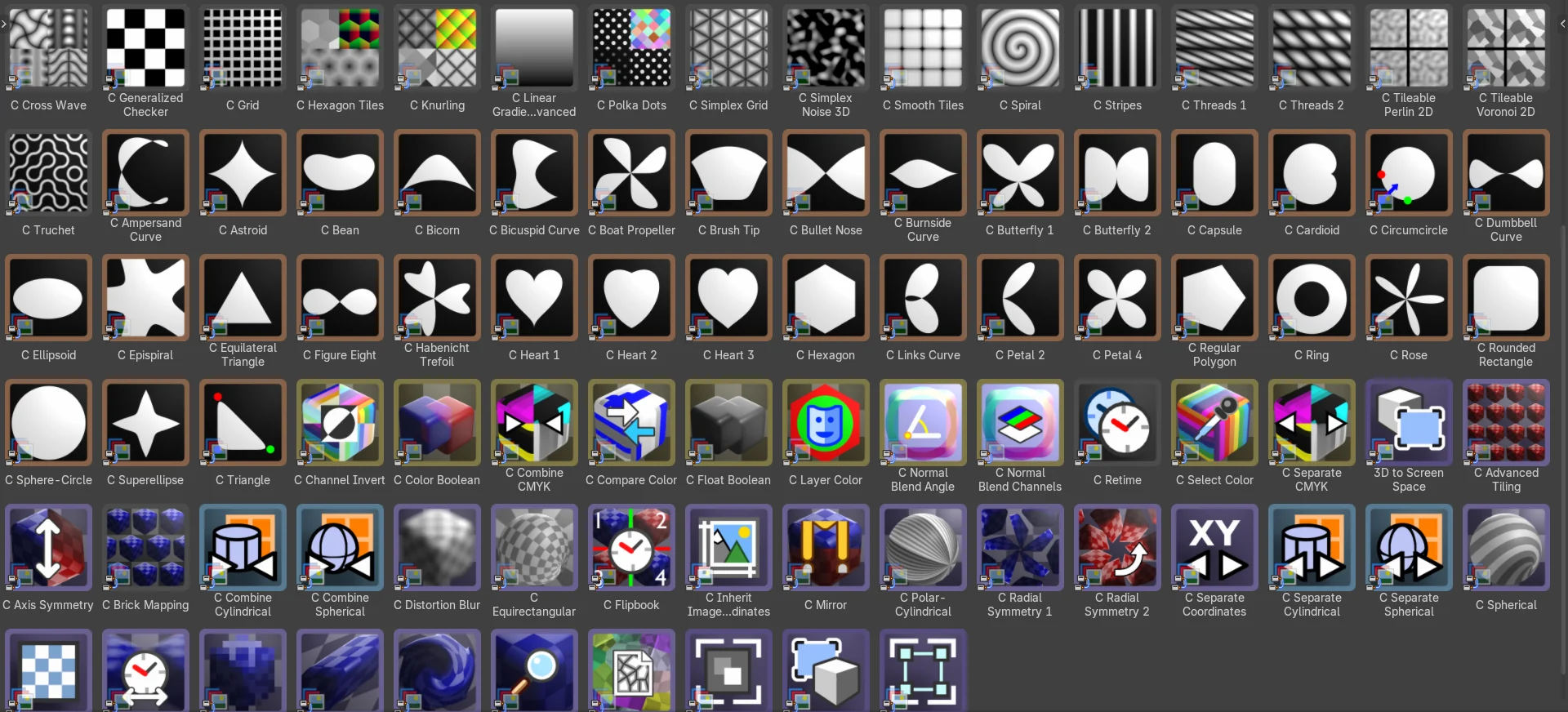
Compositor library: 120 assets
The Compositor node library grows from 81 to 120 assets, to match the shader library.
Interface
From Blender
Brought in from Blender
The Blender features in this build come along with the weekly merges, laid out the Bforartists way.
Languages
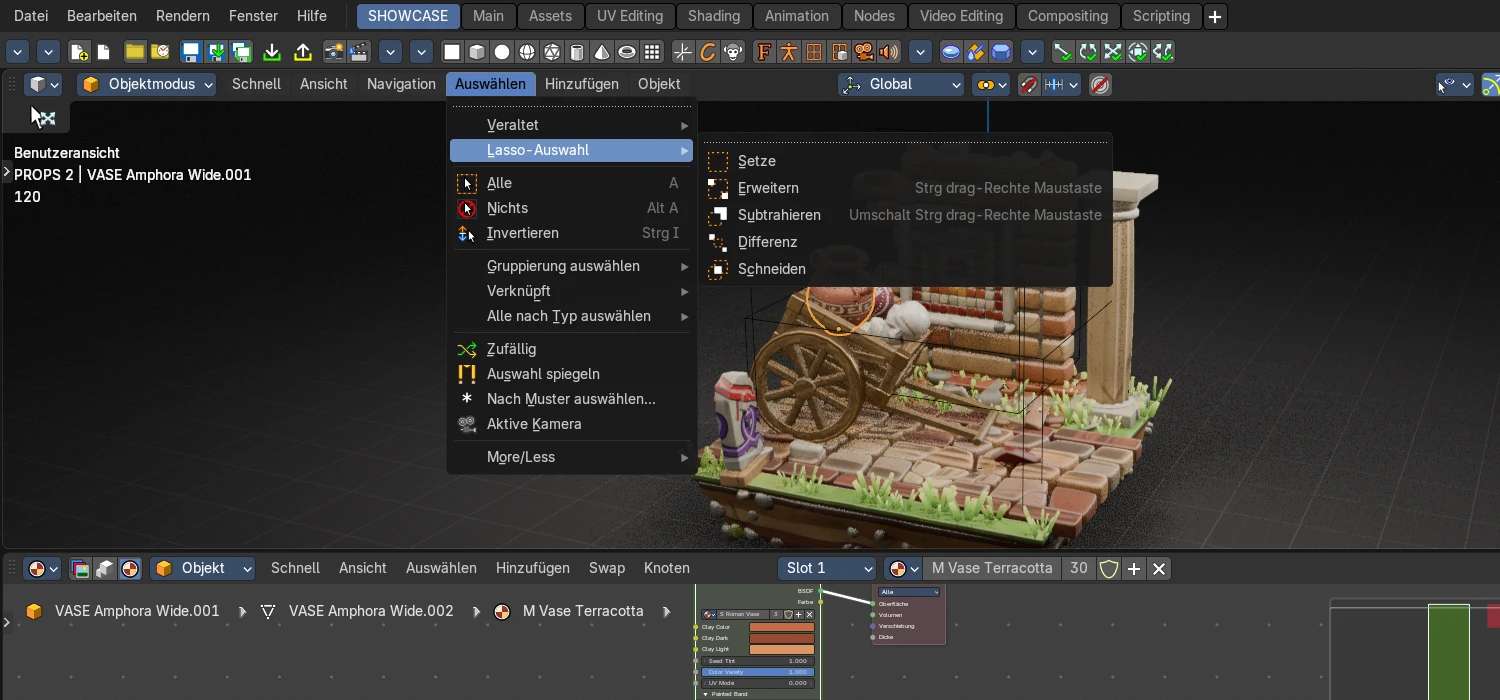
Bforartists menus, translated
Menus and tools that exist only in Bforartists are now translated too.
Video Editing
From Blender
Brought in from Blender
The Blender features in this build come along with the weekly merges, laid out the Bforartists way.
Video editing
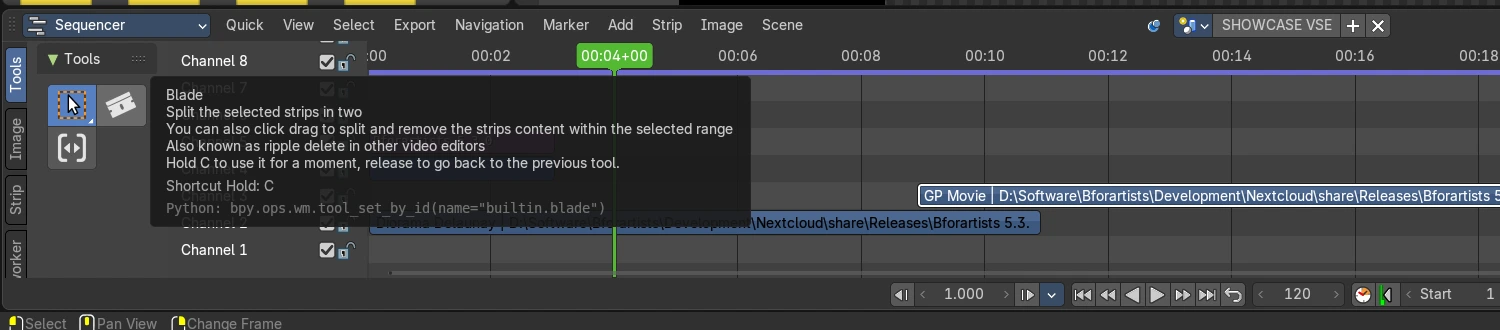
Hold C for the Blade tool
Hold C to cut strips with the Blade tool. Let go and the tool you had comes back.
Assets
From Blender
Brought in from Blender
The Blender features in this build come along with the weekly merges, laid out the Bforartists way.
Assets
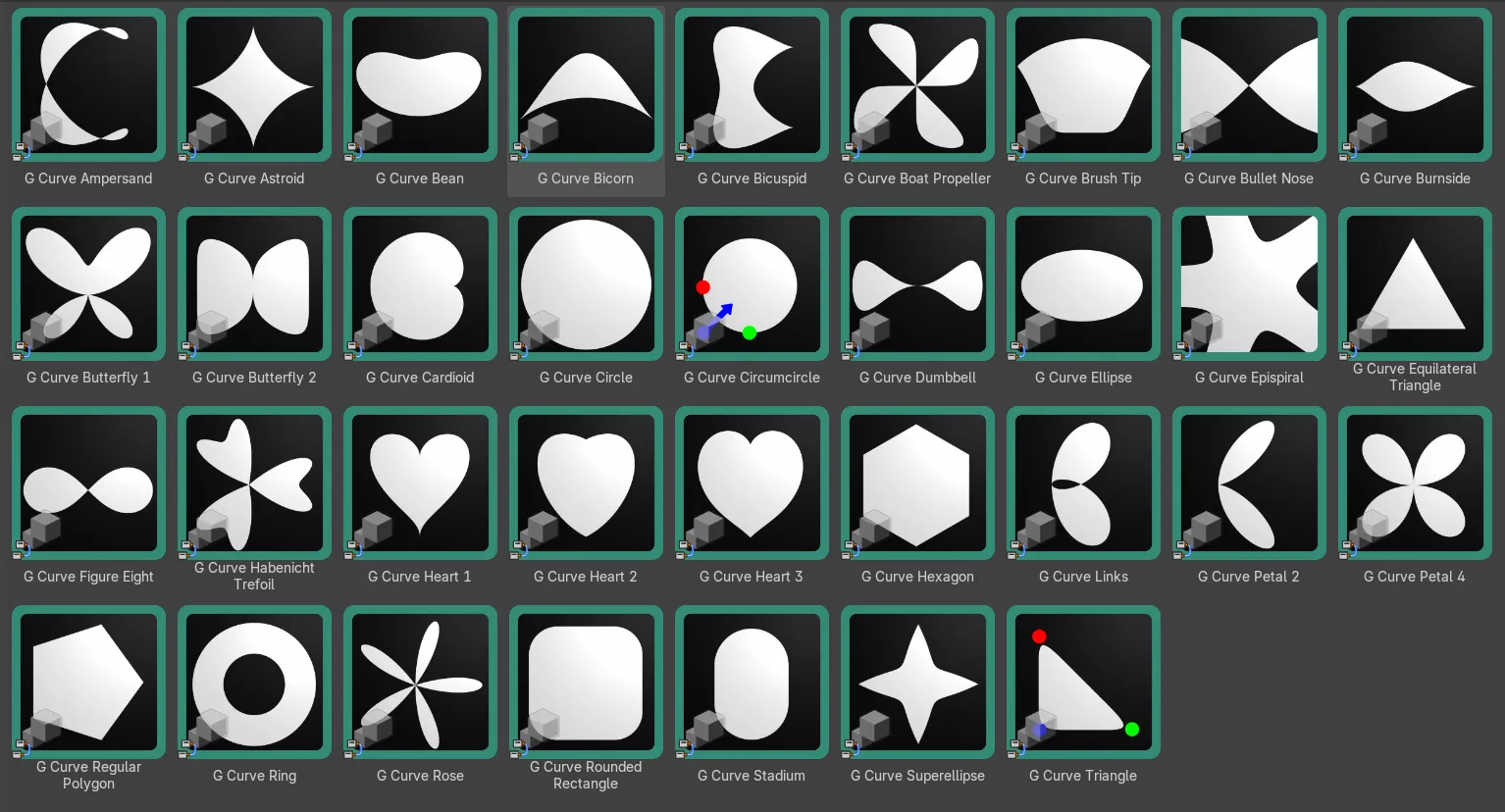
Curve shapes and fills
Ready-made curve shapes and fill nodes for Geometry Nodes, straight from the asset browser.
Interface
From Blender
Brought in from Blender
The Blender features in this build come along with the weekly merges, laid out the Bforartists way.
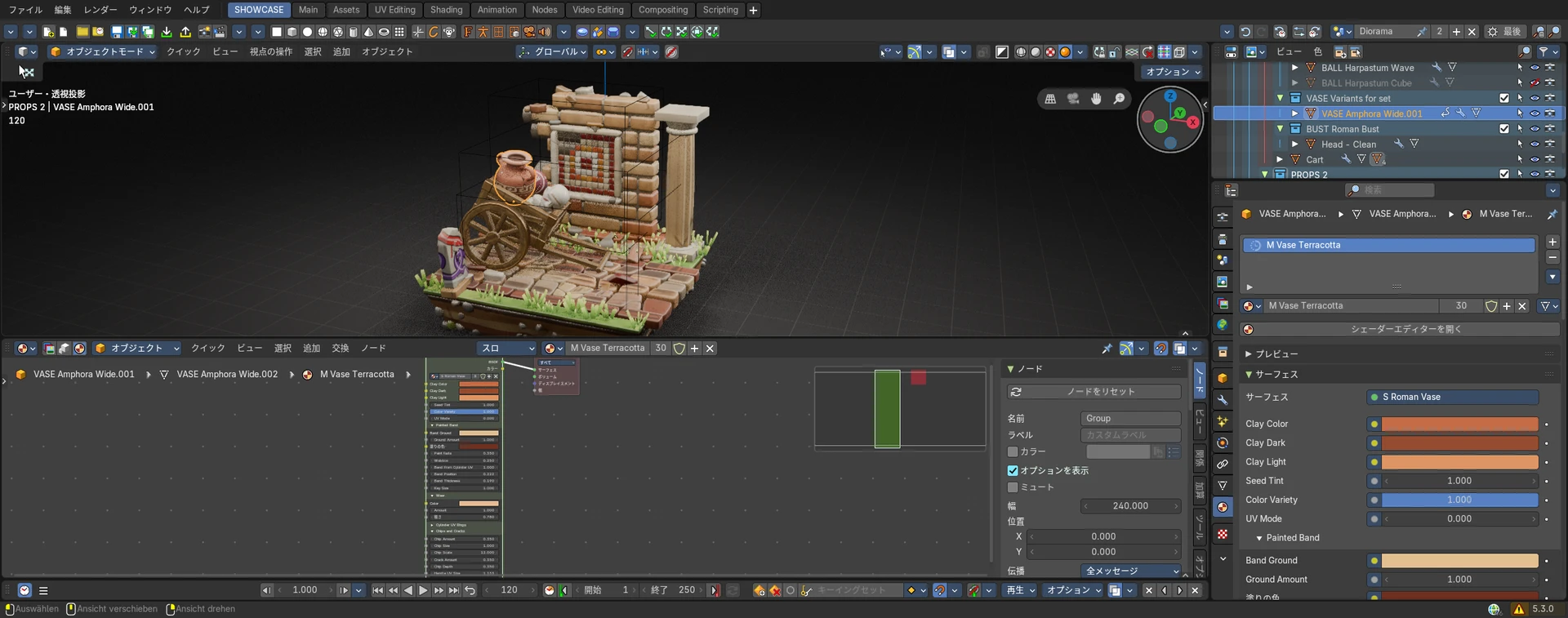
Languages
Japanese and more
The reworded labels and tooltips are translated again in all 49 languages, here in Japanese.
From Blender
From Blender
Brought in from Blender
The Blender features in this build come along with the weekly merges, laid out the Bforartists way.
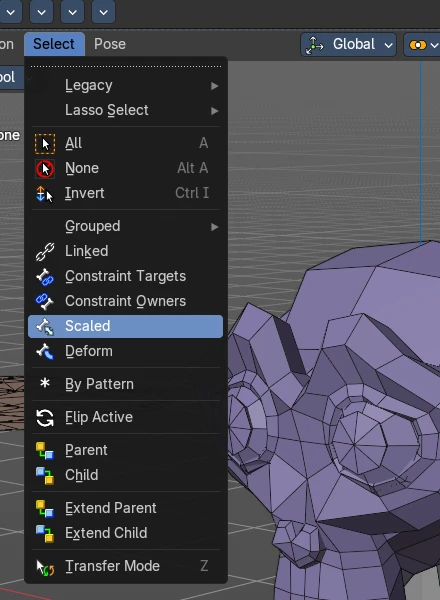
From Blender 5.4
More bone selection
Select Constraint Owners, Scaled and Deform bones.
Assets
From Blender
Brought in from Blender
The Blender features in this build come along with the weekly merges, laid out the Bforartists way.
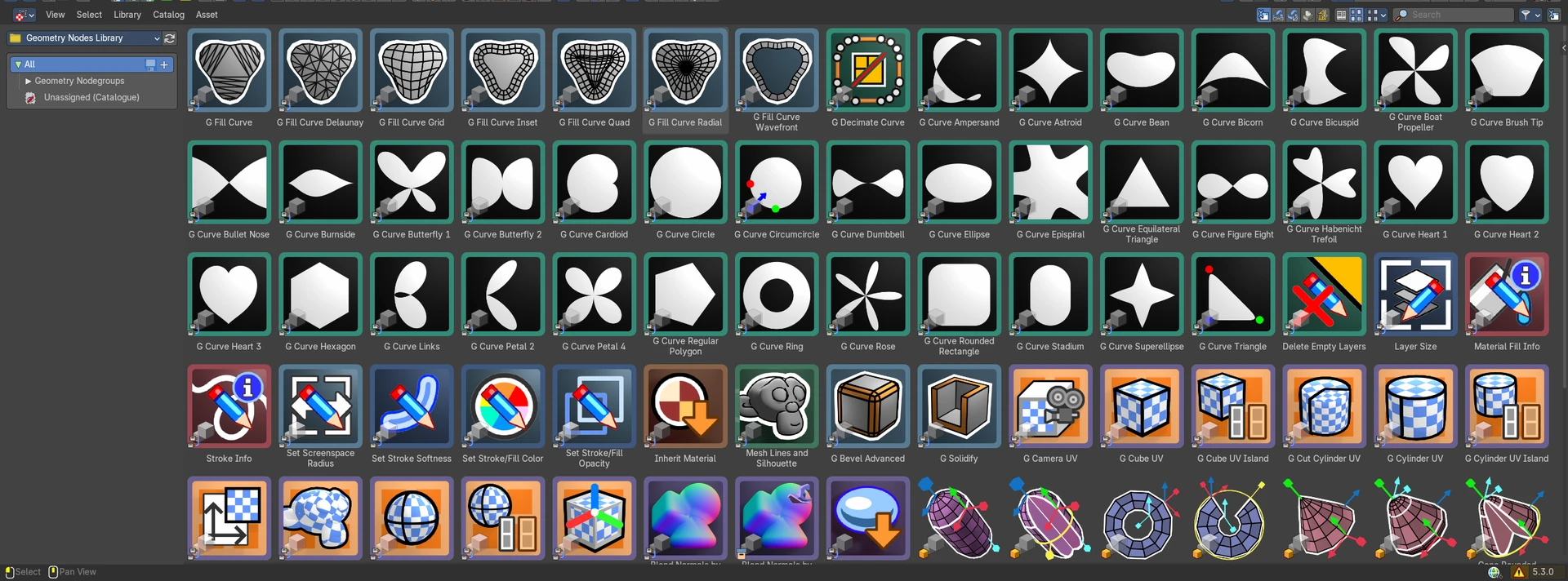
Assets
New assets in the Default Library
Geometry node curve shapes, curve fill nodes, Solidify and Bevel. The Compositor node library grows from 81 to 120 assets, to match the shader library.
Video Editing
From Blender
Brought in from Blender
The Blender features in this build come along with the weekly merges, laid out the Bforartists way.
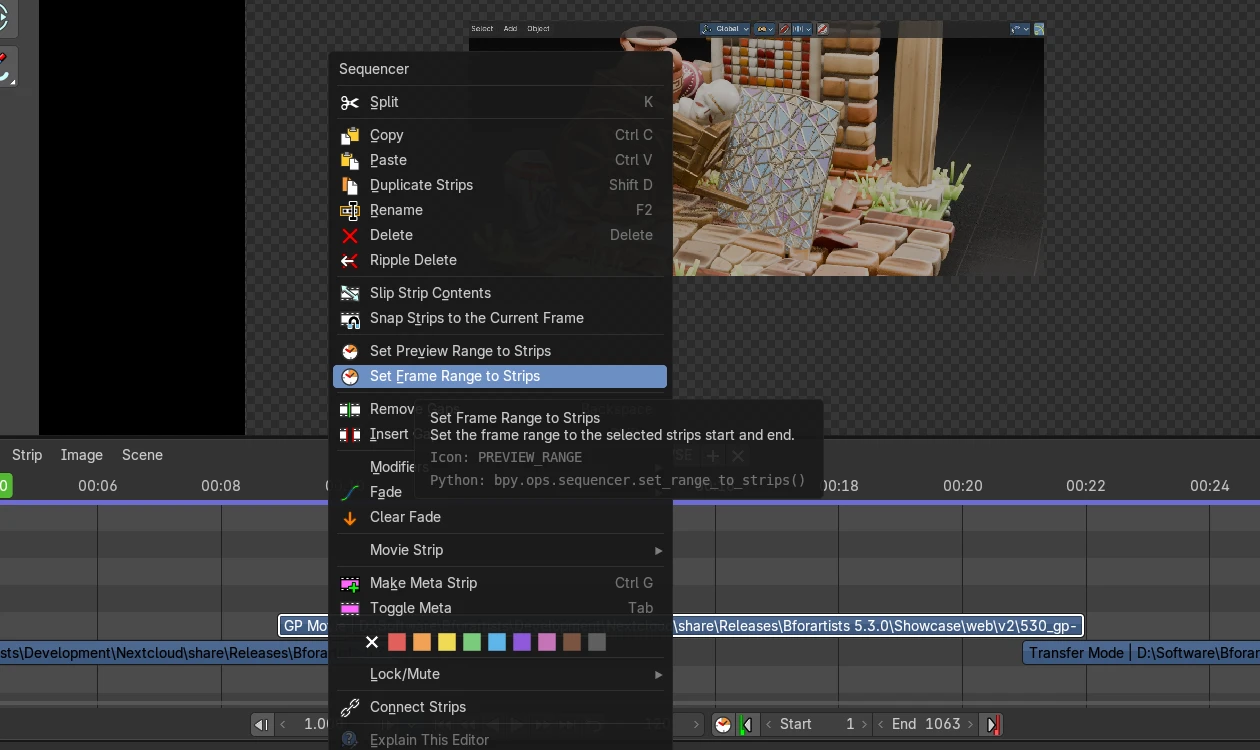
Nodes
From Blender
Brought in from Blender
The Blender features in this build come along with the weekly merges, laid out the Bforartists way.
Nodes
Node editors
- Move several group sockets at once.
- Bundle and Closure sections in the shader sidebar, Repeat and Closure zones in the Compositor sidebar.
- New node icons: Delaunay Triangulation, Grease Pencil Material Info and Comment.
Interface
From Blender
Brought in from Blender
The Blender features in this build come along with the weekly merges, laid out the Bforartists way.
Languages
Translated interface
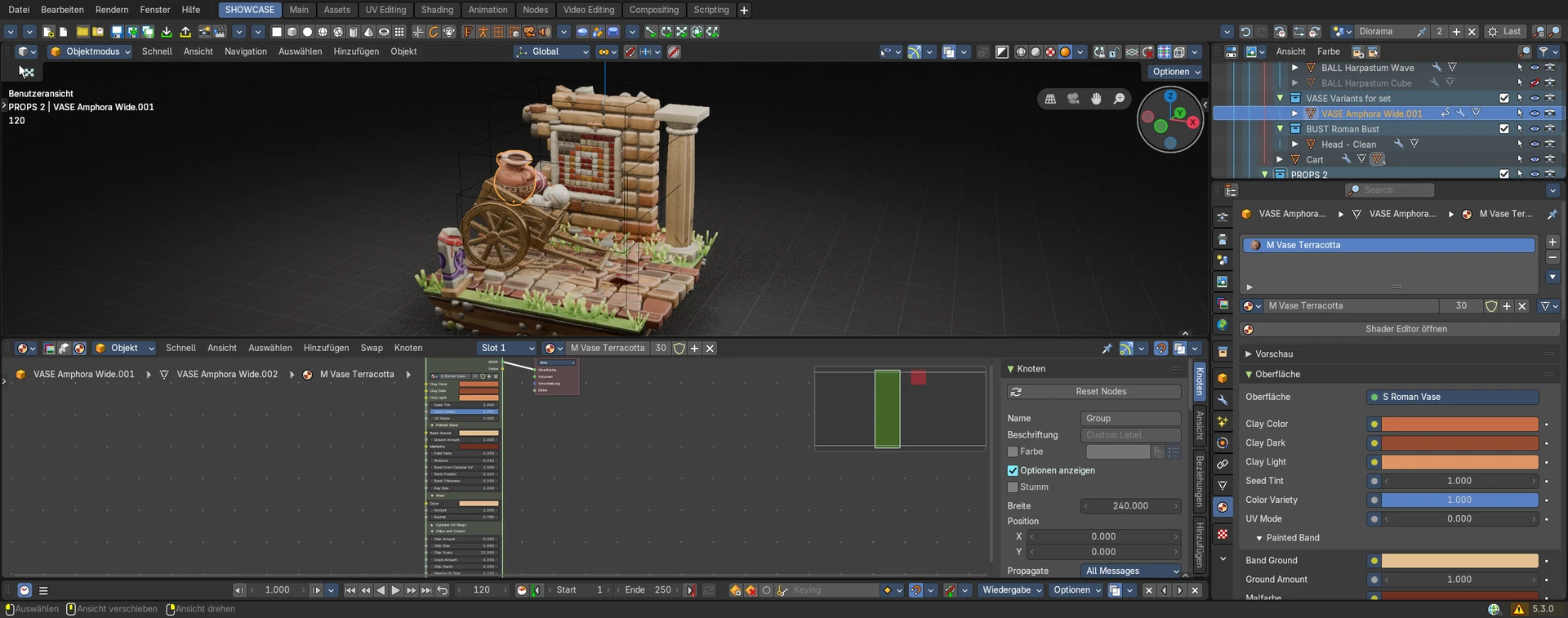
The reworded Bforartists labels and tooltips get their translations back in all 49 languages, and Bforartists-only menus and tools are now translated in 15 languages.
Viewport and Modeling
From Blender
Brought in from Blender
The Blender features in this build come along with the weekly merges, laid out the Bforartists way.
Modes
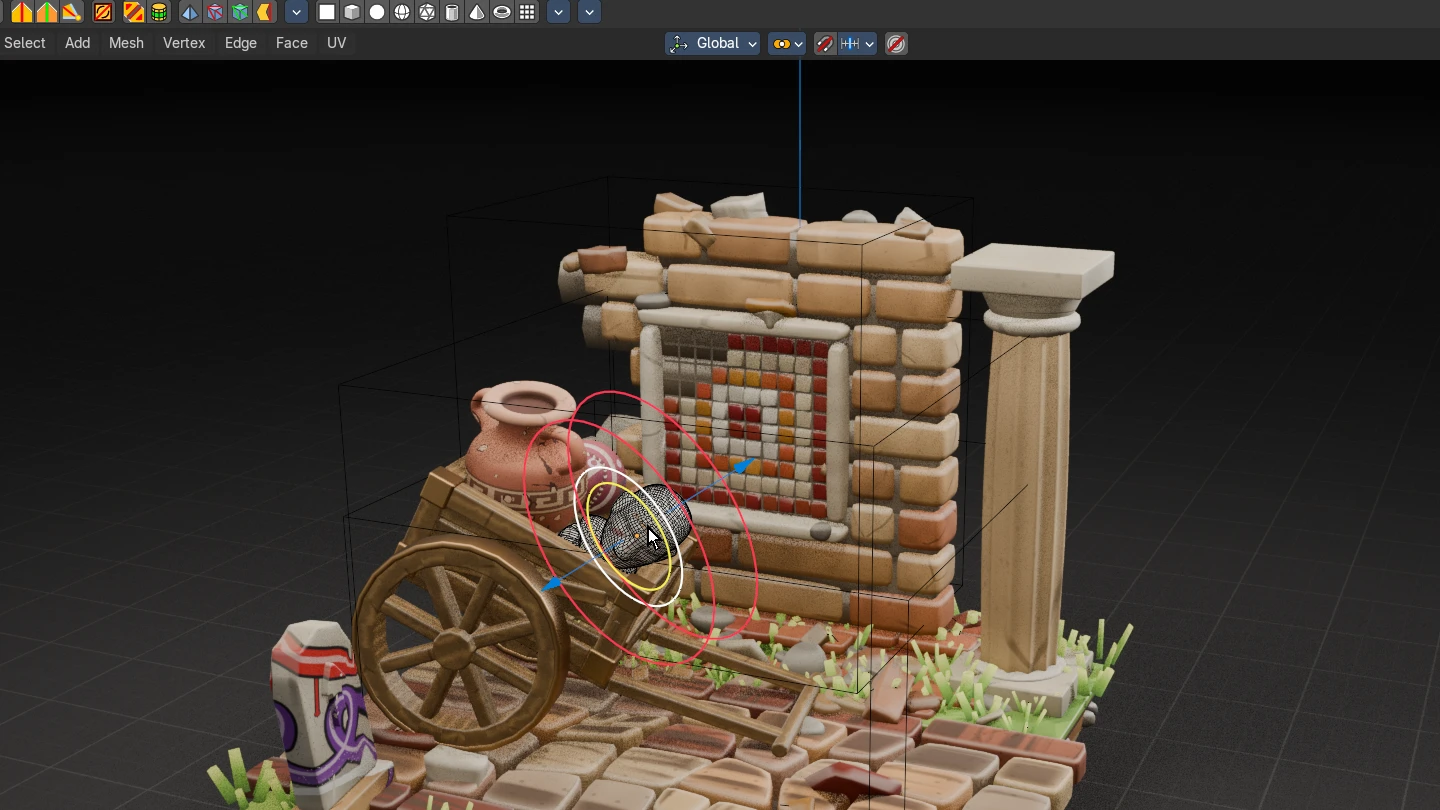
Transfer Mode on Z
Hover another object and press Z to switch to it and stay in the same mode, in every mode. It's in the Select menus too.
Highlights
From Blender
Brought in from Blender
The Blender features in this build come along with the weekly merges, laid out the Bforartists way.
New in 5.3
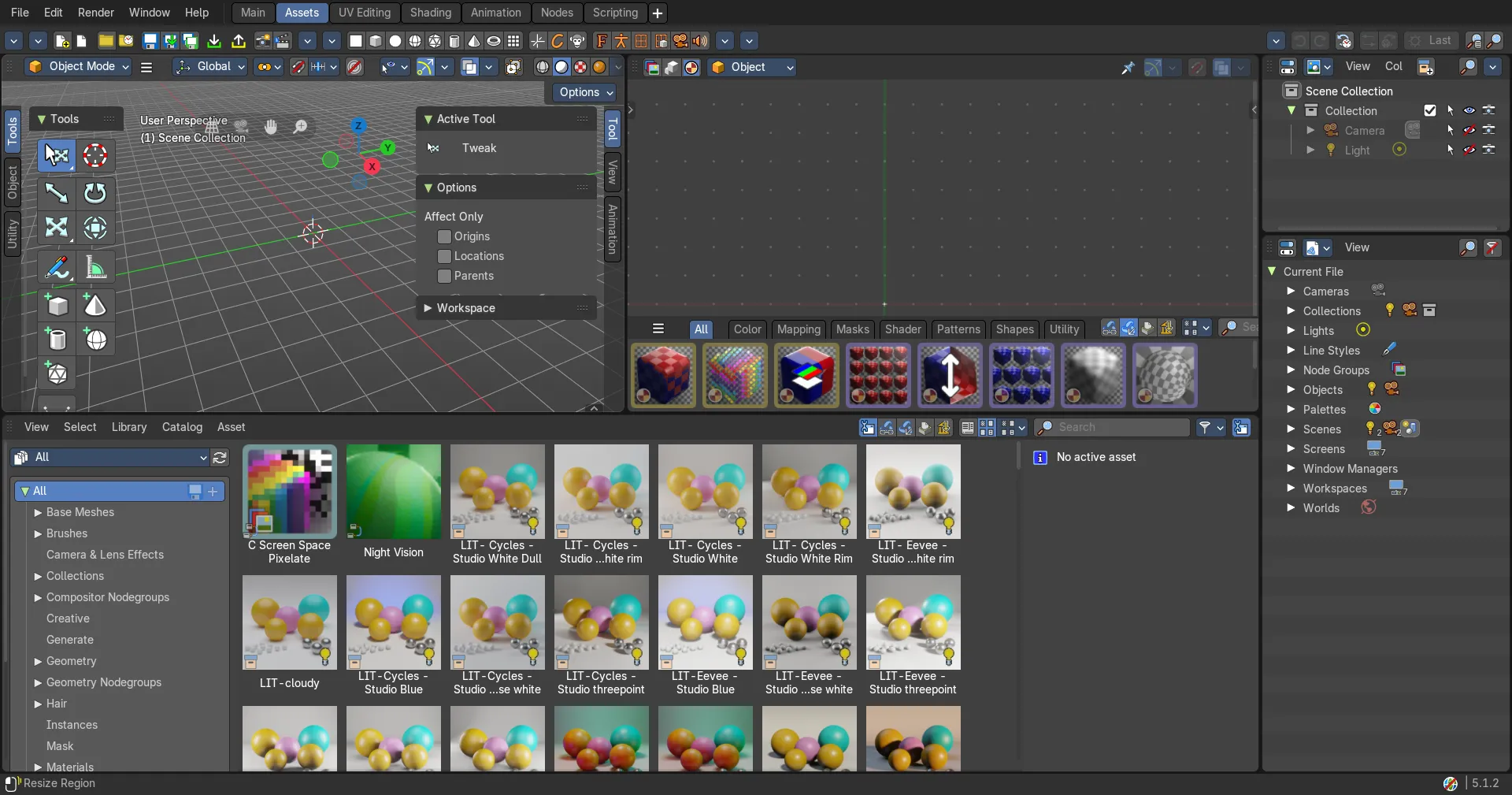
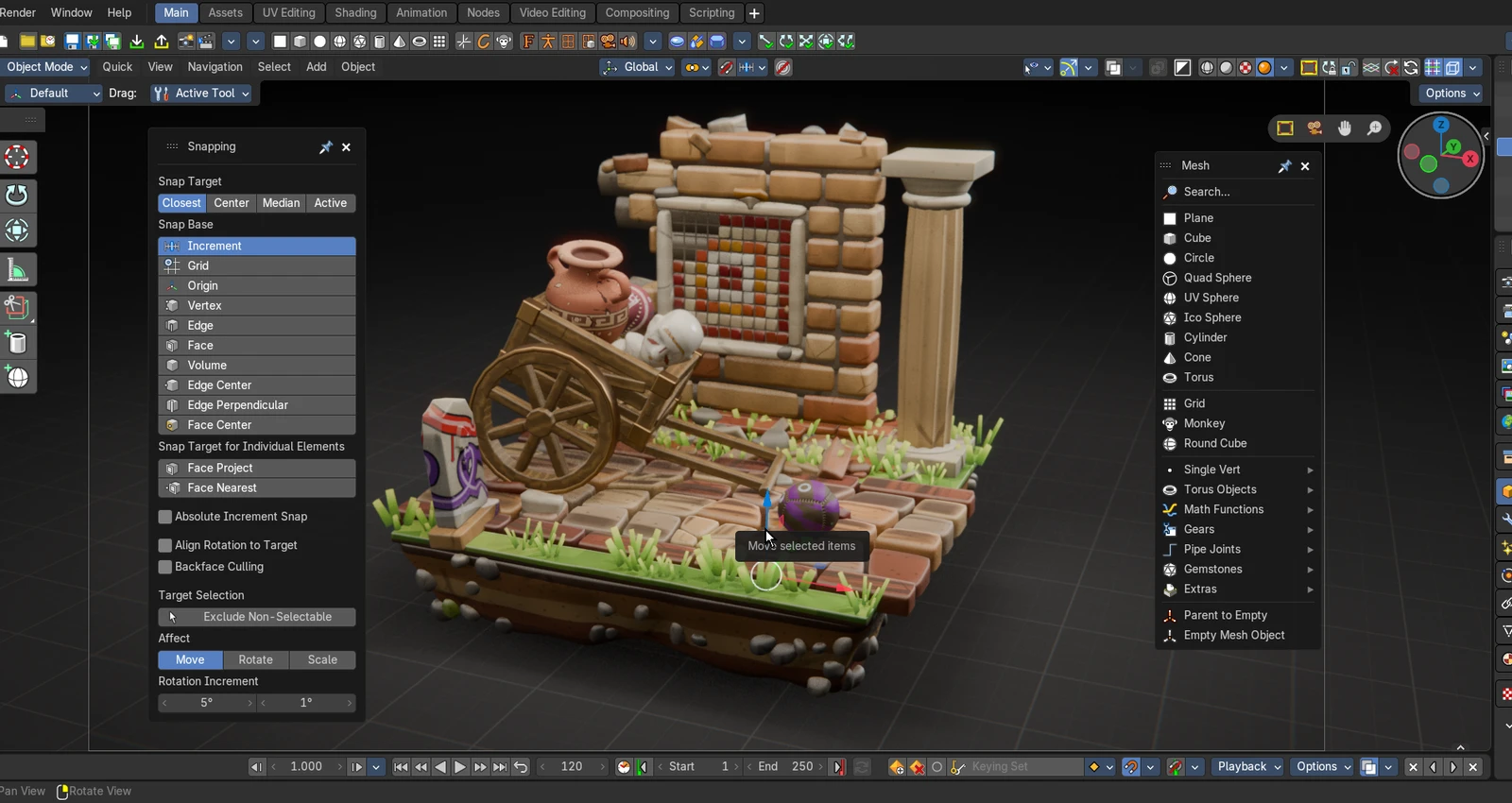
Tear off any menu or panel
Menus, submenus, popovers, dropdowns and tool shelf panels can float where you work. Click the Tear Off Menu row at the top of a menu, or Shift+drag a panel header.
A staple of other 3D software, and one of the most requested features from the community.
Blenux
This is one of the largest milestone releases of Bforartists history! We now have pinnable Tear-Off Menus: tear off any menu or panel and keep it floating where you work, how you work. It's a staple of other 3D software and one of our most requested features, and it's now in Bforartists thanks to the initiative of Blenux.
This release is built on Blender 5.4.0 Alpha (Blender main as of November 17, 2026), with 90 new features, fixes and polish from us since 5.2.3.
📌 Tear-Off Menus and Panels
- Tear off almost anything — Menus, submenus, popovers, dropdowns and tool shelf panels. Click the Tear Off Menu row at the top of a menu, or Shift+drag a panel header
- Out of the way — Collapse a tear-off to a strip with a double-click, resize it, or crop a long menu to the part you use
- They know where they belong — A tear-off shows in its workspace, editor and mode, hides elsewhere and comes back when you return
- Saved with your work — Tear-offs are stored in the .blend file and the startup file, with position, size and collapsed state
- Optional — Turn it off in Preferences > Interface > Display
✨ What's new in this release:
- New assets in the Default Library — Geometry node curve shapes, curve fill nodes, Solidify and Bevel, and a Compositor node library grown from 81 to 120 assets to match the shader library
- Translated interface — Our reworded labels and tooltips get their translations back in all 49 languages, and Bforartists-only menus and tools are now translated in 15 languages
- Transfer Mode on Z — Hover another object and press Z to switch to it and stay in the same mode, in every mode. Also in the Select menus
- Split Editor Edge — Right-click an area edge to split it at the cursor, the inverse of Merge [Editor] Edge
- New Collection from Selection — The Outliner's New Collection button moves the selected objects into the new collection
- Faster selecting — Shift + double-click selects islands in Edit Mode, L picks linked strokes in Grease Pencil, and Ctrl click extends in tree views
- Sequencer — Hold C for the Blade tool, and Set Render Range and Ripple Delete in the context menu
- Node editors — Move several group sockets at once, Bundle and Closure sections in the shader sidebar, Repeat and Closure zones in the Compositor sidebar, and new node icons (Delaunay Triangulation, Grease Pencil Material Info, Comment)
- Asset Libraries — Reorder your libraries in Preferences and Projects
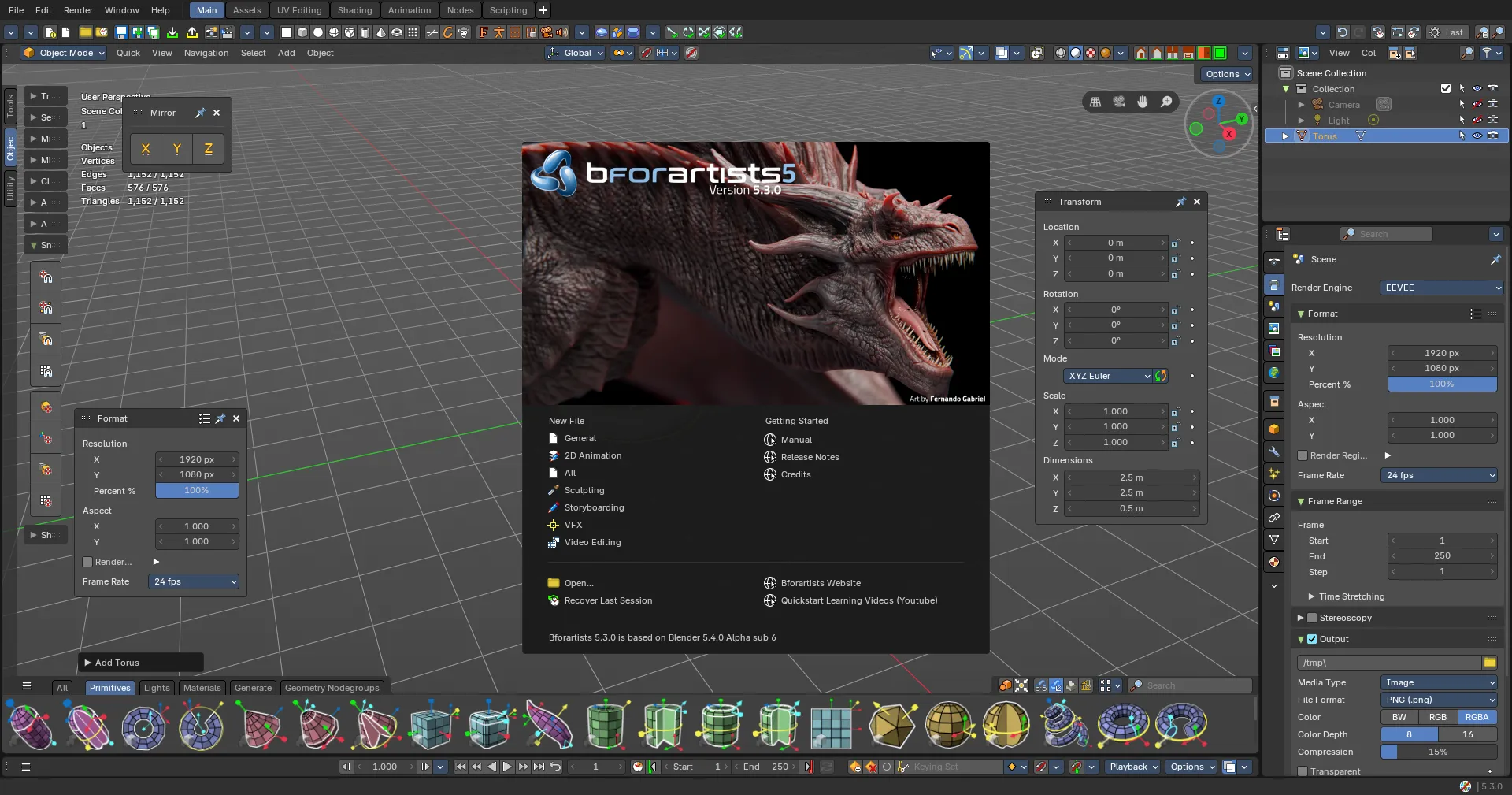
- Splashscreen — The Projects selector moved into the recent files column, off the artwork
- 40+ layout fixes — Checkboxes left, labels in front of sliders, and double entries removed across the Properties editor, Movie Clip Editor, Sequencer and Grease Pencil
- Tooltip accessibility settings — New preferences for position offsets for larger mouse cursors
🧡 New from Blender 5.4 (Alpha):
- More bone selection — Select Constraint Owners, Scaled and Deform bones
- Fit Edge Loops To Annotation — Shape edge loops along an annotation stroke
- Delaunay Triangulation and Grease Pencil Material Info nodes in Geometry Nodes
- Grease Pencil materials — Movies and image sequences as Stroke and Fill textures, with color space, and a Randomize Seed
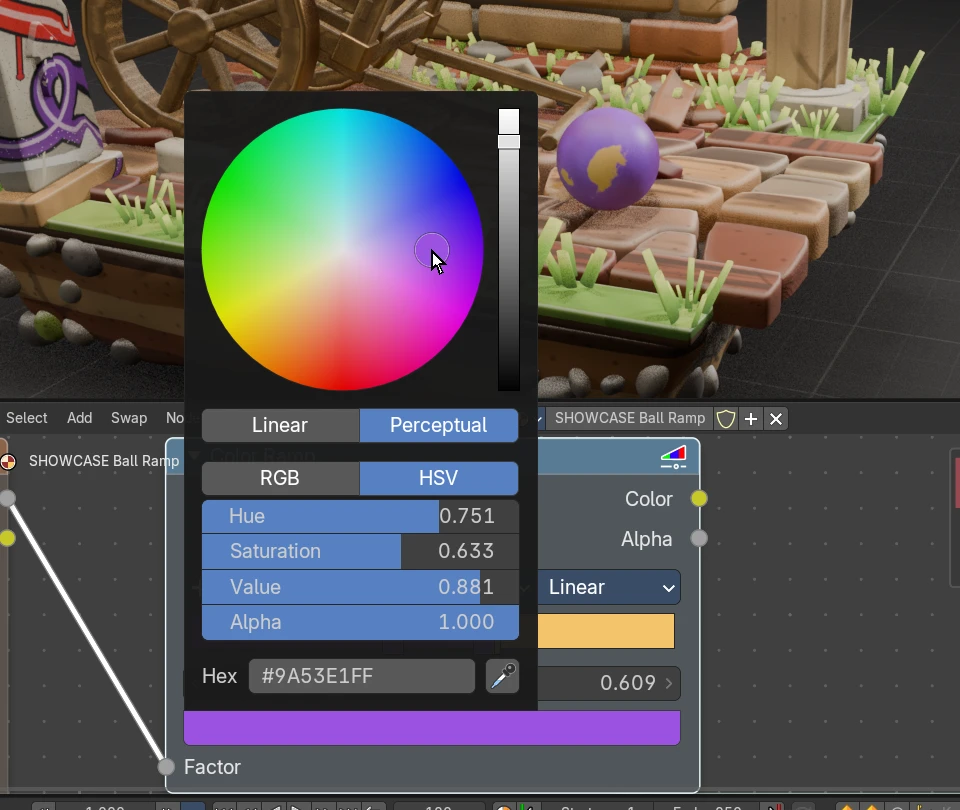
- Color picking — Hue wraps around, and Ctrl snaps ColorRamp stops
And many more bug fixes and more!
Note: Bforartists follows Blender main, so this release carries Blender 5.4 Alpha code. Files stay fully compatible with Blender.
Downloads are available from GitHub, the official website, the Windows Store and Blender Launcher V2.
- Install_Bforartists5_530.exe
- Bforartists-5.3.0-Windows.zip
- Bforartists-5.3.0-MacSilicon.zip
- Bforartists-5.3.0-x86_64.AppImage
- bforartists_5.3.0.deb
- Bforartists-5.3.0-Linux.tar.xz
- releasenote_bforartists5_530.txt
Tear-Off Menus and Panels
- Interface - Tear-Off Menus and Panels - Panels torn off the Properties editor should stay when the tab changes #7081
- Tear Off Menus - UI Lists cannot be scrolled or work with drag and drop #7020
- General - Tear Off Panels #6821
3D View
- 3D View > Select - expose hidden ALT+Q operator to toggle selection #7057
- 3D View - Pose / Armature Edit - Select - New bone selection entries need icons #7054
- 3D View - Mesh Edit Mode - Transform - New Fit Edge Loops To Annotation needs icon and toolshelf entry #6944
- Sculpting template crashing #6941
- 3D View > Weight Paint > Header - Loop Select button is always disabled #6938
- 3D View - Sidebar - Animation - Fix to Camera error with an active keying set: name 'props_box' is not defined #6918
- 3D View - Object - Animation - Replace with Duplicate Action #6695
- 3d view in texture paint mode - key error key "Grease Pencil Stroke Weight Mode" not found' #5932
- Edit mode mesh object, face menu, remove legacy extrude operators. #5690
- 3D View - shorten the calculate mass menu #5587
Grease Pencil
- 3D View - Grease Pencil Edit Mode - Select - Key for the new Select Linked (pick) #7056
- Grease Pencil in modes - Lines panel name inconsistency #6298
- Grease pencil in edit mode - Sidebar - Item tab, indent Cyclic checkbox, add label, check for tooltip #5818
- Grease pencil object in vertex paint mode, missing icon for Replace #5775
- 3D Viewport - Grease Pencil object - Edit Mode - Point+Stroke context menu - remove Merge by Distance from context menu #5307
Properties Editor
- Properties Editor - Output - Metadata - Note - Remove extra textbox label #6856
- Properties Editor - Compositor tab - Add "Open Compositor Editor" button to compositor effects #6777
- Properties Editor - Mesh - Shape Keys - Duplicate operator tooltip should mention it now duplicates all selected #6742
- Properties editor - View layer tab - Freestyle Alpha panel - Freestyle modifiers - put label in front of the edit boxes #6260
- Properties Editor - Texture tab - Image or Movie type - Image Panel - Mapping subpanel - wrong order of checkboxes #6223
- Properties Editor - Mesh Object - Materials tab - Settings subpanel - Surface subsubpanel - Displacement Method Displacement Only - put label for the slider in front #6221
- Properties editor -Material tab with Grease Pencil object - Surface panel - Fill subppanel in Gradient style mode - remove double entry Holdout #6220
- Properties editor - Object Data Properties - Empties - Empty panel with type image - put checkbox left, add triangle button and hide content #6211
- Properties editor - Object Data Properties with armature - Motion Paths panel - Calculation range vs Computation Range #6209
- Properties editor - Mesh object - object properties - shape keys panel, remove double entry #6192
- Properties editor - Constraints tab - Limit scale constraint , adjust checkboxes left #6189
- Properties editor - Physics tab - Dynamic paint, Brush type, source panel - hide Ray Direction #6180
- Properties editor - grease pencil effects - align props left #6179
- Properties Editor - Particle tab - Emission - Emission Panel - Source subpanel - put label in front of sliders #6178
- Properties editor - Modifiers - Grease Pencil - Lineart modifier - Geometry processing subpanel - align checkbox left #6174
- Properties editor - Modifiers - Grease Pencil - Lineart modifier - Edge Types subpanel - align props left. #6173
- Properties Editor/Topbar - Viewport Visibility - Disable "Display As" Draw mode when in "Rendered" 3D Viewport mode #5912
Outliner
- Outliner > Collection Context Menu - Make a New Nested from Selection operator #7084
- Outliner - View - Expose "Hide Unselected Elements" operator #6720
Node Editors
- Icons - Node Editor - Layout - Restore the lost Comment node icon artwork #7061
- Workspace - Node Editor - Default minimap to 1.5 (reset) #6797
- Node Editor - Group > Group Sockets - Support multi-item selections for Move Up / Down operators #6215
Geometry Nodes
- Geometry Nodes - Grease Pencil - Read - New Grease Pencil Material Info node needs icon and toolshelf entry #7053
- Geometry Nodes - Geometry - Operations - New Delaunay Triangulation node needs icon and toolshelf entry #7006
Shader Editor
- Shader Editor - Toolshelf - Move Bundle and Closure nodes into their own sections like the Add menu #7007
Compositor
- Compositor > Sidebar > Options > Performance - Organize cache properties #7052
- Compositor asset 'C Ordered Dithering 2x2' outputs a black image #6970
- Compositor > Toolshelf - Struct items doesn't support IDProperties #6963
- Compositor - Toolshelf - Add Repeat Zone, Closure Zone and Evaluate Closure #6946
Video Sequencer
- Keymap - Video Sequencer - Add hold C for the Blade tool (new hold-to-switch-tool) #6949
- Video Sequencer - Context Menu - Add missing Blender entries: Add menu, Set Render Range, Ripple Delete #6945
- Sequencer > Text Strip > Style panel - Labels misaligned by one row below Line Spacing #6939
- Sequencer - Slice Modal operator - Improve tooltip to show that you can drag and ripple delete #6428
- Crash with dropping a video clip into the VSE when the same clip is already loaded in a motion tracking scene. #6266
- Sequencer - Hotkey - Add Duplicate LInked ALT+D for consistency #6098
- Sequencer - Hide Text select operators when not selecting a text strip #6088
- Sequencer - Preview - Remove redundant "Proxy" menu entries #5159
Movie Clip Editor
- Mask Editor - Expose the "Move to Layer" operator to header, add icon #6424
- Movie clip editor - sidebar - Track tab - Marker options - cluttered content #6112
- Movie Clip Editor - Tracking mode - Graph submode - two select menus #6110
- Movie Clip Editor - Tracking mode - Graph submode - Graph menu has capital letters #6109
- Movie clip editor - Tracking mode - graph and dope sheet submode View menu - double entry frame all #6107
- Movie clip editor - Tracking mode - View menu - double entries + hotkey problem #6106
- Movie clip editor - Mask mode - Header - Overlays - indent content #6105
Assets
- Default Library - New geometry node shapes, curve fill and solidify nodes, compositor parity with shaders #6965
- Projects/Preferences > Asset Libraries - Add reorder buttons to the libraries n Preferences #6954
- Asset - Migrate and add Bloom #6870
- Asset Browser/Shelf - Append data without the marked asset tag property #6804
Splashscreen and Projects
- General - Remaining bforartists.de URLs outside the splash and Help menu #7022
- Splash Screen / Help menu - Links - Old bforartists.de URLs end on 404 pages #7019
- Project Splashscreen - Add back color #6962
- Splashscreen - Move the "Projects" selector into the recent projects column #6961
- File - Projects - Add icon to Close #6959
Keymap
- Keymap - User Interface - Tree view Ctrl click extend is mapped to the OS key #7018
- Hotkeys - 3D View - Add a mouse hotkey for modal view roll #6858
- Hotkeys - Edit mode - Add SHIFT+DOUBLE LMB to select islands like in Object mode #5914
Translations
- Translations - Machine translations for Bforartists strings added since week 45 #7055
Preferences and Themes
- Accessibility Option - flip pop-up direction #7027
- Themes - Presets - Remove stale attributes from the Blender Dark and Blender 2.5x presets #7008
- Preferences - Animation - Float and show Negative Frames warning left #6574
- Preferences - Zoom to Mouse position now affect Compositor mention in tooltip #6423
Other
- Freedesktop - Metainfo URLs still point to blender.org #7048
- Dope Sheet - Overlays - Scene Strip Gizmo - Reword the Show Frame Range tooltip #7003
- General > Drag and drop Blender Open dialogue - Make the button bigger #6955
- Editors Context Menu - Split Edge operator #6756
- NLA - Add keyframe in footer is a double from header, could be contextual #6724
- Toolbar/Topbar - Improve tooltip regarding saving configuration #6391
- All Editors - View - Add tooltip to nudge discoverability of for the Region Pie menu #6228
- text editor - file menu - templates - Blender Manifest #6136
- Drivers Editor - Channel menu - Move submenu - move Frame Selected Channels to the View menu. #6132
- Graph editor - Sidebar - Modifers tab - modifiers - align props left #6126
- Image Editor, remove UV Editor from the Image Mode dropdown #5911
A special thank you to Blenux for taking the initiative on Tear-Off Menus, and to xan2622 for a first contribution: New Collection from Selection.
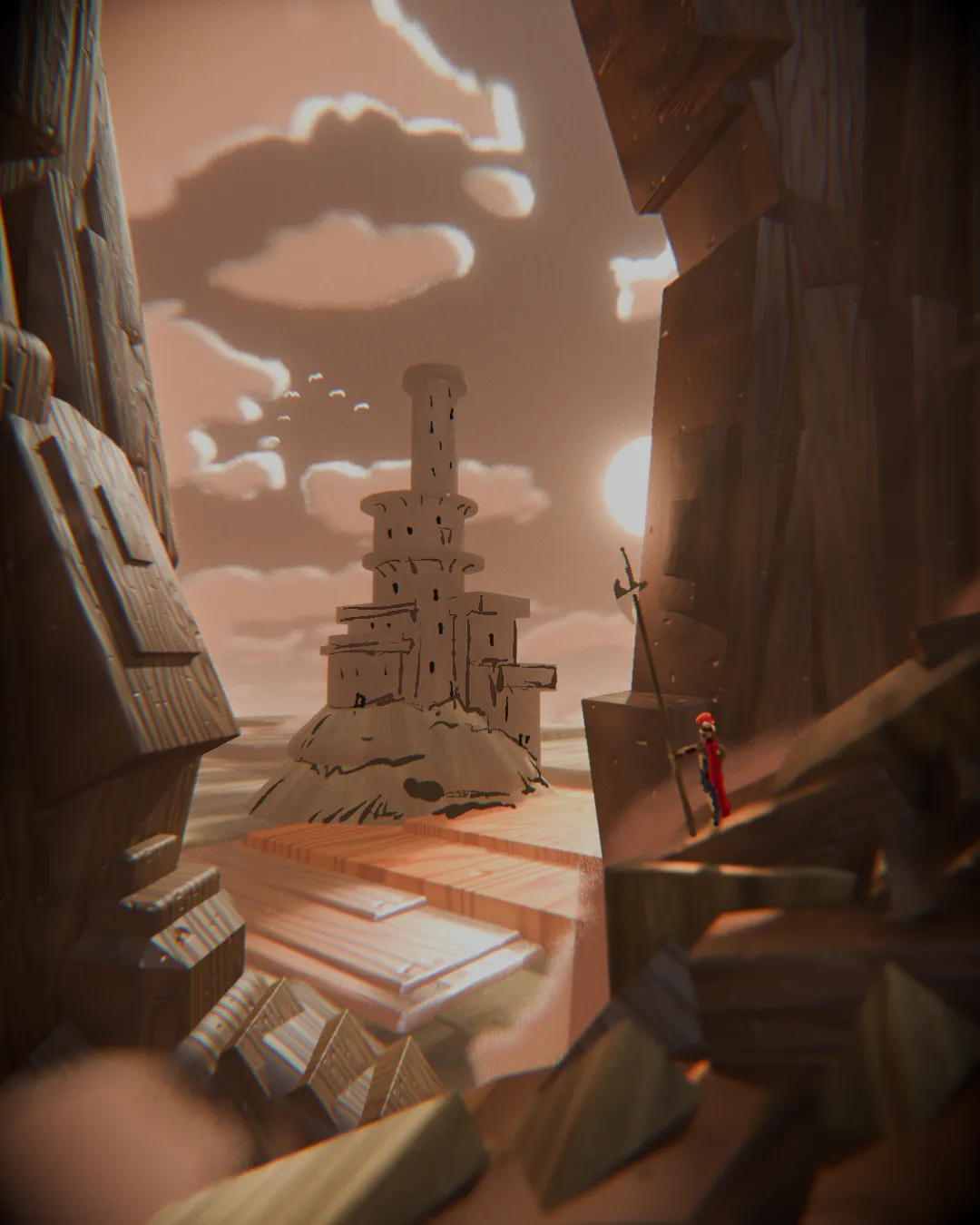
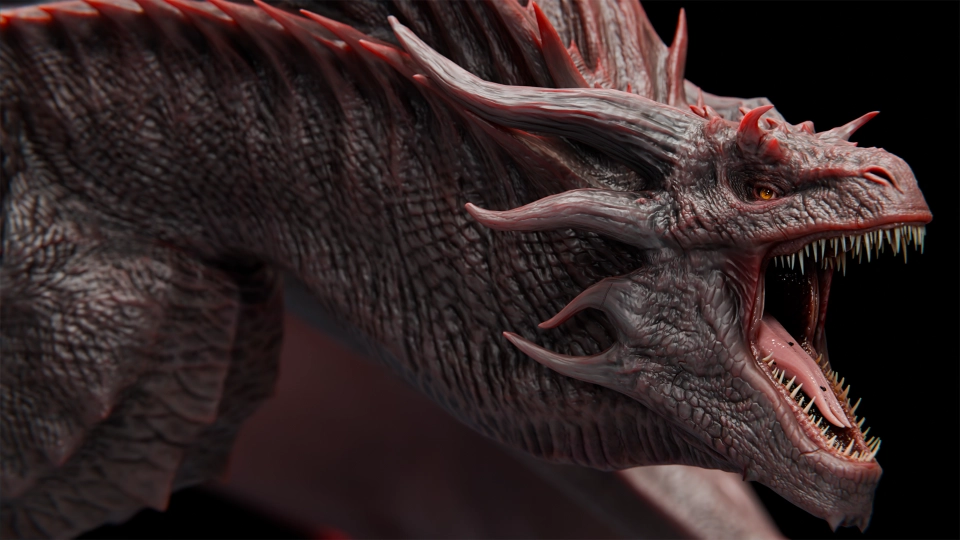
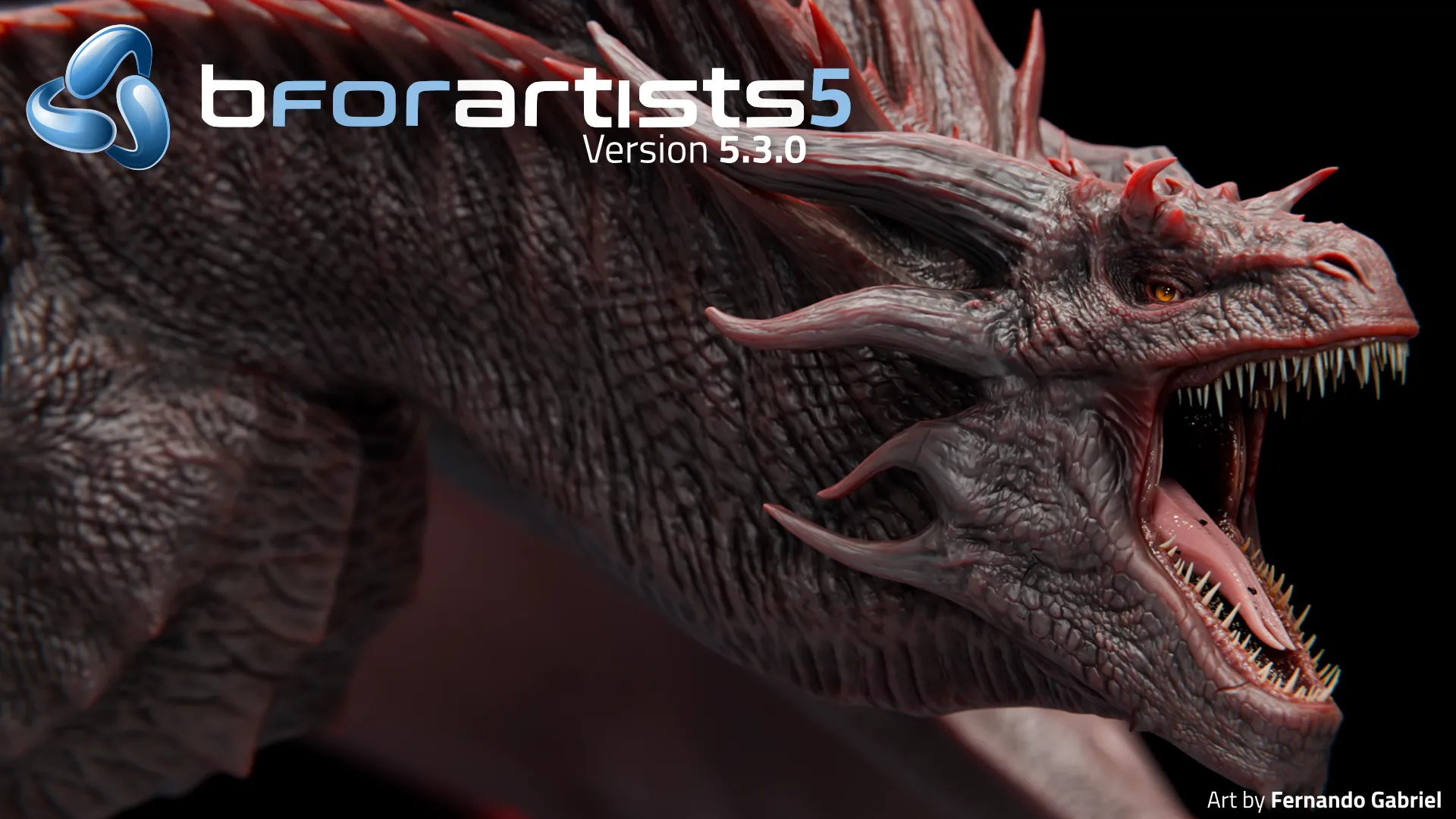
Splashscreen is kindly provided by Fernando Gabriel, the latest winner of the Splashscreen call for submissions hosted in the Discord server! Thank you so much everyone!
And thank you for using Bforartists to make art - and for being a part of this humble art community.
Draise, Tobi, Reiner, Blenux (Juso), Znight (Trung Pham), Quackers, Eyad, Shaley, Sean, xan2622 and all you arty people
💜 Join the official Discord server for weekly art challenges and live artist QnA interviews every now and then! And share your art.