























































Workspaces

Video Editing
Cut and edit video, images and sound.
A workspace to edit videos.
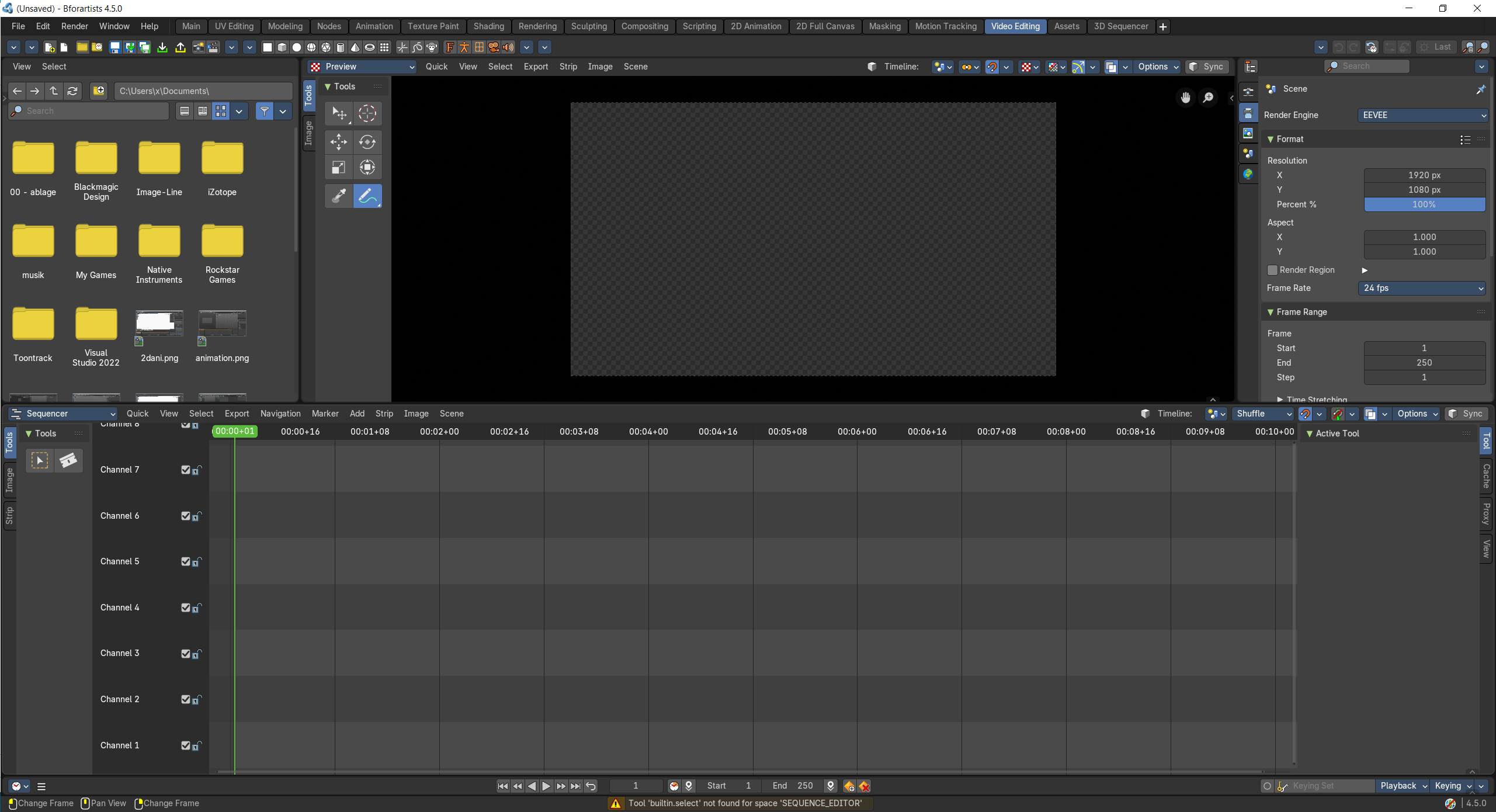
- Screenshot
- Topbar — Menus, the workspace tabs and the main toolbar.
- File Browser — Find clips, images and sounds; drag them into the sequencer.
- Video Sequence Editor — Preview: the edited picture at the current frame.
- Properties Editor — Output format, resolution and frame rate.
- Video Sequence Editor — Cut, move and fade strips on channels.
- Timeline — Playback and frame range.
How the work flows
Video Editing is a small cutting room. The File Browser finds clips, images and sounds to drag in; the lower Video Sequence Editor is the cutting table where you cut, move and fade strips on channels, and the upper one previews the edited picture at the current frame. The Timeline sets the range and plays it back, and the Properties Editor chooses the output format, resolution and frame rate.