























































Workspaces

UV Editing
Unwrap meshes and edit their UV maps.
The UV Editing is made for texturing and UV mapping. It contains an Info Editor, a UV Editor and a 3D View editor. The 3D View starts in Edit mode.
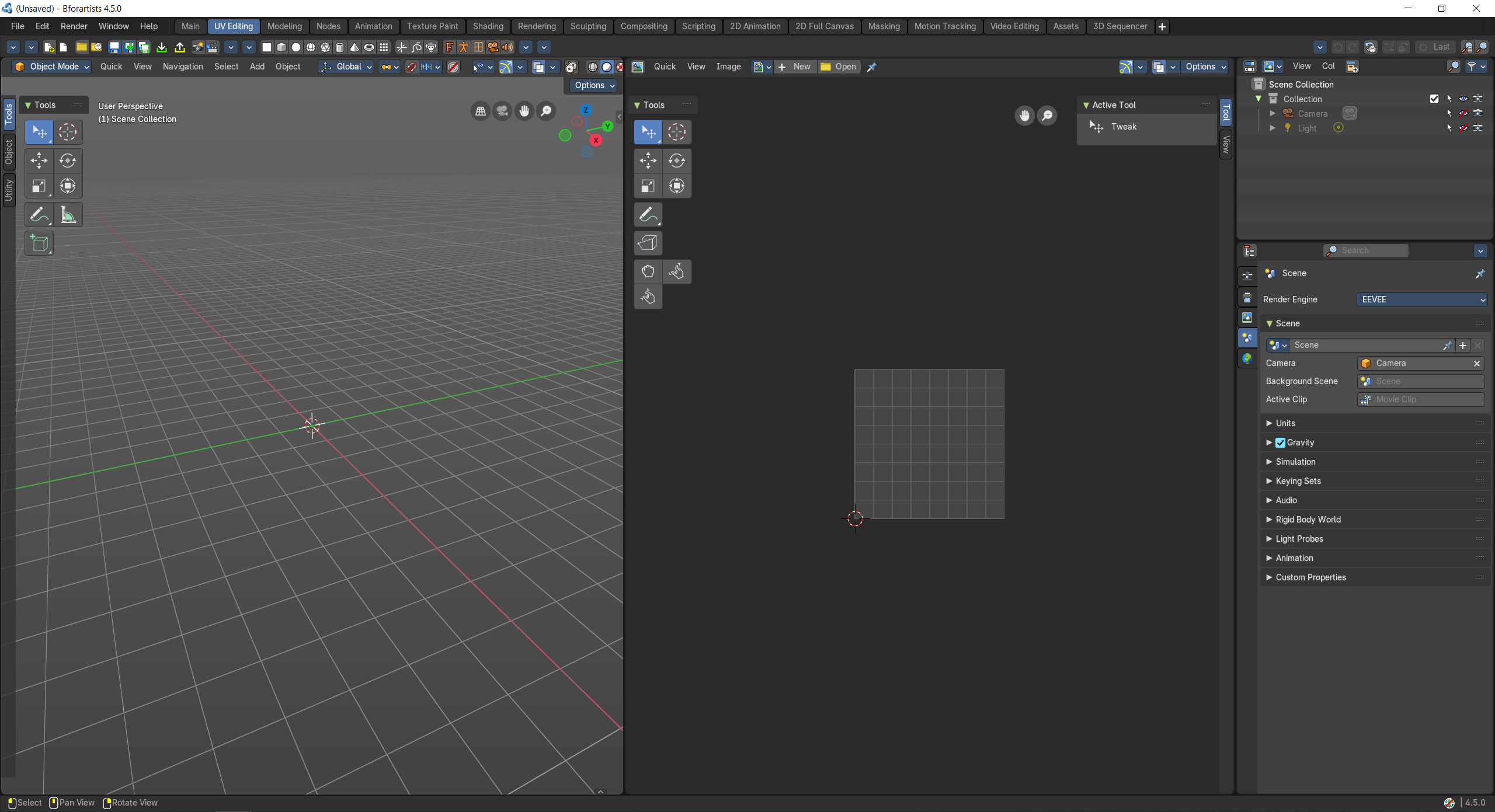
- Screenshot
- Topbar — Menus, the workspace tabs and the main toolbar.
- 3D Viewport — Select faces and mark seams on the model in Edit Mode.
- UV Editor — The unwrapped faces laid flat over the texture; move, scale and pack them.
- Outliner — Pick the object to unwrap.
- Properties Editor — UV maps live in the Object Data tab.
How the work flows
UV Editing is where a model learns how to wear its texture. In the 3D Viewport you mark seams in Edit Mode, like the cut lines of a sewing pattern; unwrap, and the UV Editor lays those pieces flat over the image so you can move, scale and pack them. Every change shows on the model straight away, so you go back and forth between the two until the texture sits right. The Outliner picks the object, and the Properties Editor holds its UV maps.
Starts in
The workspace opens the 3D Viewport in Edit Mode when the scene has an object for it.