























































Workspaces

Texture Paint
Paint textures right on your models.
The texture painting workspace is made to do texture painting work. It contains an Info Editor, a Image Editor and a 3D View editor. The 3D View starts in Edit mode.
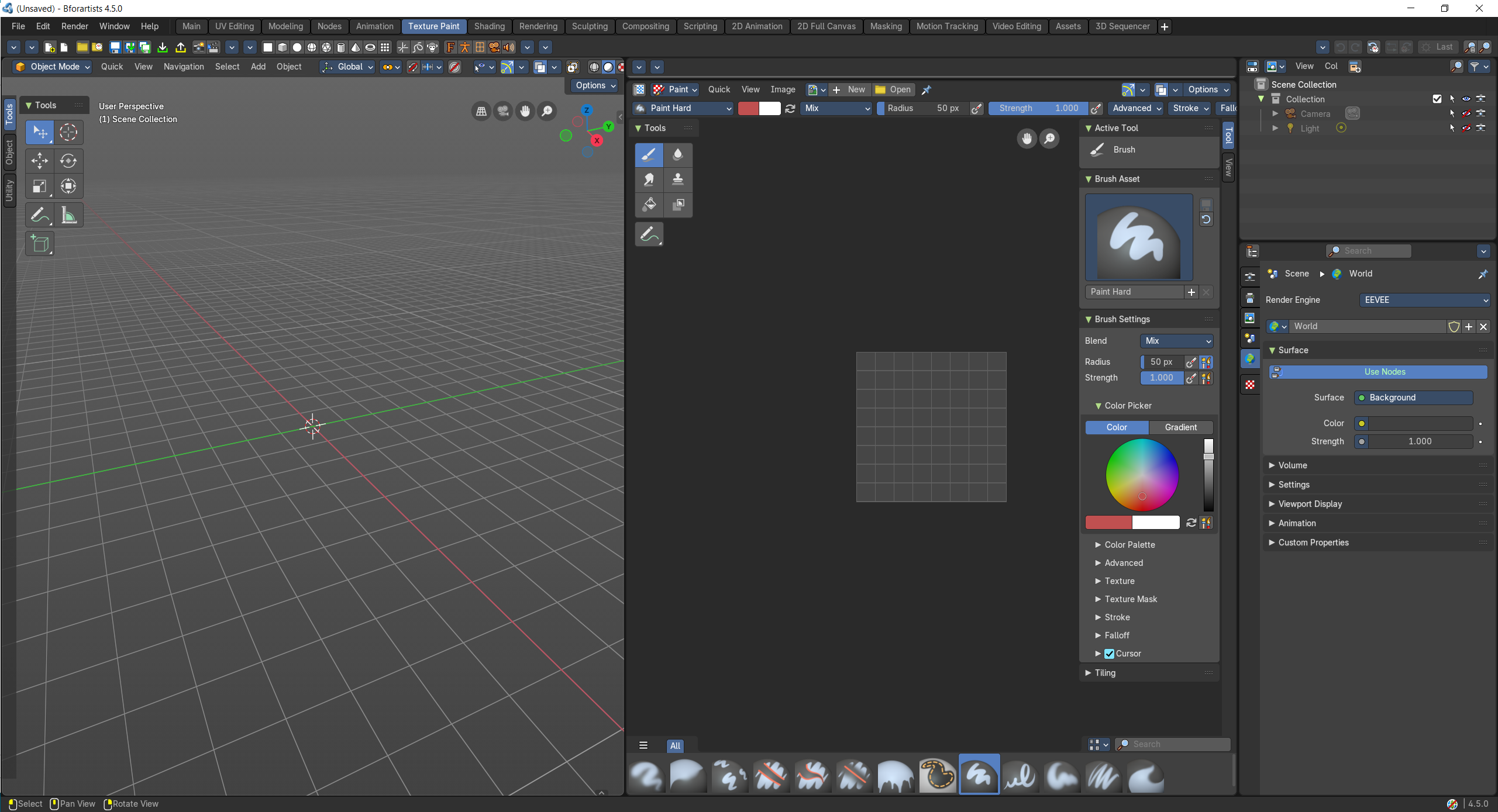
- Screenshot
- Topbar — Menus, the workspace tabs and the main toolbar.
- 3D Viewport — Paint straight onto the model in Texture Paint mode.
- Image Editor — The texture you paint, flat; paint here too.
- Outliner — Pick the object to paint.
- Properties Editor — Brush, texture slots and material settings.
How the work flows
Texture Paint is a painter's corner. You paint straight onto the model in the 3D Viewport, and the same strokes appear on the flat texture in the Image Editor, where you can paint too, for the parts that are easier to reach flat. The Properties Editor holds your brushes and texture slots, and the Outliner picks which object gets the paint.
Starts in
The workspace opens the 3D Viewport in Texture Paint Mode when the scene has an object for it.