























































Workspaces

Motion Tracking
Track camera and object motion in footage.
A workspace for the VFX workflow. The Motion tracking layout.
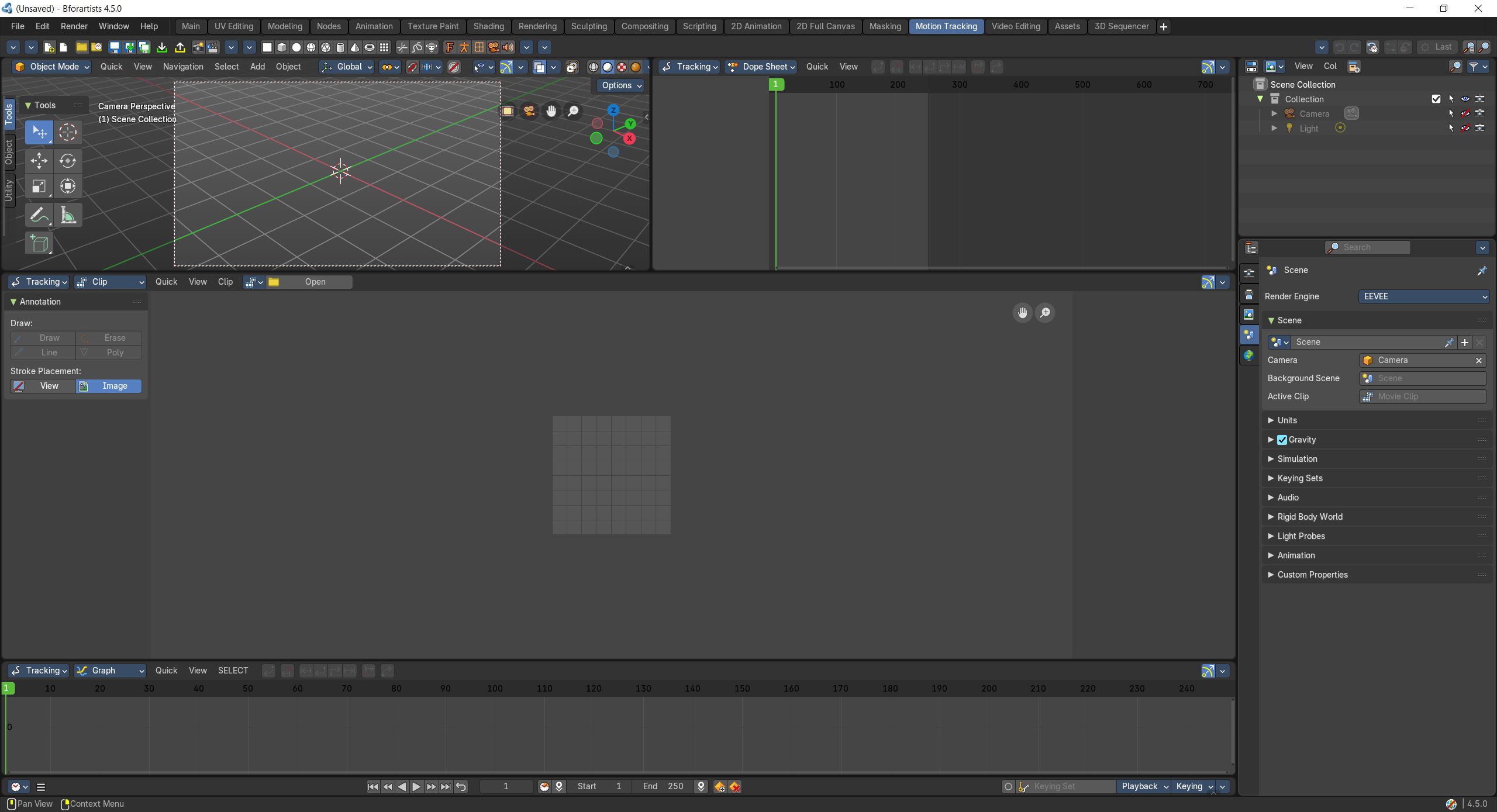
- Screenshot
- Topbar — Menus, the workspace tabs and the main toolbar.
- 3D Viewport — Check the solved camera against the scene.
- Movie Clip Editor — Tracks over time, as a dope sheet.
- Movie Clip Editor — The footage: place and track markers, then solve the camera.
- Movie Clip Editor — Track motion curves, to spot bad tracks.
- Timeline — Frame range and playback.
- Outliner — Camera and tracking objects.
- Properties Editor — Scene and camera settings.
How the work flows
Motion Tracking teaches the 3D camera to move like the real one. In the Movie Clip Editor you place markers on details in the footage and track them frame by frame; two more views of the same editor show the tracks over time and their motion curves, so bad tracks stand out. Once the camera is solved, the 3D Viewport lets you check it against your scene, ready to place 3D objects into real footage. The Timeline, Outliner and Properties Editor cover frames, objects and camera settings.