
























































Main
The general 3D workspace Bforartists opens with.
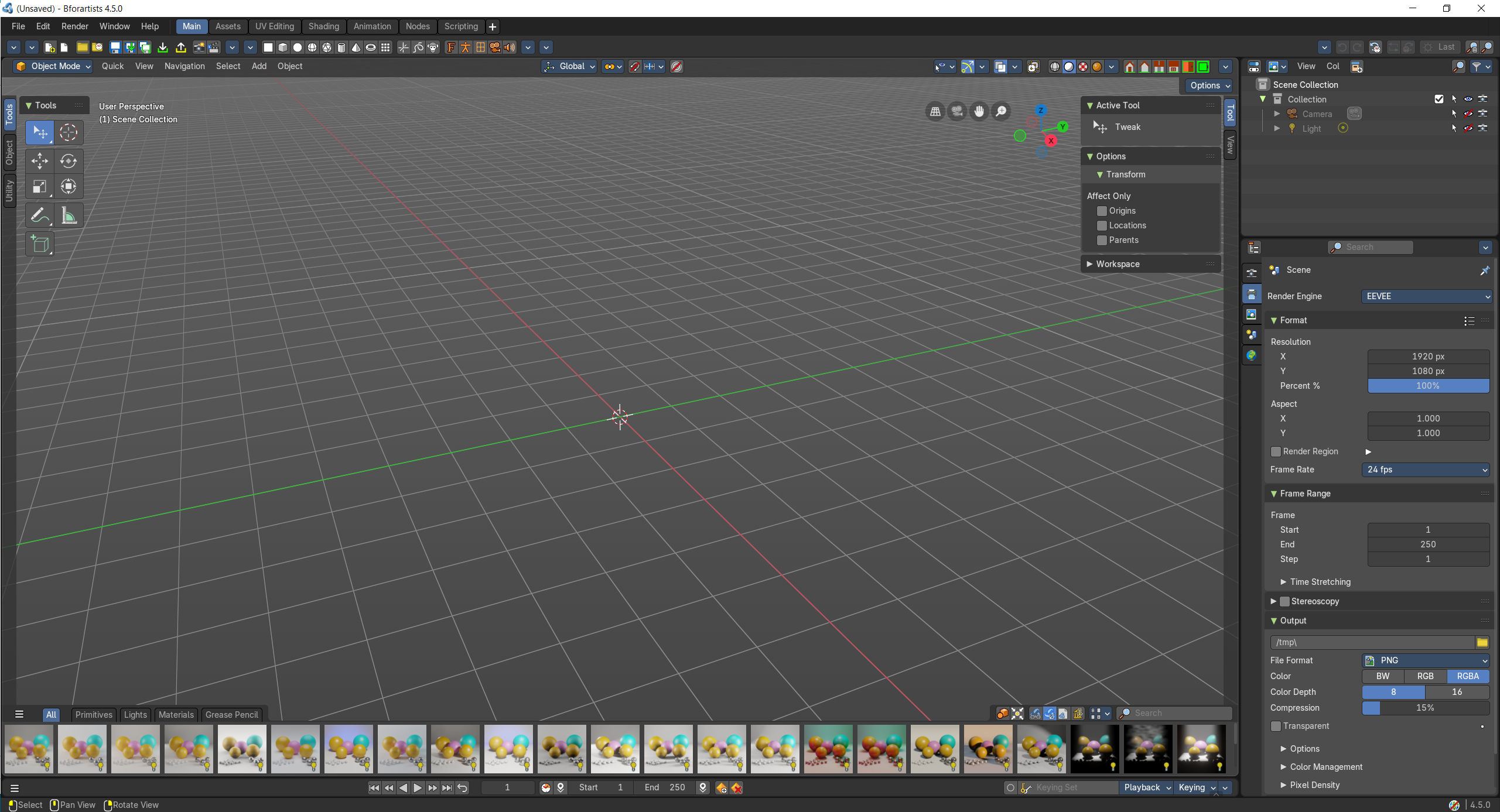
This layout is for general 3D work. Here you work at your 3D scene. Here happens modeling, texturing, etc. . It is also the workspace with which Bforartists opens up. It contains a 3D View editor, an Info editor, a Timeline editor, a Outliner editor and a Properties editor. It starts in Object Mode.
- Screenshot
- Topbar — Menus, the workspace tabs and the main toolbar.
- 3D Viewport — Your scene, with the Asset Shelf of ready-made objects and materials along the bottom.
- Timeline — Play your animation and set keyframes.
- Outliner — Every object in the scene; pick, hide and rename them.
- Properties Editor — Settings for the render, scene, world and the selected object.
How the work flows
Main is the studio table: everything for a first idea sits within reach. You build and arrange the scene in the 3D Viewport, pulling ready-made objects and materials from the Asset Shelf along its bottom edge. The Outliner keeps the cast in order, so you can find, hide and rename anything, while the Properties Editor tunes whatever you picked: its modifiers, material, the world and the render. When something should move, the Timeline sets the frame and records keys.
Starts in
The workspace opens the 3D Viewport in Object Mode when the scene has an object for it.