























































Workspaces

Compositing
Post-process your renders with compositing nodes.
The workspace to do compositing and post processing.
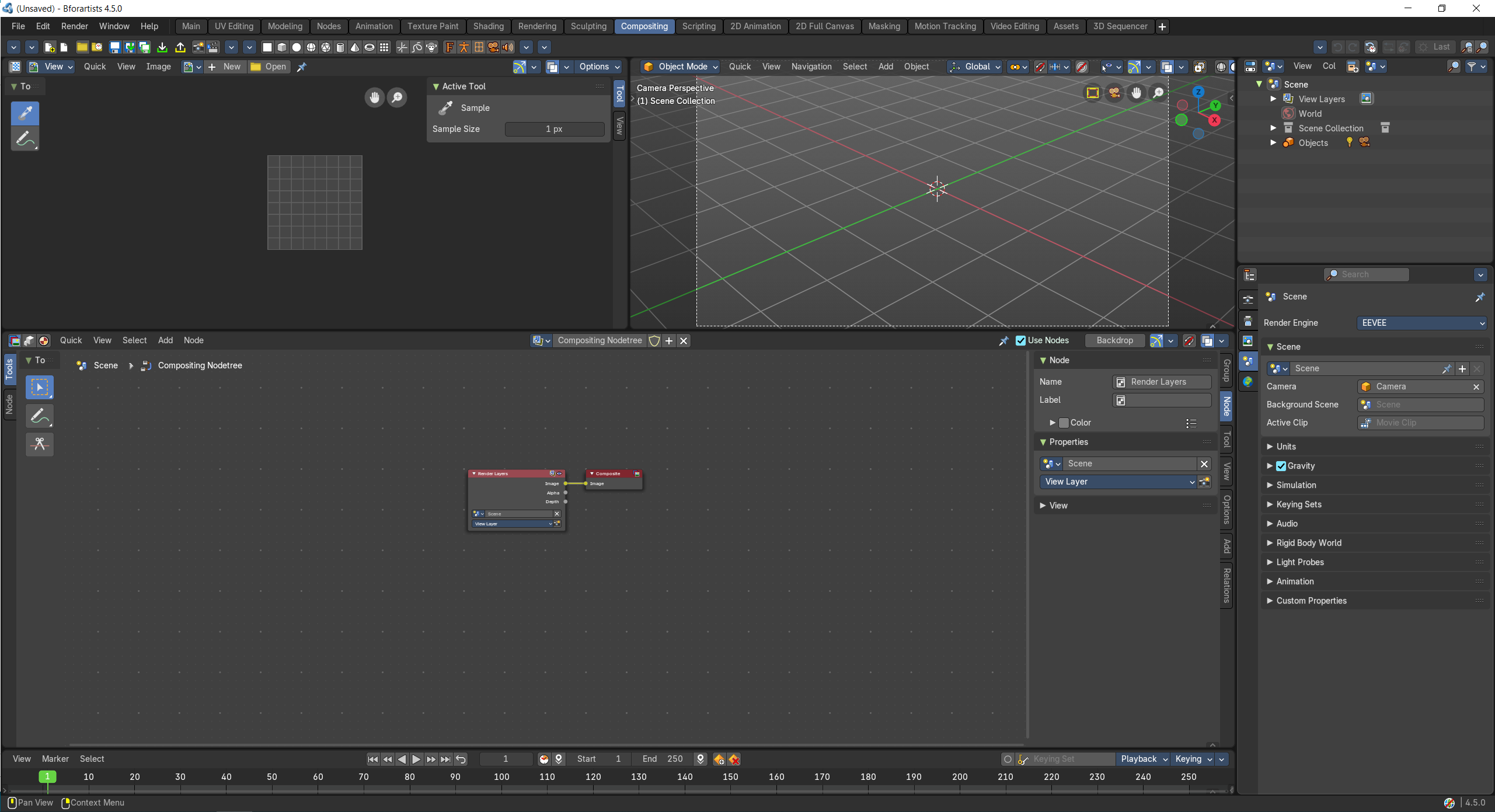
- Screenshot
- Topbar — Menus, the workspace tabs and the main toolbar.
- Image Editor — The composited result (Viewer node).
- 3D Viewport — The camera view of the scene you composite.
- Compositor — Combine render passes and add effects with nodes.
- Timeline — Pick the frame to work on.
- Outliner — Scenes and view layers.
- Properties Editor — View layer passes and render settings.
How the work flows
Compositing is the finishing room after the render. In the Compositor you combine render passes and add effects like glow, blur or colour grading with nodes, and the Image Editor shows the result through the Viewer node. The 3D Viewport keeps the camera view of the scene at hand, the Properties Editor turns on the passes you need, and the Timeline picks the frame to work on.