























































Workspaces

Assets
Browse, organise and use your assets.
A workspace that provides you the asset browser.
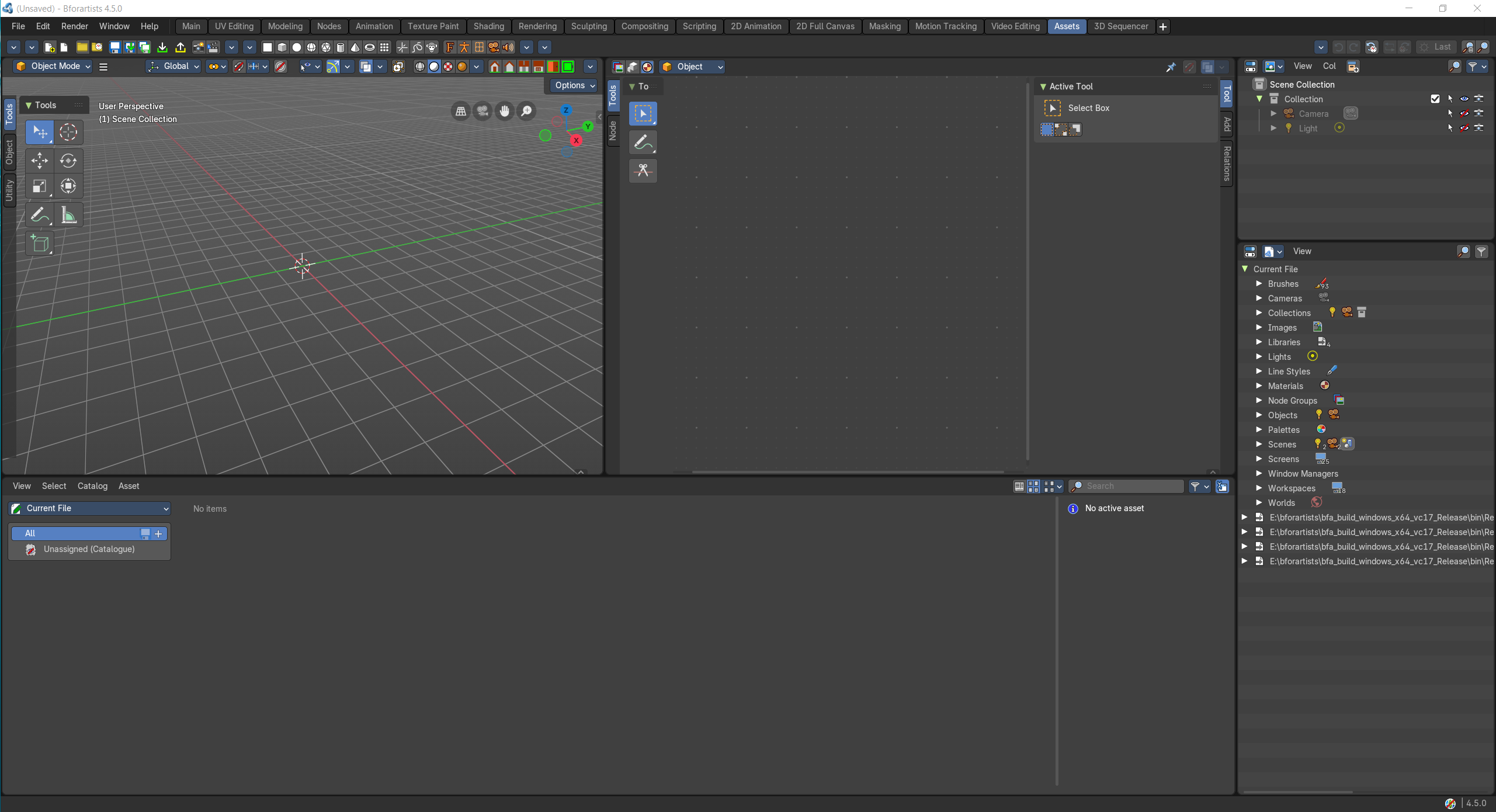
- Screenshot
- Topbar — Menus, the workspace tabs and the main toolbar.
- 3D Viewport — Drag assets in and try them in the scene.
- Shader Editor — Look inside a material asset.
- Asset Browser — Browse, tag and organize your asset libraries.
- Outliner — Mark objects, materials and more as assets.
- Outliner — Blender File view: everything this file holds.
How the work flows
Assets is your library and prop shelf. The Asset Browser shows your libraries, where you browse, tag and organise; drag an asset into the 3D Viewport to try it in the scene, or look inside a material asset in the Shader Editor. Two Outliners help you make new assets: one marks objects, materials and more as assets, the other shows everything this file holds.