























































Workspaces

3D Sequencer
Edit shots from your 3D scenes in a sequencer.
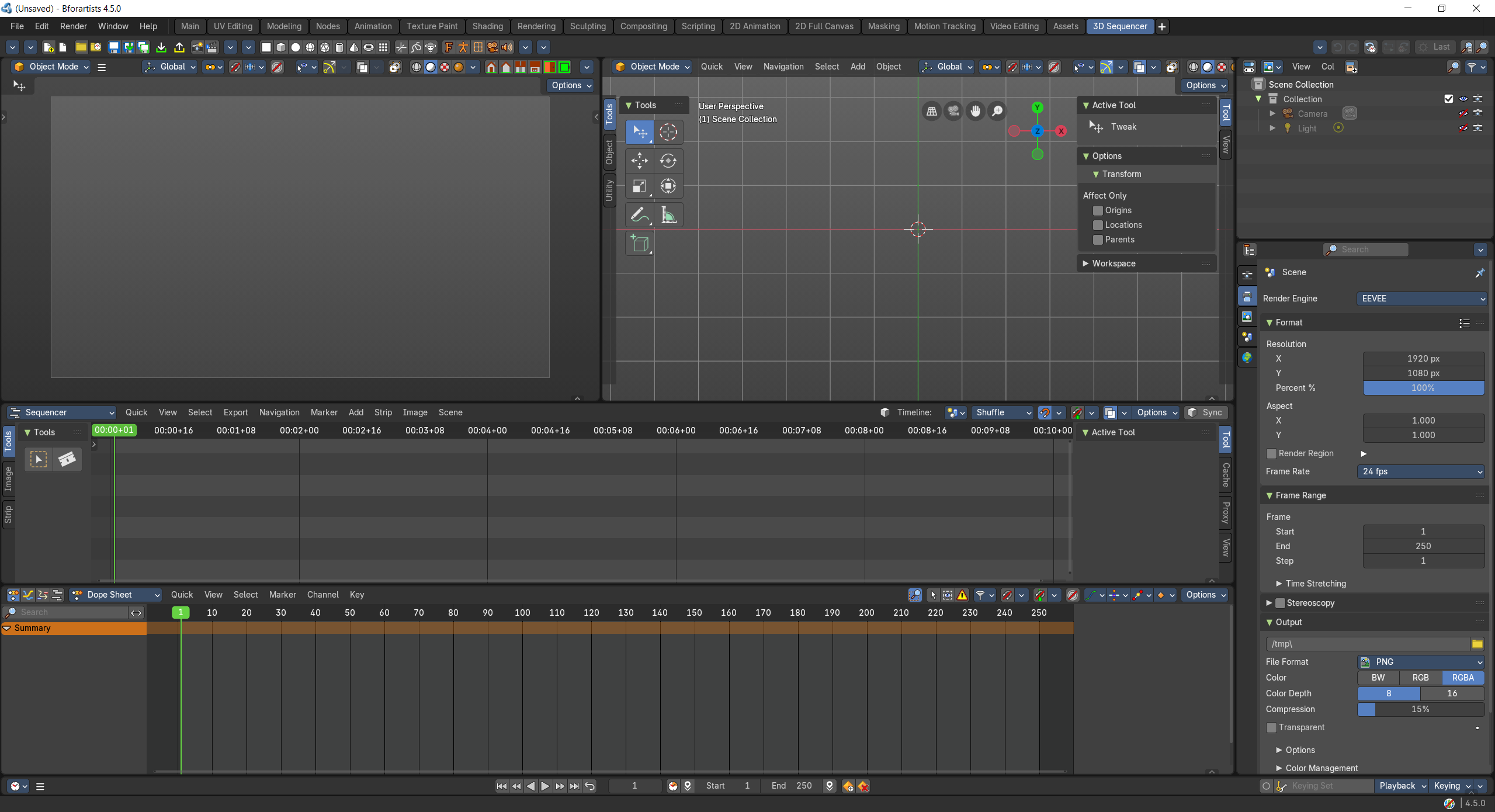
A 3d sequencer workspace.
- Screenshot
- Topbar — Menus, the workspace tabs and the main toolbar.
- 3D Viewport — The camera of the current shot, as the sequencer plays it.
- 3D Viewport — Stage and light the shot in 3D.
- Video Sequence Editor — Your shots as scene strips; cut and reorder them.
- Dope Sheet — Keys of the current shot.
- Outliner — Scenes, cameras and objects.
- Properties Editor — Output and render settings.
- Timeline — Playback across all shots.
How the work flows
3D Sequencer edits a film made of 3D shots. Each shot is a scene strip in the Video Sequence Editor, so you cut and reorder shots like clips. One 3D Viewport shows the camera of the current shot as the sequencer plays it, the other is where you stage and light that shot, and the Dope Sheet holds its keys. The Timeline plays across all shots, and the Outliner and Properties Editor keep scenes, cameras and output settings close.