



















Brush Panels
This addon is optional and deactivated by default.
Brush Panels
This addon is optional and deactivated by default.
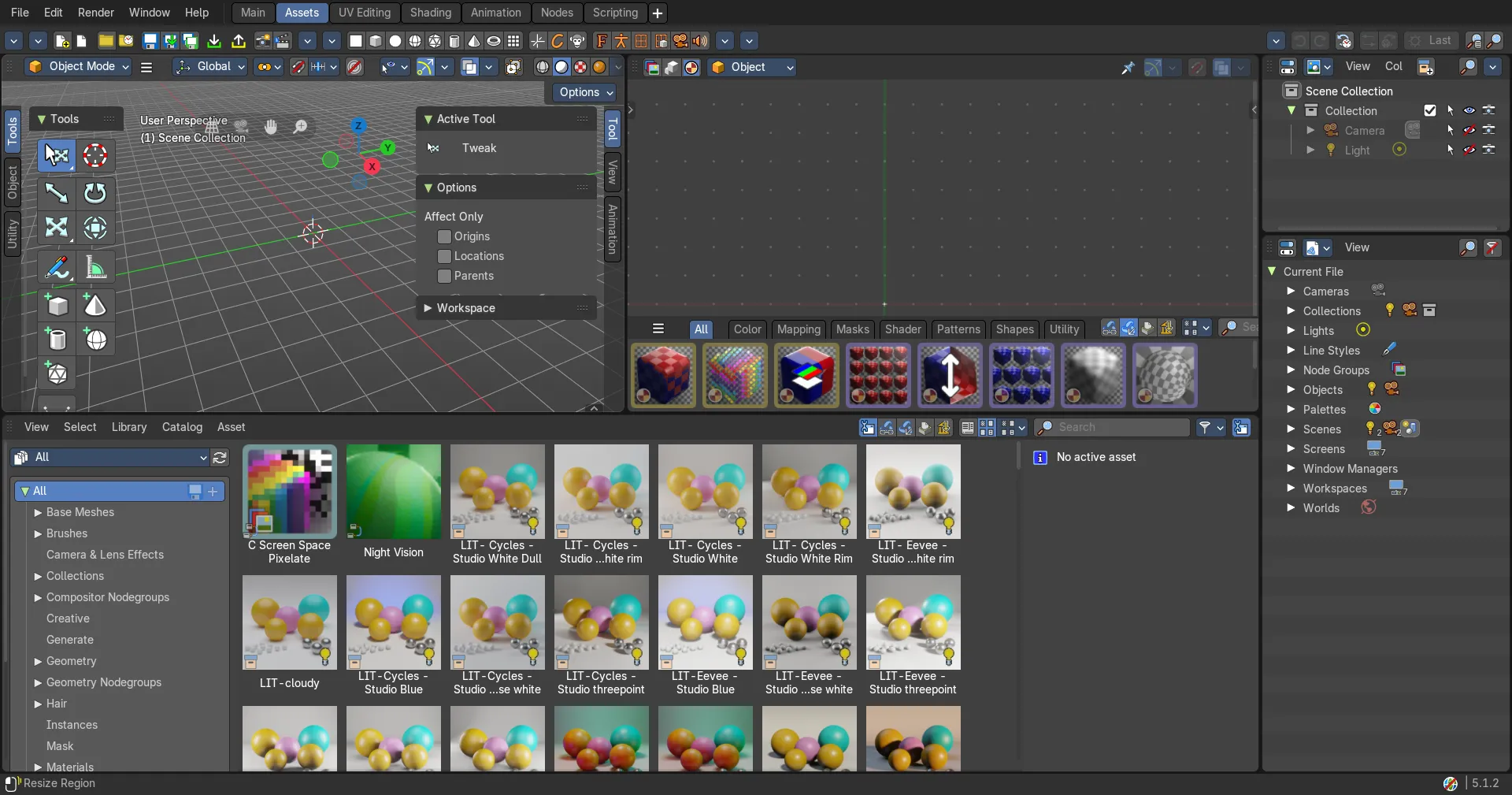
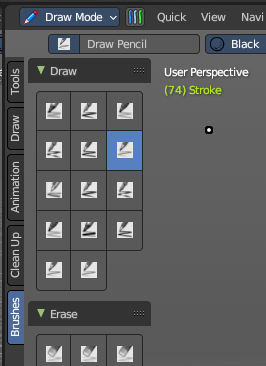
This adds a Brushes Tab to most painting and drawing modes and objects. This includes an individual panel per brush operator listing all brush types dynamically, including all user created brushes. This also includes the ability to display custom icons and is responsive per the toolshelf standards.
Note: To activate/deactivate an addon, go to Edit – Preferences – Addons tab – and untick any activated addons.
If you’d like to keep your addons for future use, you can either save the preferences, or activate them on demand per workspace in the workspace settings in the property shelf.
Use
To use, go into a paint mode (Sculpt, Texture Paint, Vertex Paint, Weight Paint or Grease Pencil Draw Mode), select the Brush tab in the Tool Shelf to the left, and then select a brush. When you select a brush, the button will automatically select the brush operator and select the brush type stored in the brush library. You can link/append and create any new brush type for later use – you can also assign iconography on demand.
If you don’t see the toolshelf tabs, go to View and turn on Tool Shelf Tabs.
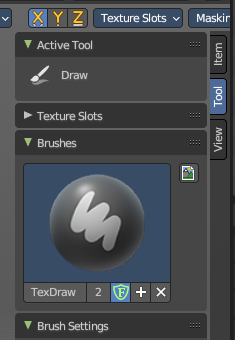
To add brushes, you can use the add button in the Property Shelf under the Tool tab or in the Header brush type dropdown, you can add new brushes or remove brushes.
Note: Keep in mind a removed brush is still stored in orphan data till you purge data or save and reload the file. If brush type contains a (fake) user, this brush will not be purged from the file.
To add icons to brushes, in the Brushes panel in the Tool tab of the Property Shelf, you can use the Custom Icon to load any image as a brush icon.
You can find the Brush tab and panels in the 3D View Editor or the Image Editor with the correct painting modes**.**
For more information, please refer to the relevant chapters on the painting modes per object type.
Brush Panels and Modes
Mesh Objects
These brush panels are included with all mesh object painting modes.
Sculpt Mode
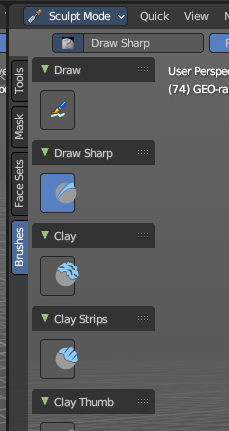
The Sculpt mode activated from the top left of the 3D View or by hotkey.
Draw
All Draw brush types.
Draw Sharp
All Draw Sharp brush types.
Clay
All Clay brush types.
Clay Strips
All Clay Strips brush types.
Layer
All Layer brush types.
Inflate
All Inflate brush types.
Blob
All Blob brush types.
Crease
All Crease brush types.
Smoothing
All Smoothing brush types.
Flatten
All Flatten brush types.
Fill
All Fill brush types.
Scrape
All Scrape brush types.
Multiplane Scrape
All Multiplane Scrape brush types.
Pinch
All Pinch brush types.
Grab
All Grab brush types.
Elastic Deformation
All Elastic Deformation brush types.
Snake Hook
All Snake Hook brush types.
Thumb
All Thumb brush types.
Pose
All Pose brush types.
Nudge
All Nudge brush types.
Rotate
All Rotate brush types.
Topology
All Topology brush types.
Boundary
All Boundary brush types.
Cloth
All Cloth brush types.
Simplify
All Simplify brush types.
Mask
All Mask brush types.
Draw Face Sets
All Draw Face Sets brush types.
Displacement Erase
All Displacement Erasebrush types.
Displacement Smear
All Displacement Smear brush types.
Paint
All Paint brush types.
Vertex Paint
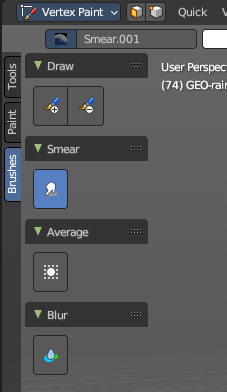
The Vertex Paint mode activated from the top left of the 3D View or by hotkey.
Draw
All Draw brush types.
Smear
All Smear brush types.
Average
All Average brush types.
Blur
All Blur brush types.
Weight Paint
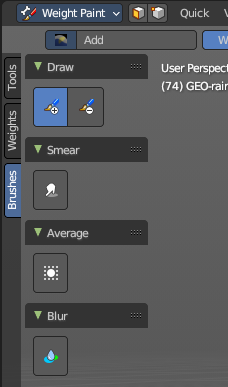
The Weight Paint mode activated from the top left of the 3D View or by hotkey.
Draw
All Draw brush types.
Smear
All Smear brush types.
Average
All Average brush types.
Blur
All Blur brush types.
Texture Paint
The Texture Paint mode activated from the top left of the 3D View or by hotkey.
Draw
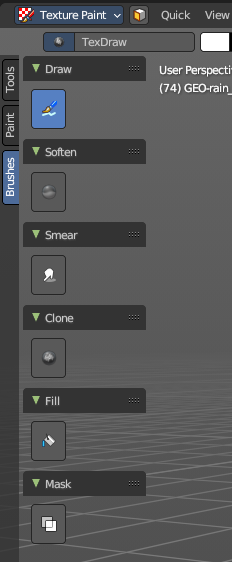
All Draw brush types.
Soften
All Soften brush types.
Smear
All Smear brush types.
Clone
All Clone brush types.
Fill
All Fill brush types.
Mask
All Mask brush types.
Grease Pencil
These brush panels are included with the Grease Pencil object Draw Mode.
Draw Mode
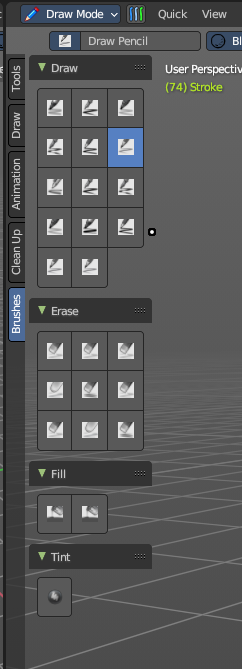
The draw mode activated from the top left of the 3D View or by hotkey.
Draw
All Draw brush types.
Erase
All Erase brush types.
Fill
All Fill brush types.
Tint
All Tint brush types.