








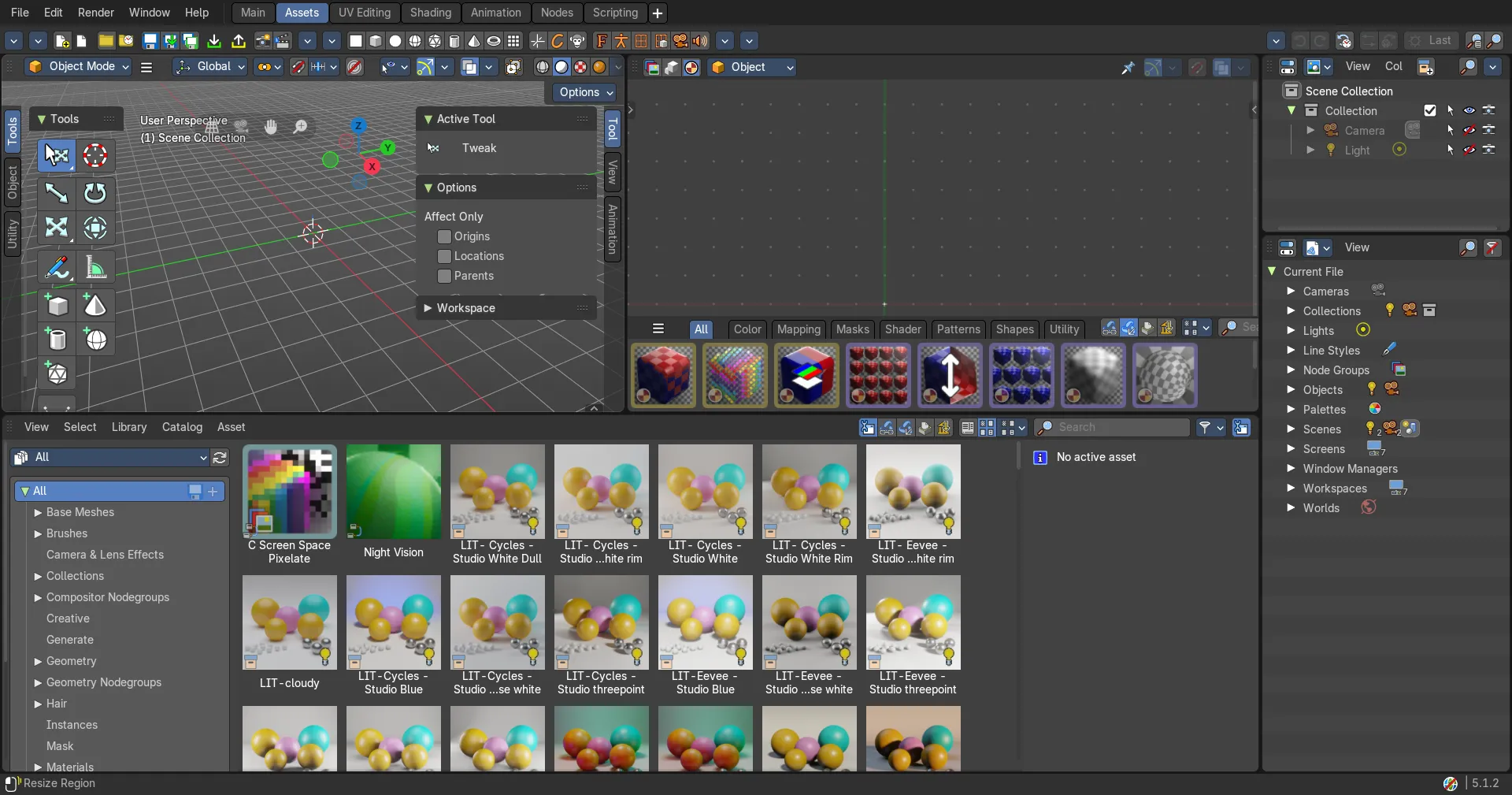




























Geometry Nodes Library
Geometry node groups that come with Bforartists: grease pencil, material, mesh, normals, primitives and utilities.
Geometry node groups that come with Bforartists: grease pencil, material, mesh, normals, primitives and utilities.
Draft: the assets of this library will be listed here: one section per category, one entry per asset with what it does and how to use it.
Grease Pencil
Assets in this category will be documented here.
Material
Assets in this category will be documented here.
Mesh
The UV assets write UV coordinates onto a mesh. Drag one onto an object from the Asset Shelf or the Asset Browser. Each picture shows the result on a checker texture, next to the UV layout.
Camera UV

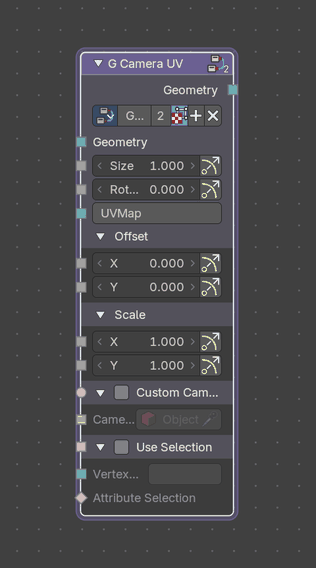
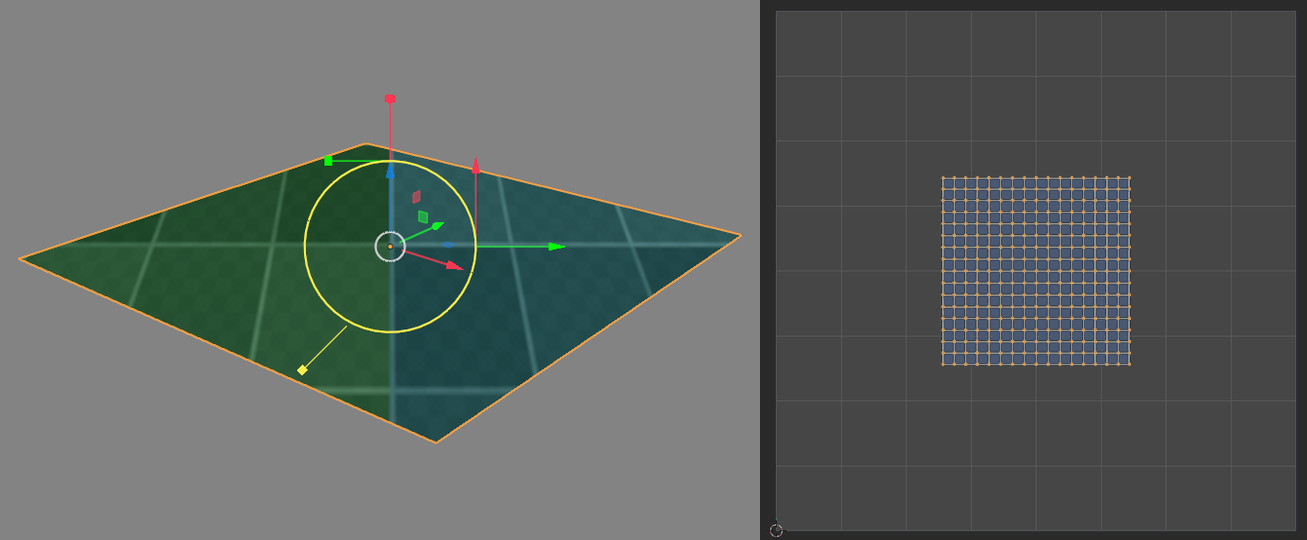
Creates UV coordinates by projecting the mesh through a camera. Use it to place a texture on an object as the camera sees it. Size, Rotation, Offset and Scale adjust the projection, and Custom Camera lets you choose another camera.
Gizmos
The projection frame is drawn in the viewport and has gizmos:
- A dial gizmo sets the Rotation.
- Linear gizmos change the Size and the Scale X and Scale Y of the frame, and move it with Offset X and Offset Y.
Inputs
Geometry
Data typeGeometry
The mesh to create the UV coordinates for.
Size
Data typeFloat
Size of the UVs. Default: 1.
Rotation
Data typeFloat
The rotation of the UVs. Default: 0.
UV Name
Data typeString
Defines the name of the UVMap to be referenced either on the mesh data or as an attribute in the material. Default: UVMap.
Offset
Offset X
Data typeFloat
Offset the UV in the X axis. Default: 0.
Offset Y
Data typeFloat
Offset the UV in the Y axis. Default: 0.
Scale
Scale X
Data typeFloat
Scale UVs in X. Default: 1.
Scale Y
Data typeFloat
Scale UVs in Y. Default: 1.
Custom Camera
Custom Camera
Data typeBoolean
Turns the custom camera on or off. Default: Off.
Camera
Data typeObject
Selects the Custom Camera object. Make sure this is a camera object.
Use Selection
Use Selection
Data typeBoolean
Set UVs on a Vertex Group Selection. Default: Off.
Vertex Group
Data typeString
The name of the Vertex Group to set UVs.
Attribute Selection
Data typeBoolean
Or set the selection by attribute with a boolean on a domain. Default: Off.
Outputs
Geometry
Data typeGeometry
The mesh with the UV coordinates written to the UV map named by the UV Name or UV Map input.
Cube UV
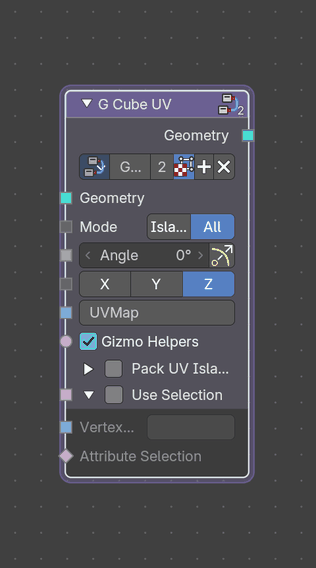
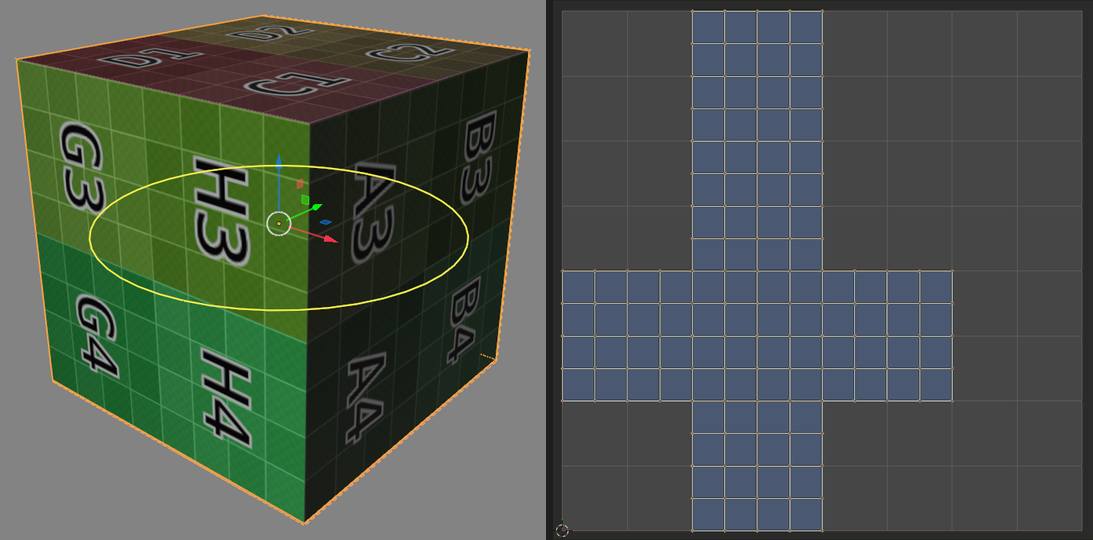
Creates cube projected UV coordinates, with each side of the box mapped flat. Mode switches between all islands and a single island chosen by Island Index. Axis and Angle turn the projection.
Gizmos
The Angle input has a dial gizmo in the viewport on the selected island. Drag the dial to rotate the projection, instead of typing a number. Island Index decides which island shows the gizmo.
Inputs
Geometry
Data typeGeometry
The mesh to create the UV coordinates for.
Mode
Toggles if the UV should evaluate on an individual island or all islands. Default: All.
Island Index
Data typeInteger
The mesh Island Index. This defines where the gizmos will also draw. Default: 0.
Angle
Data typeFloat
Sets the angle of the projection. Default: 0°.
Axis
Changes the active axis of the UV Projection. Default: Z.
UV Name
Data typeString
Defines the name of the UVMap to be referenced either on the mesh data or as an attribute in the material. Default: UVMap.
Gizmo Helpers
Data typeBoolean
Toggles helper gizmos made with Grease Pencil to assist tuning other gizmos. These will not render. Default: On.
Pack UV Islands
Pack UV Islands
Data typeBoolean
Toggles UV Island Packing. Default: Off.
Margin
Data typeFloat
Adjusts the UV island margins. Default: 0.001.
Rotate
Data typeBoolean
Toggles if the packing rotates UV Islands for a best fit. Default: Off.
Method
The method of UV island packing. Default: Bounding Box.
Use Selection
Use Selection
Data typeBoolean
Set UVs on a Vertex Group Selection. Default: Off.
Vertex Group
Data typeString
The name of the Vertex Group to set UVs.
Attribute Selection
Data typeBoolean
Or set the selection by attribute with a boolean on a domain. Default: Off.
Outputs
Geometry
Data typeGeometry
The mesh with the UV coordinates written to the UV map named by the UV Name or UV Map input.
Cube UV Island
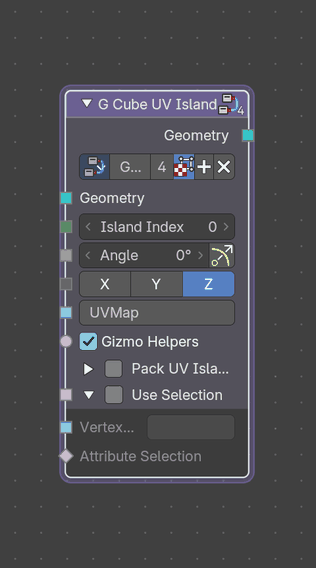
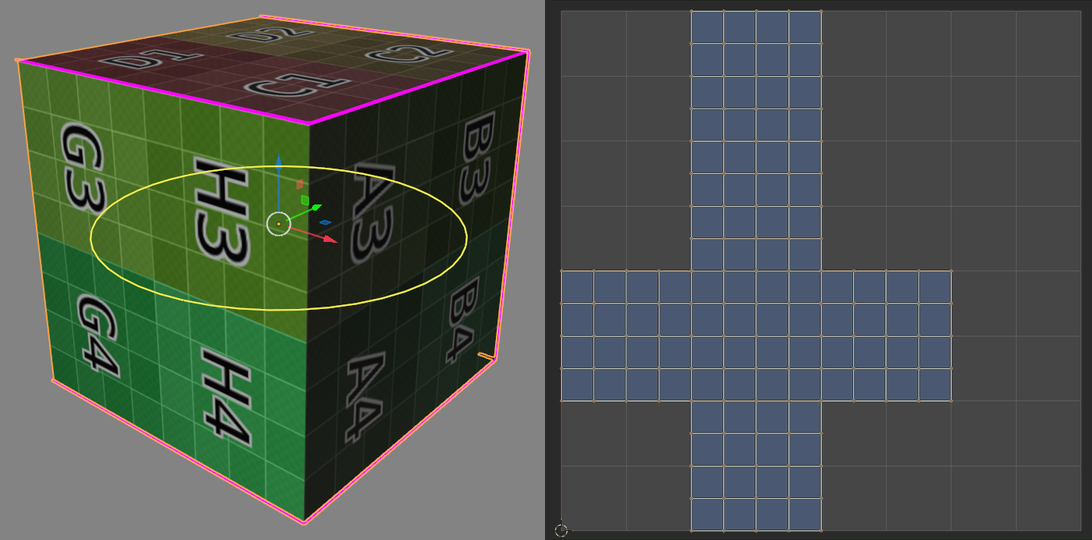
Creates cube projected UV coordinates on a single island. Island Index chooses the island. It works like Cube UV with Mode set to one island.
Gizmos
The Angle input has a dial gizmo in the viewport on the selected island. Drag the dial to rotate the projection, instead of typing a number. Island Index decides which island shows the gizmo.
Inputs
Geometry
Data typeGeometry
The mesh to create the UV coordinates for.
Island Index
Data typeInteger
The mesh Island Index. This defines where the gizmos will also draw. Default: 0.
Angle
Data typeFloat
Sets the angle of the projection. Default: 0°.
Axis
Changes the active axis of the UV Projection. Default: Z.
UV Name
Data typeString
Defines the name of the UVMap to be referenced either on the mesh data or as an attribute in the material. Default: UVMap.
Gizmo Helpers
Data typeBoolean
Toggles helper gizmos made with Grease Pencil to assist tuning other gizmos. These will not render. Default: On.
Pack UV Islands
Pack UV Islands
Data typeBoolean
Toggles UV Island Packing. Default: Off.
Margin
Data typeFloat
Adjusts the UV island margins. Default: 0.001.
Rotate
Data typeBoolean
Toggles if the packing rotates UV Islands for a best fit. Default: Off.
Method
The method of UV island packing. Default: Bounding Box.
Use Selection
Use Selection
Data typeBoolean
Set UVs on a Vertex Group Selection. Default: Off.
Vertex Group
Data typeString
The name of the Vertex Group to set UVs.
Attribute Selection
Data typeBoolean
Or set the selection by attribute with a boolean on a domain. Default: Off.
Outputs
Geometry
Data typeGeometry
The mesh with the UV coordinates written to the UV map named by the UV Name or UV Map input.
Cut Cylinder UV
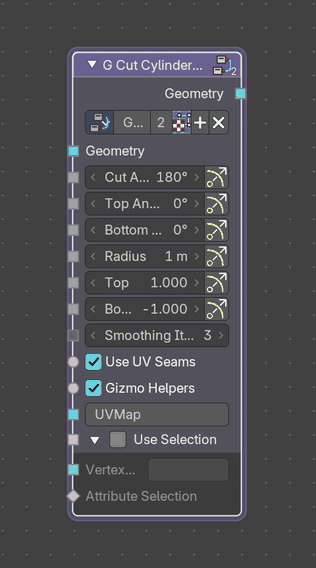
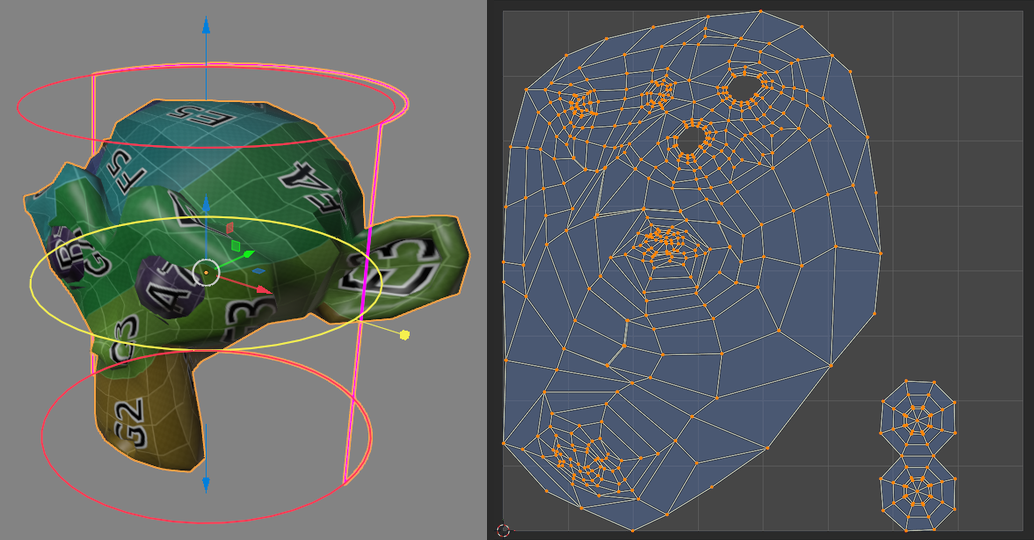
Creates cylinder projected UV coordinates by cutting the cylinder open. Cut Angle sets where the cut is made, and Top and Bottom set the limits of the projection. The side and the caps become separate islands.
Gizmos
The projection cylinder is drawn in the viewport and can be tuned directly:
- Linear gizmos move Top and Bottom and change the Radius.
- Dial gizmos set the Cut Angle, Top Angle and Bottom Angle.
The example above uses a head, which is the typical use: cut the cylinder open at the back and the face unwraps in one piece.
Inputs
Geometry
Data typeGeometry
The mesh to create the UV coordinates for.
Cut Angle
Data typeFloat
Adjusts the cut angle. Default: 180°.
Top Angle
Data typeFloat
Adjusts the top angle of the cut. Default: 0°.
Bottom Angle
Data typeFloat
Adjusts the bottom angle of the cut. Default: 0°.
Radius
Data typeFloat
The radius of the Cylinder UV Projection. Default: 1.
Top
Data typeFloat
Moves the top limits of the UV Projection. Default: 1.
Bottom
Data typeFloat
Moves the bottom limits of the UV Projection. Default: -1.
Smoothing Iterations
Data typeInteger
Number of iterations to run the SLIM solver for. Default: 3.
Use UV Seams
Data typeBoolean
Use user marked UV seams in object Edit Mode. Default: On.
Gizmo Helpers
Data typeBoolean
Toggles helper gizmos made with Grease Pencil to assist tuning other gizmos. These will not render. Default: On.
UV Name
Data typeString
Defines the name of the UVMap to be referenced either on the mesh data or as an attribute in the material. Default: UVMap.
Use Selection
Use Selection
Data typeBoolean
Set UVs on a Vertex Group Selection. Default: Off.
Vertex Group
Data typeString
The name of the Vertex Group to set UVs.
Attribute Selection
Data typeBoolean
Or set the selection by attribute with a boolean on a domain. Default: Off.
Outputs
Geometry
Data typeGeometry
The mesh with the UV coordinates written to the UV map named by the UV Name or UV Map input.
Cylinder UV
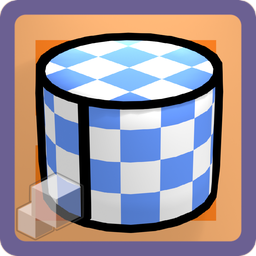
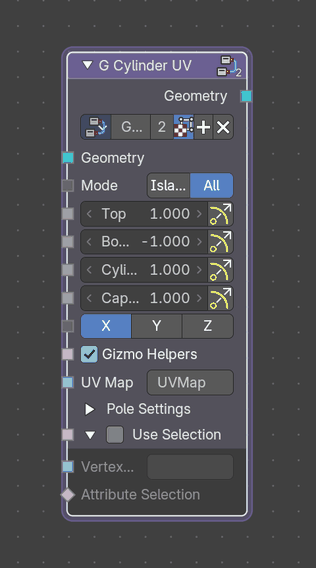
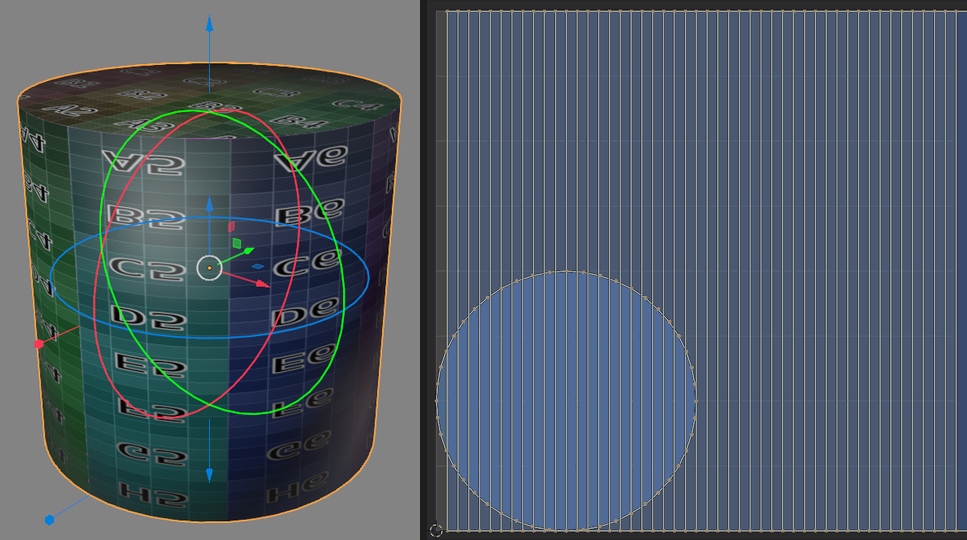
Creates cylinder projected UV coordinates, with the side and the caps scaled separately. Mode switches between all islands and a single island chosen by Island Index. Axis sets the direction of the cylinder.
Gizmos
The projection can be tuned in the viewport with gizmos on the selected island:
- Linear gizmos move the Top and Bottom limits and scale the Cylinder Scale and Cap Scale.
- Dial gizmos (red, green, blue) rotate the projection around X, Y and Z. This is the same as the Tilt input.
Inputs
Geometry
Data typeGeometry
The mesh to create the UV coordinates for.
Mode
Toggles if the UV should evaluate on an individual island or all islands. Default: All.
Island Index
Data typeInteger
The mesh Island Index. This defines where the gizmos will also draw. Default: 0.
Top
Data typeFloat
Moves the top limits of the UV Projection. Default: 1.
Bottom
Data typeFloat
Moves the bottom limits of the UV Projection. Default: -1.
Cylinder Scale
Data typeFloat
Changes the scale of the side cylinder UV Projection. Default: 1.
Cap Scale
Data typeFloat
Changes the scale of the cylinder caps UV Projection. Default: 1.
Axis
Changes the active axis of the UV Projection. Default: X.
Gizmo Helpers
Data typeBoolean
Toggles helper gizmos made with Grease Pencil to assist tuning other gizmos. These will not render. Default: On.
UV Map
Data typeString
Defines the name of the UVMap to be referenced either on the mesh data or as an attribute in the material. Default: UVMap.
Pole Settings
Pole Center
Data typeVector
Translates the axis pole center with an offset.
Tilt
Data typeRotation
Rotates and tilts the axis pole by degrees.
Use Selection
Use Selection
Data typeBoolean
Set UVs on a Vertex Group Selection. Default: Off.
Vertex Group
Data typeString
The name of the Vertex Group to set UVs.
Attribute Selection
Data typeBoolean
Or set the selection by attribute with a boolean on a domain. Default: Off.
Outputs
Geometry
Data typeGeometry
The mesh with the UV coordinates written to the UV map named by the UV Name or UV Map input.
Cylinder UV Island

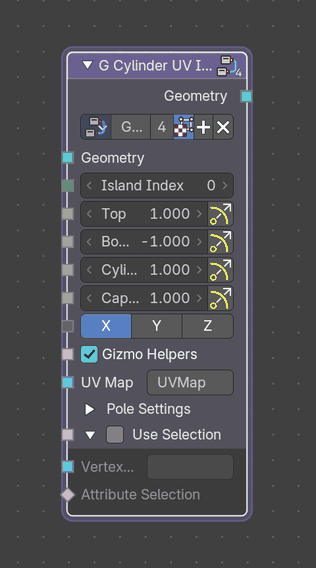
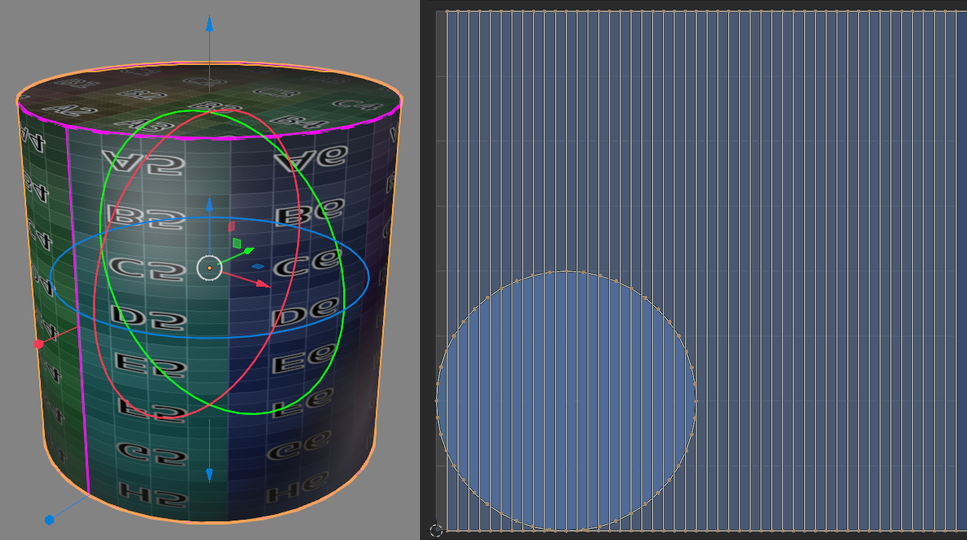
Creates cylinder projected UV coordinates on a single island. Island Index chooses the island. It works like Cylinder UV with Mode set to one island.
Gizmos
The projection can be tuned in the viewport with gizmos on the selected island:
- Linear gizmos move the Top and Bottom limits and scale the Cylinder Scale and Cap Scale.
- Dial gizmos (red, green, blue) rotate the projection around X, Y and Z. This is the same as the Tilt input.
Inputs
Geometry
Data typeGeometry
The mesh to create the UV coordinates for.
Island Index
Data typeInteger
The mesh Island Index. This defines where the gizmos will also draw. Default: 0.
Top
Data typeFloat
Moves the top limits of the UV Projection. Default: 1.
Bottom
Data typeFloat
Moves the bottom limits of the UV Projection. Default: -1.
Cylinder Scale
Data typeFloat
Changes the scale of the side cylinder UV Projection. Default: 1.
Cap Scale
Data typeFloat
Changes the scale of the cylinder caps UV Projection. Default: 1.
Axis
Changes the active axis of the UV Projection. Default: X.
Gizmo Helpers
Data typeBoolean
Toggles helper gizmos made with Grease Pencil to assist tuning other gizmos. These will not render. Default: On.
UV Map
Data typeString
Defines the name of the UVMap to be referenced either on the mesh data or as an attribute in the material. Default: UVMap.
Pole Settings
Pole Center
Data typeVector
Translates the axis pole center with an offset.
Tilt
Data typeRotation
Rotates and tilts the axis pole by degrees.
Use Selection
Use Selection
Data typeBoolean
Set UVs on a Vertex Group Selection. Default: Off.
Vertex Group
Data typeString
The name of the Vertex Group to set UVs.
Attribute Selection
Data typeBoolean
Or set the selection by attribute with a boolean on a domain. Default: Off.
Outputs
Geometry
Data typeGeometry
The mesh with the UV coordinates written to the UV map named by the UV Name or UV Map input.
Generated UV
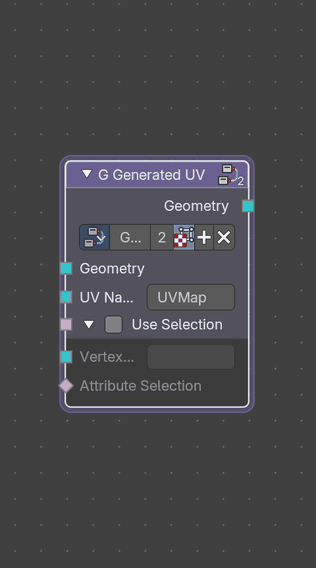
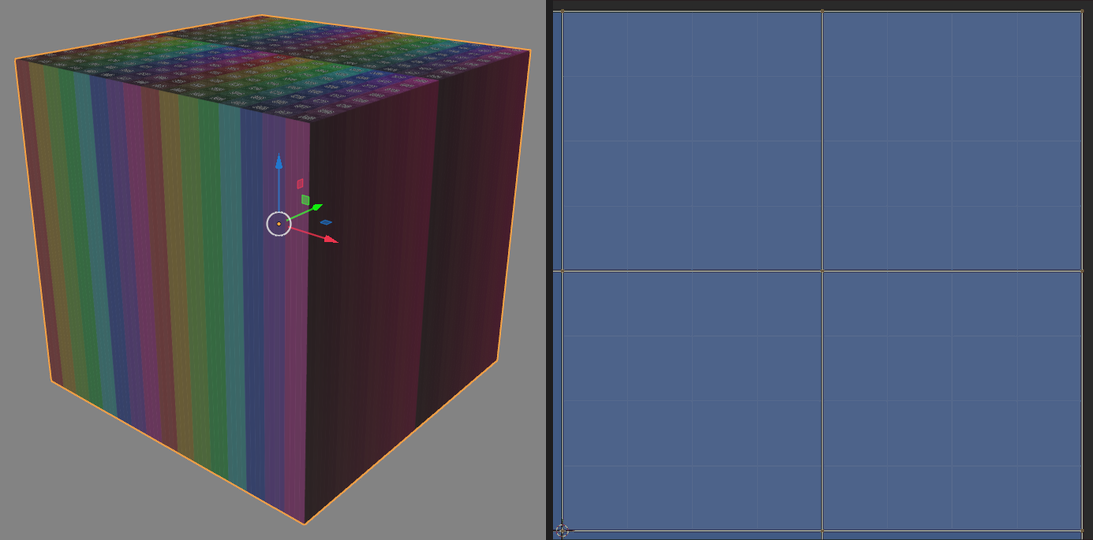
Creates the default generated UV coordinates for procedural meshes. It has no settings beyond the UV name and the selection.
Inputs
Geometry
Data typeGeometry
The mesh to create the UV coordinates for.
UV Name
Data typeString
Defines the name of the UVMap to be referenced either on the mesh data or as an attribute in the material. Default: UVMap.
Use Selection
Use Selection
Data typeBoolean
Set UVs on a Vertex Group Selection. Default: Off.
Vertex Group
Data typeString
The name of the Vertex Group to set UVs.
Attribute Selection
Data typeBoolean
Or set the selection by attribute with a boolean on a domain. Default: Off.
Outputs
Geometry
Data typeGeometry
The mesh with the UV coordinates written to the UV map named by the UV Name or UV Map input.
Smart UV

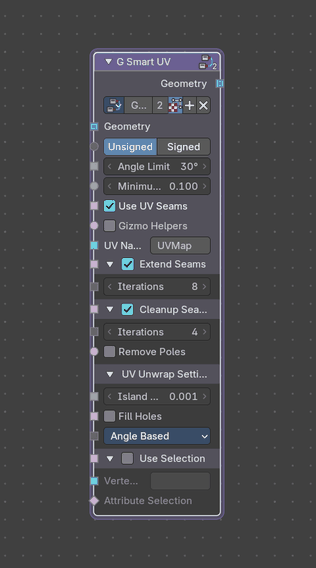
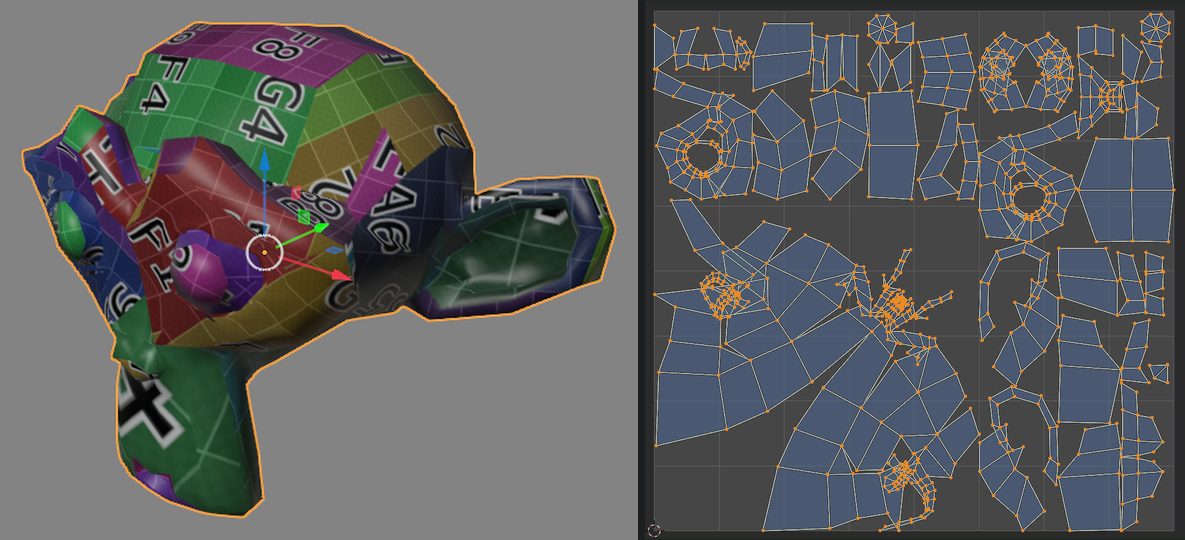
Creates smart projected UV coordinates. It uses signed angles to find seams on the edges, then unwraps the geometry into islands. Angle Limit and Minimum Edge Length decide which edges become seams.
Inputs
Geometry
Data typeGeometry
The mesh to create the UV coordinates for.
Mode
The method the seams are detected on edges by angle. Default: Unsigned.
Angle Limit
Data typeFloat
The detection angle for the seams for the auto-unwrap. Default: 30°.
Minimum Edge Length
Data typeFloat
The minimum length of each edge to qualify for the angle detection. Default: 0.1.
Use UV Seams
Data typeBoolean
Use user marked UV seams in object Edit Mode. Default: On.
Gizmo Helpers
Data typeBoolean
Toggles helper gizmos made with Grease Pencil to assist tuning other gizmos. These will not render. Default: Off.
UV Name
Data typeString
Defines the name of the UVMap to be referenced either on the mesh data or as an attribute in the material. Default: UVMap.
Extend Seams
Extend Seams
Data typeBoolean
Turns extending the seams on or off. Default: On.
Iterations
Data typeInteger
Number of iterations of extended edges. Default: 8.
Cleanup Seams
Cleanup Seams
Data typeBoolean
Turns cleaning up the seams on or off. Default: On.
Iterations
Data typeInteger
Number of iterations to remove and cleanup small edges by iterations. Default: 4.
Remove Poles
Data typeBoolean
Removes corner and pole edges. You can use a Vertex Group as an Attribute mask. Default: Off.
UV Unwrap Settings
Island Margin
Data typeFloat
Space between islands. Default: 0.001.
Fill Holes
Data typeBoolean
Virtually fill holes in mesh before unwrapping, to better avoid overlaps and preserve symmetry. Default: Off.
Method
The method of UV island packing. Default: Angle Based.
Iterations
Data typeInteger
Number of iterations to run the SLIM solver to unwrap UVs. Default: 10.
Use Selection
Use Selection
Data typeBoolean
Set UVs on a Vertex Group Selection. Default: Off.
Vertex Group
Data typeString
The name of the Vertex Group to set UVs.
Attribute Selection
Data typeBoolean
Or set the selection by attribute with a boolean on a domain. Default: Off.
Outputs
Geometry
Data typeGeometry
The mesh with the UV coordinates written to the UV map named by the UV Name or UV Map input.
Sphere UV
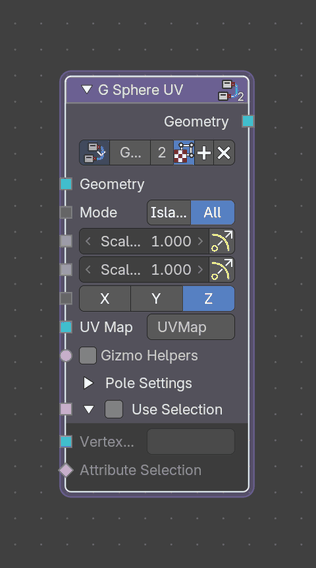
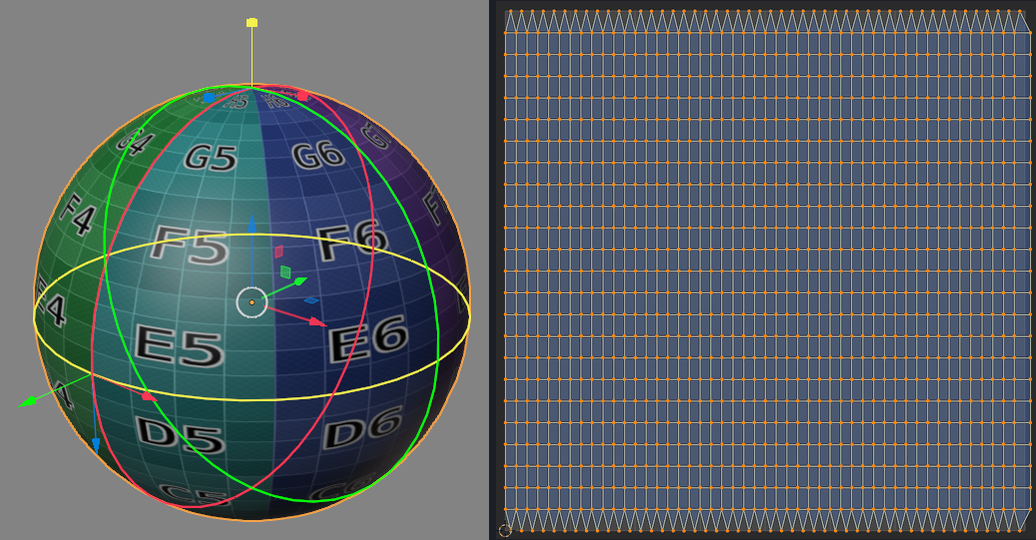
Creates sphere projected UV coordinates, with longitude and latitude. Mode switches between all islands and a single island chosen by Island Index. Axis sets the direction of the poles.
Gizmos
The projection sphere is drawn in the viewport and has gizmos on the selected island:
- Linear gizmos change Scale Longitude and Scale Latitude.
- Dial gizmos (red, green, blue) rotate the projection around X, Y and Z. This is the same as the Tilt input.
Inputs
Geometry
Data typeGeometry
The mesh to create the UV coordinates for.
Mode
Toggles if the UV should evaluate on an individual island or all islands. Default: All.
Island Index
Data typeInteger
The mesh Island Index. This defines where the gizmos will also draw. Default: 0.
Scale Longitude
Data typeFloat
Scale the UV along the horizontal longitude axis. Default: 1.
Scale Latitude
Data typeFloat
Scale the UV along the vertical latitude axis. Default: 1.
Axis
Changes the active axis of the UV Projection. Default: Z.
UV Map
Data typeString
Defines the name of the UVMap to be referenced either on the mesh data or as an attribute in the material. Default: UVMap.
Gizmo Helpers
Data typeBoolean
Toggles helper gizmos made with Grease Pencil to assist tuning other gizmos. These will not render. Default: Off.
Pole Settings
Pole Pinch
Data typeBoolean
Pinches the pole to get cleaner UVs at the axis poles. Default: On.
Pole Center
Data typeVector
Translates the axis pole center with an offset.
Tilt
Data typeRotation
Rotates and tilts the axis pole by degrees.
Use Selection
Use Selection
Data typeBoolean
Set UVs on a Vertex Group Selection. Default: Off.
Vertex Group
Data typeString
The name of the Vertex Group to set UVs.
Attribute Selection
Data typeBoolean
Or set the selection by attribute with a boolean on a domain. Default: Off.
Outputs
Geometry
Data typeGeometry
The mesh with the UV coordinates written to the UV map named by the UV Name or UV Map input.
Sphere UV Island
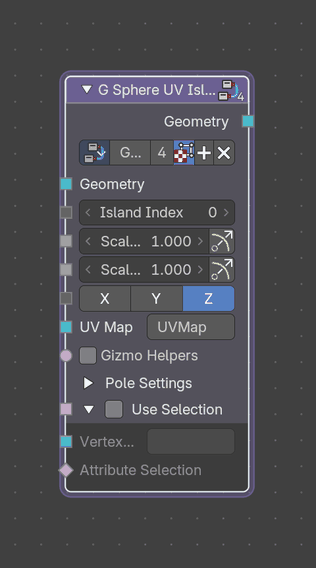
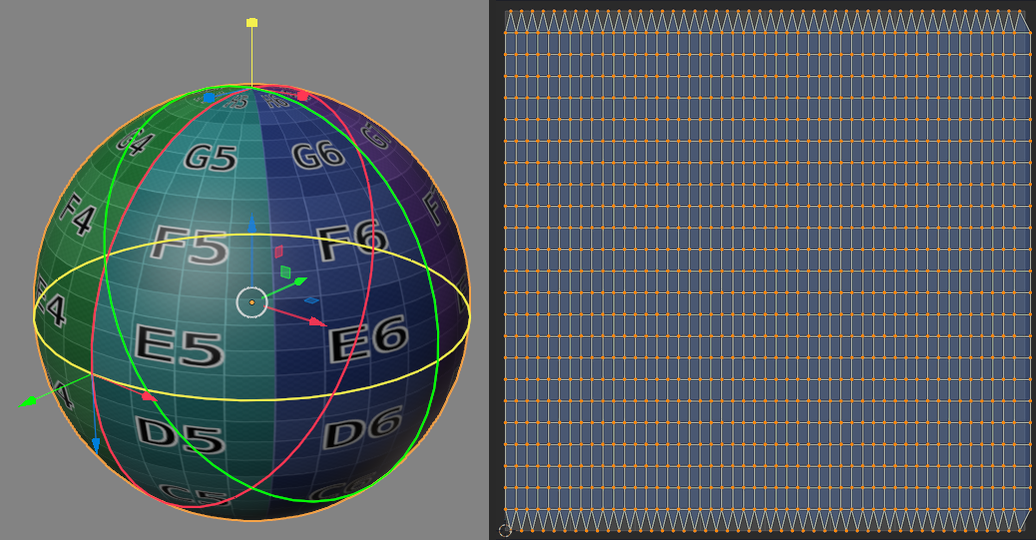
Creates sphere projected UV coordinates on a single island. Island Index chooses the island. It works like Sphere UV with Mode set to one island.
Gizmos
The projection sphere is drawn in the viewport and has gizmos on the selected island:
- Linear gizmos change Scale Longitude and Scale Latitude.
- Dial gizmos (red, green, blue) rotate the projection around X, Y and Z. This is the same as the Tilt input.
Inputs
Geometry
Data typeGeometry
The mesh to create the UV coordinates for.
Island Index
Data typeInteger
The mesh Island Index. This defines where the gizmos will also draw. Default: 0.
Scale Longitude
Data typeFloat
Scale the UV along the horizontal longitude axis. Default: 1.
Scale Latitude
Data typeFloat
Scale the UV along the vertical latitude axis. Default: 1.
Axis
Changes the active axis of the UV Projection. Default: Z.
UV Map
Data typeString
Defines the name of the UVMap to be referenced either on the mesh data or as an attribute in the material. Default: UVMap.
Gizmo Helpers
Data typeBoolean
Toggles helper gizmos made with Grease Pencil to assist tuning other gizmos. These will not render. Default: Off.
Pole Settings
Pole Pinch
Data typeBoolean
Pinches the pole to get cleaner UVs at the axis poles. Default: On.
Pole Center
Data typeVector
Translates the axis pole center with an offset.
Tilt
Data typeRotation
Rotates and tilts the axis pole by degrees.
Use Selection
Use Selection
Data typeBoolean
Set UVs on a Vertex Group Selection. Default: Off.
Vertex Group
Data typeString
The name of the Vertex Group to set UVs.
Attribute Selection
Data typeBoolean
Or set the selection by attribute with a boolean on a domain. Default: Off.
Outputs
Geometry
Data typeGeometry
The mesh with the UV coordinates written to the UV map named by the UV Name or UV Map input.
Triplanar UV
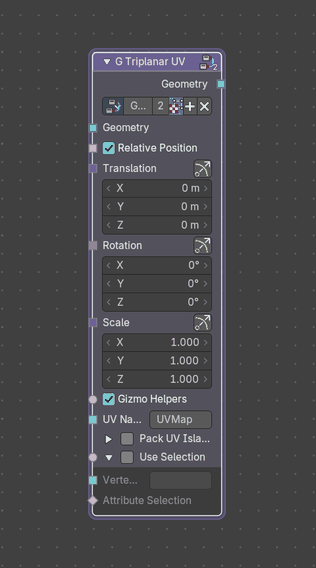
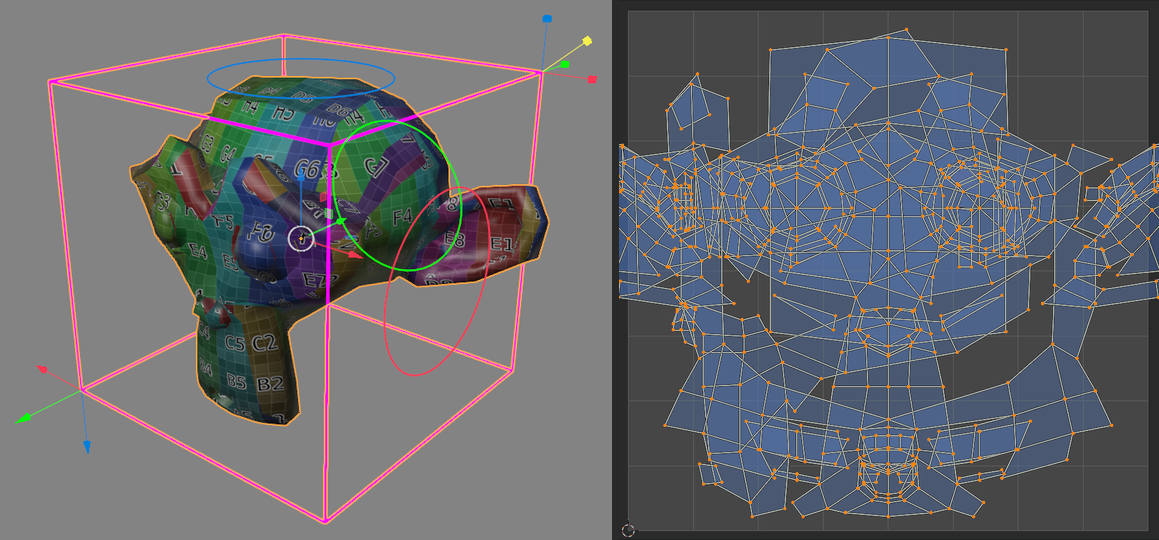
Creates triplanar cube projected UV coordinates, with scaling that stays relative to the object. Translation, Rotation and Scale move the projection.
Gizmos
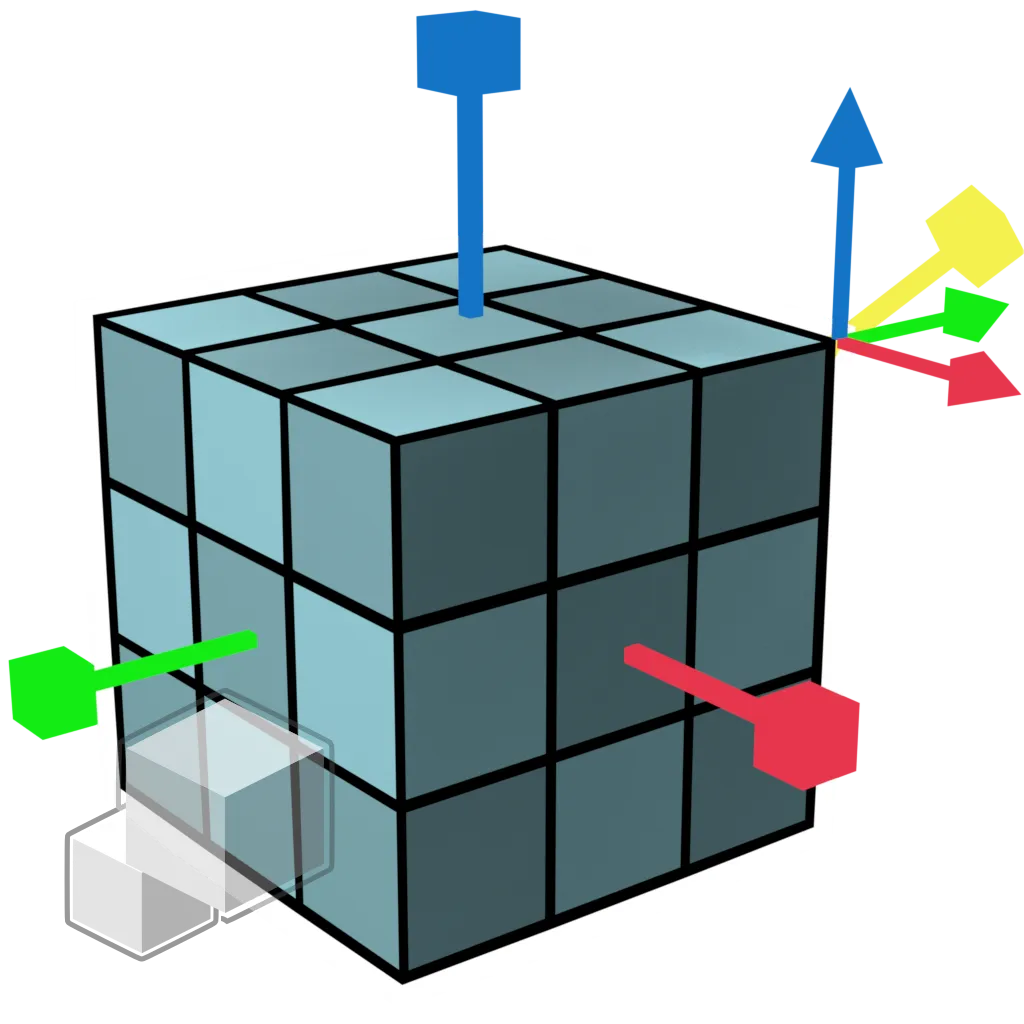
The projection box is drawn in the viewport and has gizmos:
- Linear gizmos per axis move the box (Translation) and scale it (Scale). The white linear gizmo scales all three axes together.
- Dial gizmos (red, green, blue) set the Rotation around X, Y and Z.
Inputs
Geometry
Data typeGeometry
The mesh to create the UV coordinates for.
Relative Position
Data typeBoolean
Toggles relative UV positions to world space or local space. Default: On.
Translation
Data typeVector
Translates the triplanar UV projection in XYZ vectors.
Rotation
Data typeRotation
Rotates the triplanar UV projection.
Scale
Data typeVector
Scales the triplanar UV projection.
Gizmo Helpers
Data typeBoolean
Toggles helper gizmos made with Grease Pencil. These will not render. Default: On.
UV Name
Data typeString
Defines the name of the UVMap to be referenced either on the mesh data or as an attribute in the material. Default: UVMap.
Pack UV Islands
Pack UV Islands
Data typeBoolean
Toggles UV Island Packing. Default: Off.
Island Margin
Data typeFloat
Adjusts the UV island margins. Default: 0.001.
Rotate
Data typeBoolean
Toggles if the packing rotates UV Islands for a best fit. Default: On.
Method
The method of UV island packing. Default: Bounding Box.
Use Selection
Use Selection
Data typeBoolean
Set UVs on a Vertex Group Selection. Default: Off.
Vertex Group
Data typeString
The name of the Vertex Group to set UVs.
Attribute Selection
Data typeBoolean
Or set the selection by attribute with a boolean on a domain. Default: Off.
Outputs
Geometry
Data typeGeometry
The mesh with the UV coordinates written to the UV map named by the UV Name or UV Map input.
The Mesh Operations assets will be documented here.
Normals
Smart Mesh Blend by Proximity
Adds an object that references a collection to merge all children mesh objects with blended normals and materials by proximity, through intersection distance and blur. This also displaces meshes at intersections.
This asset is ideal for smoothing transitions between intersecting surfaces, faking lighting continuity, or unifying shading across modular components.
Note: In order to blend reliably, you will need topology to interpolate the blending. This means you will need to either subdivide, bevel or remesh your source meshes to blend smoothly. If you use only default cubes and a plane, it won't blend due to a lack of topology, but if you use a rounded subdivided cube with bevels and a grid, it will blend.
Use: the Wizard
This contains a setup Wizard to begin.
- Drag and drop the asset into the scene from the Asset Shelf or Asset Browser.
- You will be prompted to select a Target Collection; this will then convert the target collection into driver objects.
- Toggle optional Bounds Display, Relative Position and Material Blending. This will change and affect the Target Collection viewport display after applying. You can add or remove properties from the Target Collection by rerunning the Wizard and toggling the settings.
- After confirming, this will create a new purple collection with a new Smart Mesh Blend by Proximity object. This is where the blended mesh is stored.
- Change the settings by selecting the blended mesh and going to the Item tab in the Viewport Sidebar or the Modifier tab in the Properties Editor.
Asset Structure
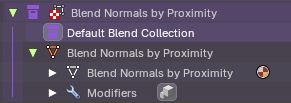
- The Blend Normals by Proximity object is where the Geometry Nodes asset is stored. This is where the settings are stored.
- The Purple collection is where the asset is stored as a point of reference.
- The Default Blend Collection can be used as a reference if you have no Target Collection.
Wizard Options
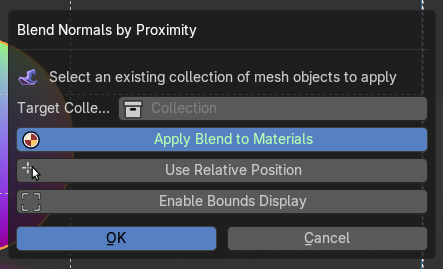
Target Collection
Specifies the collection of the group of mesh objects used to influence the normal blending.
Apply Blend to Materials
This applies an intersection gradient alpha node group to the target collection object materials. This will iterate through all objects and materials and then apply the alpha at the Geometry Nodes intersection.
Note: If you add new materials or objects to the target collection, re-running the wizard will re-apply to those new materials and objects.
If you toggle this option off and re-apply the Wizard, it will remove the Material Blend from all materials and objects in the target collection.
Use Relative Position
This will enable the relative position of the source target collection objects, making the new blended mesh snap to the original position. If you keep this off, the new blended mesh will spawn or move to its asset placement position.
Enable Bounds Display
This will turn on Bounds display for all the objects in the target collection, useful to remove any z-fighting normals when using a Relative Position on the new blended normals mesh object.
If you turn it off and re-run and re-apply the wizard, it will remove the Bounds display from all objects in the target collection.
Note: If you add new objects to the target collection, re-running the wizard will re-apply the visibility settings on the new objects.
Modifier Properties
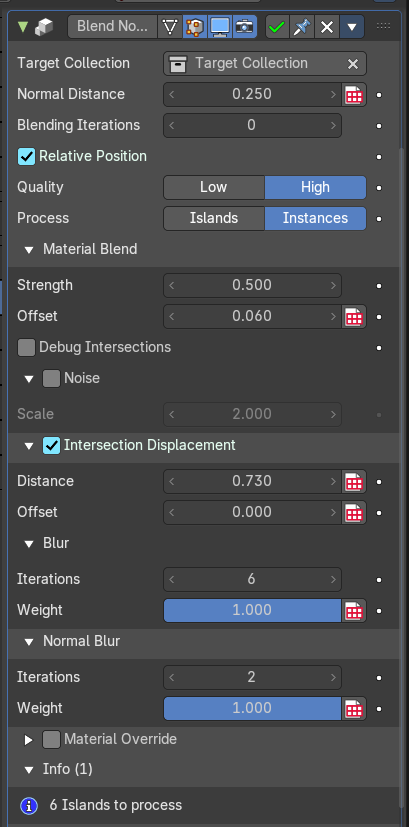
Target Collection
Specifies the group of objects used to influence the normal blending.
Normal Distance
Sets the range within which intersecting geometry will contribute to the normal blending by proximity process.
Blending Iterations
Adds another blending iteration to the group of objects to assist in solving self-intersecting blending issues. This will affect performance as this repeats the operation.
Relative Position
When enabled, calculates blending based on object-relative coordinates. Useful for maintaining orientation consistency with source objects from the target collection.
Quality
This defines the quality of the normal blending which affects performance.
- High: Uses blending by proximity. Default. This can be low on performance if there are many islands or instances being evaluated.
- Low: Uses a "neutral" normal at the intersections. This is more performant but less noticeable.
Process
This defines the method the blending evaluates mesh islands or instances.
- Islands: Uses blending by proximity. Default. This can be low on performance if there are many islands or instances being evaluated.
- Instances: Uses a "neutral" normal at the intersections. This is more performant but less noticeable.
Material Blend
Strength
Controls how strongly materials are blended at the intersections.
Offset
Shifts the blend region inward or outward from the intersection. Fine-tunes where the material transition begins.
Debug Intersections
Visualizes intersection zones for troubleshooting. Helpful for verifying blend boundaries or for using it to bake to a new texture.
Noise
Adds procedural noise to the blend region. Useful for organic or stylized transitions.
Scale
Controls the scale of the noise pattern. Higher values produce larger, more visible noise features.
Intersection Displacement
Enables geometry displacement at intersection zones. Controls how intersection regions between meshes are offset and displaced before normal blending. Used to create bulges, dents, or organic merging effects.
Distance
The threshold for detecting intersections. This defines how far the geometry is displaced from its original surface.
Offset
Shifts the displacement region relative to the intersection. Moves vertices slightly to resolve overlap artifacts.
Blur
Softens the influence of blended normals across adjacent geometry.
Iterations
Number of smoothing passes on the displacement.
Weight
Intensity of smoothing. Higher values lead to broader averaging.
Normal Blur
Optional secondary blur targeting only normals.
Note: This only blurs normals at the intersections. Object normals are preserved.
Iterations
Number of blur passes applied to normals.
Weight
Strength of normals blur smoothing.
Material Override
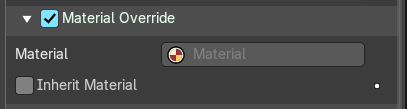
Toggles material overrides; otherwise each object inherits its material from the target collection.
Material
Selects the material for the material override.
Inherit Material
This toggles the use of the material in the Material tab of the Properties editor as the override.
Info
Displays how many mesh islands are currently being blended. Useful for performance monitoring and debugging.
Note: This may also show when the target collection is nested, or if there are not enough objects to blend.
Primitives
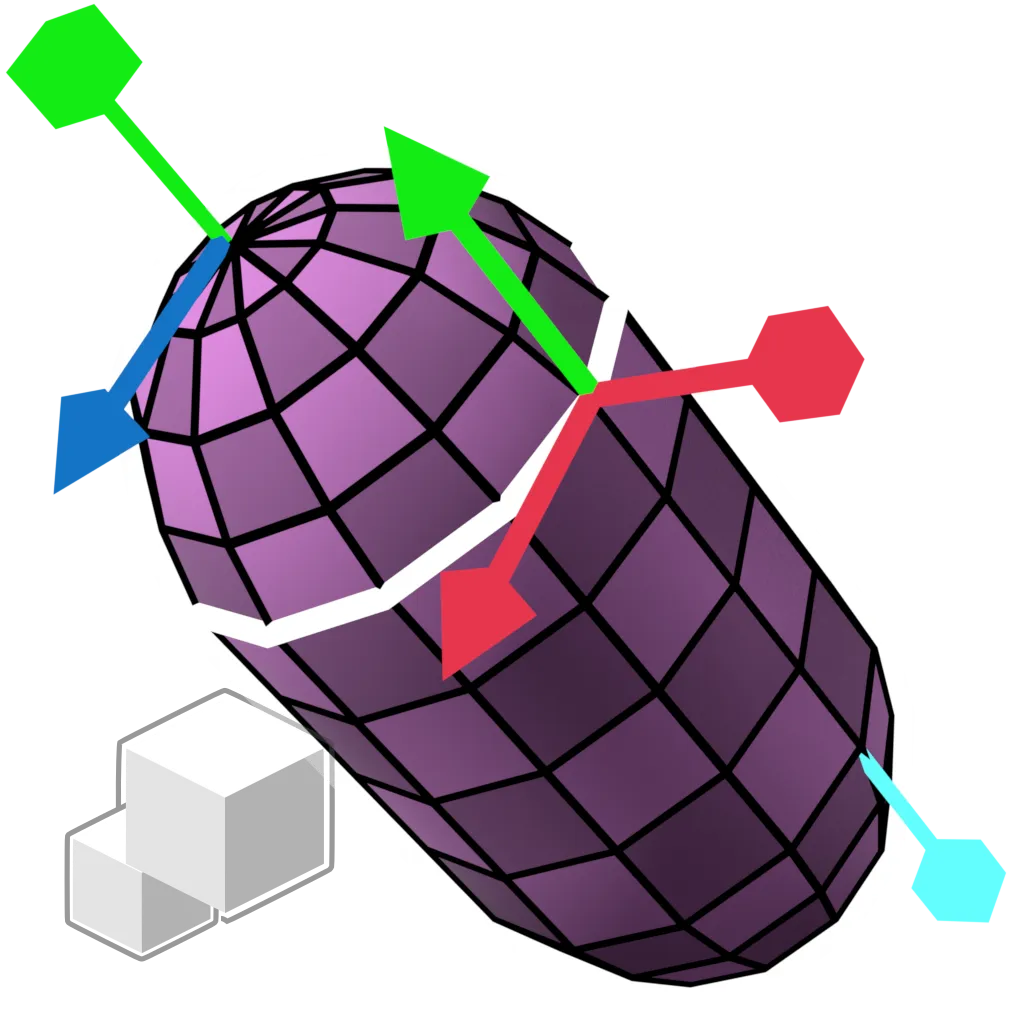
Smart Primitives are shapes built with geometry nodes. Drag one into the scene from the Asset Shelf or the Asset Browser, then change it with the gizmos in the 3D Viewport or with its properties. Nothing is destructive until you apply it.
Using the Gizmos
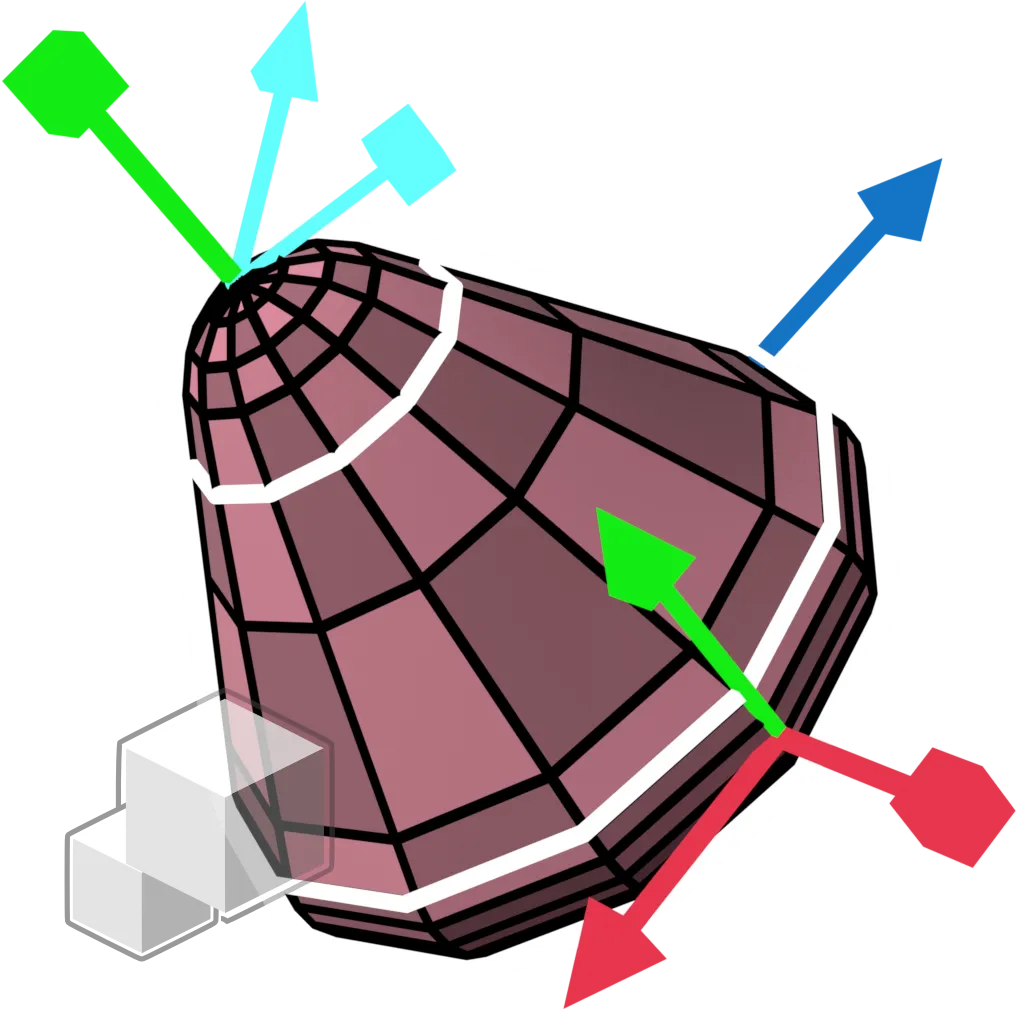
Select a Smart Primitive and its gizmos appear in the 3D Viewport. A gizmo is a handle you drag to change a setting without typing a number. The color and the shape tell you what a gizmo changes.
| Gizmo | Color | What it changes |
|---|---|---|
| 🟥 Square | 🔴🟢🔵 Red, green, blue (X, Y, Z) | 📏 Scales the primitive along that axis |
| ➡️ Arrow | 🔴🟢🔵 Red, green, blue (X, Y, Z) | 🔁 Loop resolution along that axis |
| ⭕ Circle | 🟡 Primary (yellow) | 🔄 Revolve Angle |
| 🟨 Square | 🟡 Primary (yellow) | 🔍 Scale All |
| ↗️ Arrow | 🟡 Primary (yellow) | 🌀 Bend the profile |
| ➡️ Arrow | 🔵 Secondary (cyan) | 🧊 Bevel Resolution |
| 🟦 Square | 🔵 Secondary (cyan) | 📐 Bevel Scale |
Not every primitive has every gizmo. Each asset below lists the gizmos it has.
Properties and operators
Every Smart Primitive can also be changed with numbers, in the Asset Properties panel of the 3D View sidebar (Item tab) or in its Geometry Nodes modifier. The properties are grouped into top-level, bevel, resolution and UV properties. To turn Smart Primitives into regular meshes, use , with the Join, Boolean and Remesh options. Both are explained in Default Library.
Basic Shapes
Cube
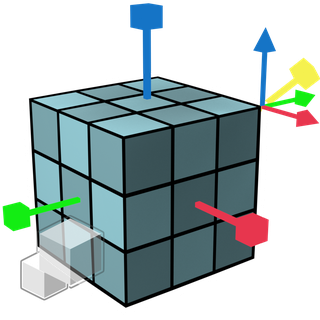
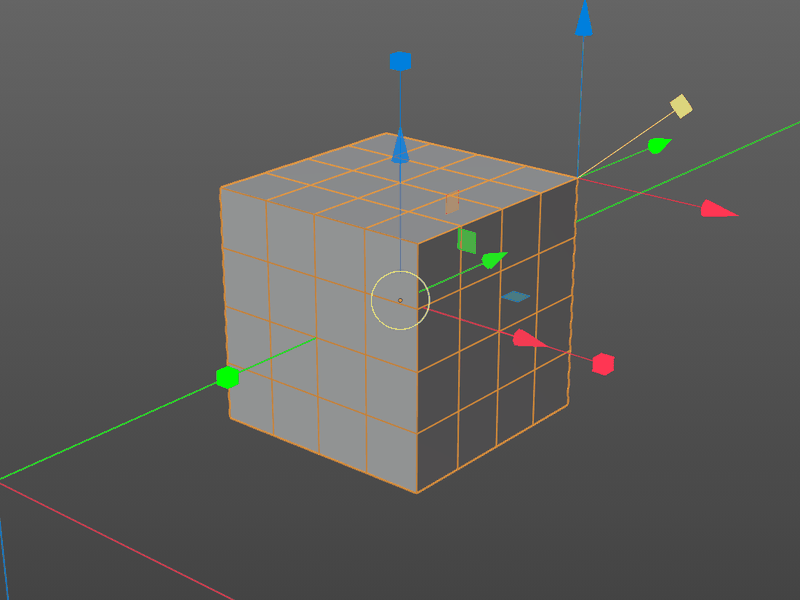
A standard six-sided shape, great for solid modeling. Includes relative UVs and resolution gizmos.
This asset uses the Smart Cube node group.
Gizmos
- Size: 3
- Loop resolution: 3
- Scale All: 1
Inputs
X
Data typeFloat (distance)
Changes the width of the primitive in unit sizes. Default: 2 m.
Y
Data typeFloat (distance)
Changes the depth of the primitive in unit sizes. Default: 2 m.
Z
Data typeFloat (distance)
Changes the height of the primitive in unit sizes. Default: 2 m.
Resolution
X
Data typeInteger
Changes the horizontal resolution of the geometry edges/loops. Default: 3.
Y
Data typeInteger
Changes the vertical resolution of the geometry edges/loops. Default: 3.
Z
Data typeInteger
Changes the base resolution of the geometry edges/loops. Default: 3.
UVs
Relative
Data typeBoolean
Creates a triplanar UV projection that is relative to object scale. Default: on.
Outputs
Geometry
Data typeGeometry
The generated shape.
Cube Rounded
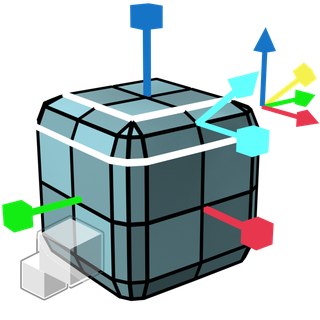
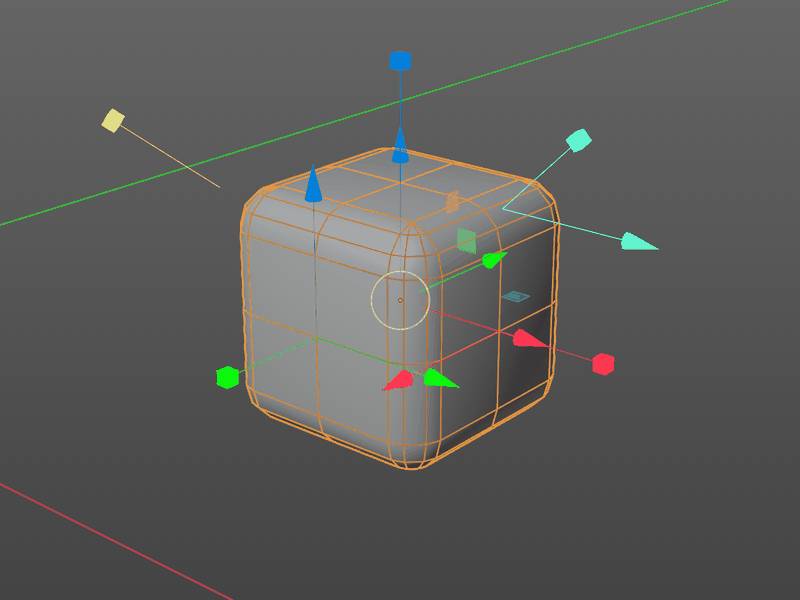
A cube with softened edges for a more organic feel.
This asset uses the Smart Cube Rounded node group.
Gizmos
- Size: 3
- Loop resolution: 3
- Bevel Scale: 1
- Bevel Resolution: 1
- Scale All: 1
Inputs
X
Data typeFloat (distance)
Changes the width of the primitive in unit sizes. Default: 2 m.
Y
Data typeFloat (distance)
Changes the depth of the primitive in unit sizes. Default: 2 m.
Z
Data typeFloat (distance)
Changes the height of the primitive in unit sizes. Default: 2 m.
Bevel
Bevel Amount
Data typeFloat
Changes the radius percentage of the bevel. Default: 50.
Resolution
Data typeInteger
Changes the bevel geometry edges/loops resolution. Default: 3.
Resolution
X
Data typeInteger
Changes the horizontal resolution of the geometry edges/loops. Default: 3.
Y
Data typeInteger
Changes the vertical resolution of the geometry edges/loops. Default: 3.
Z
Data typeInteger
Changes the base resolution of the geometry edges/loops. Default: 3.
Outputs
Geometry
Data typeGeometry
The generated shape.
Sphere
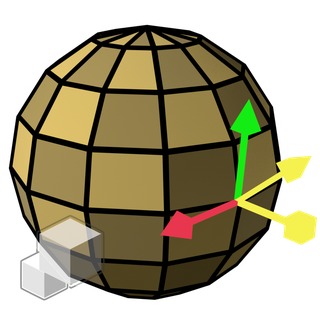
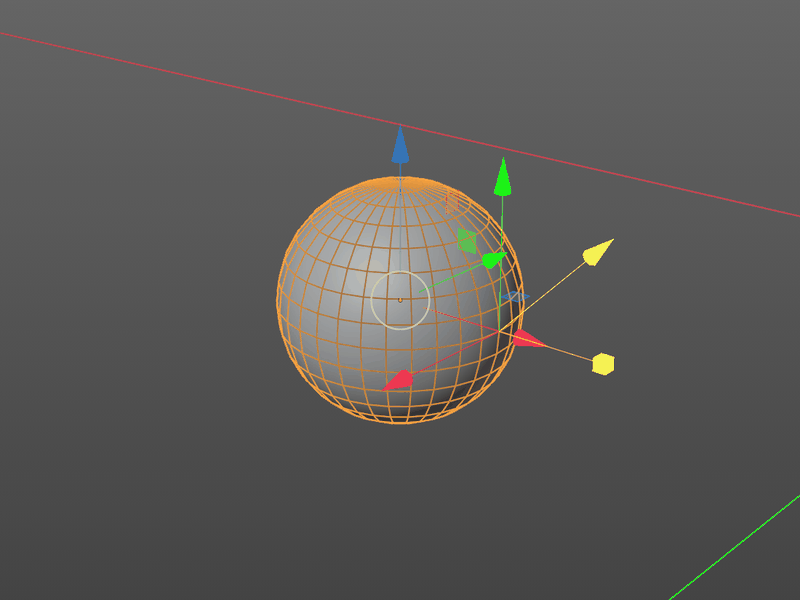
A perfect round primitive, ideal for smooth surfaces. Includes relative resolution controls.
This asset uses the Smart Sphere node group.
Gizmos
- Scale All: 1
- Loop resolution: 2
- Bend profile: 1
Inputs
Radius
Data typeFloat (distance)
Changes the radius of the primitive in unit sizes. Default: 1 m.
Resolution
Horizontal
Data typeInteger
Changes the horizontal resolution of the geometry edges/loops. Default: 16.
Vertical
Data typeInteger
Changes the vertical resolution of the geometry edges/loops. Default: 32.
UVs
Relative
Data typeBoolean
Creates a UV projection that is relative to object scale. Default: off.
Outputs
Geometry
Data typeGeometry
The generated shape.
Icosphere
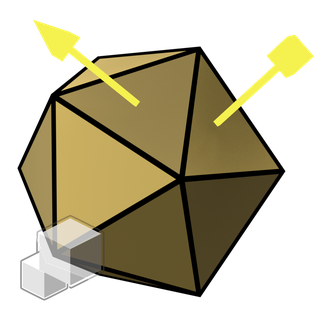
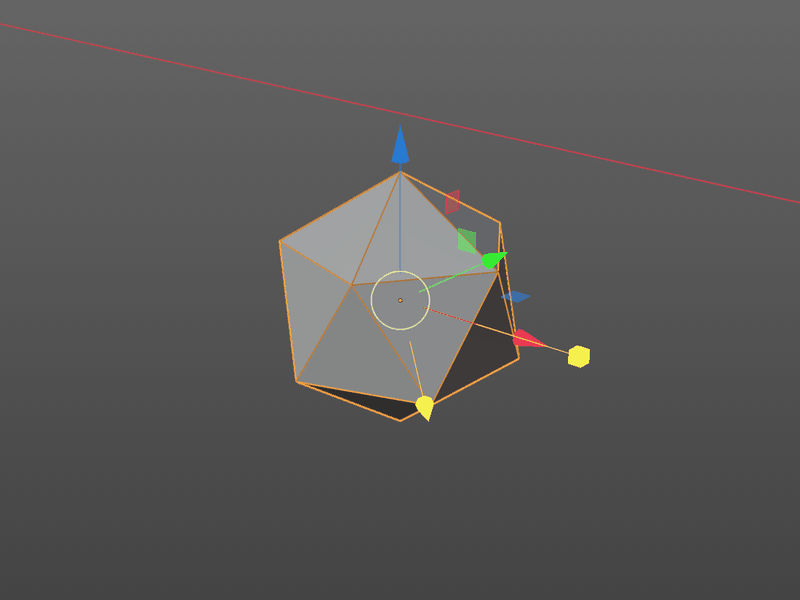
A low-poly spherical shape made of triangles, great for optimization, with various levels of resolution.
This asset uses the Smart Icosphere node group.
Gizmos
- Bend profile: 1
- Scale All: 1
Inputs
Radius
Data typeFloat (distance)
Changes the radius of the primitive in unit sizes. Default: 1 m.
Resolution
Data typeInteger
Subdivisions of the icosphere. Default: 1.
UVs
Relative
Data typeBoolean
Creates a UV projection that is relative to object scale. Default: on.
Outputs
Geometry
Data typeGeometry
The generated shape.
Cone
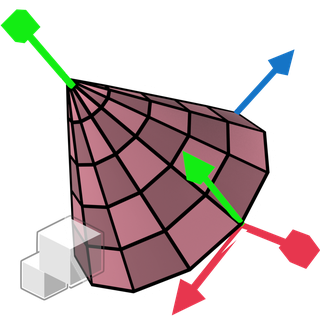
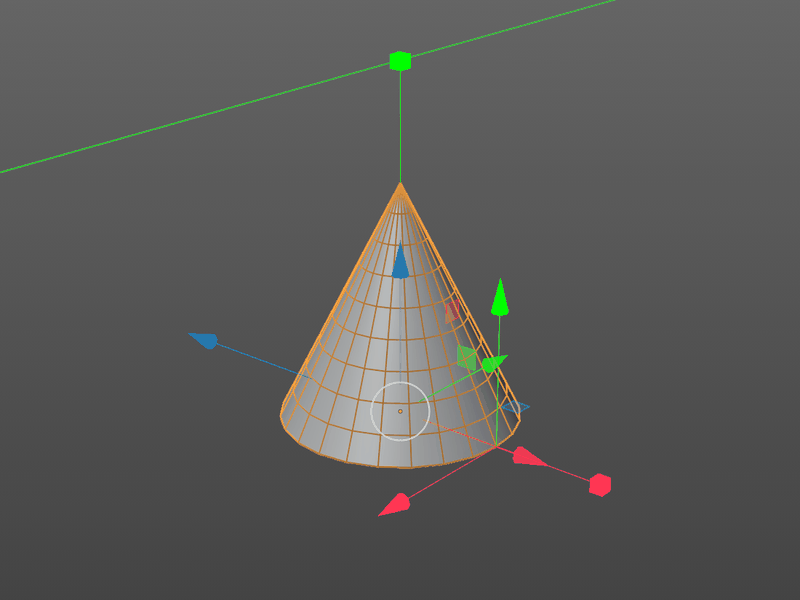
A tapered shape with a circular base, useful for pointed structures.
This asset uses the Smart Cone node group.
Gizmos
- Size: 2
- Loop resolution: 3
Inputs
Height
Data typeFloat (distance)
Change the height of the primitive in unit sizes. Default: 2 m.
Radius
Data typeFloat (distance)
Changes the radius of the primitive in unit sizes. Default: 1 m.
Resolution
Horizontal
Data typeInteger
Changes the horizontal resolution of the geometry edges/loops. Default: 10.
Vertical
Data typeInteger
Changes the vertical resolution of the geometry edges/loops. Default: 24.
Base
Data typeInteger
Changes the base resolution of the geometry edges/loops. Default: 4.
Outputs
Geometry
Data typeGeometry
The generated shape.
Cone Rounded
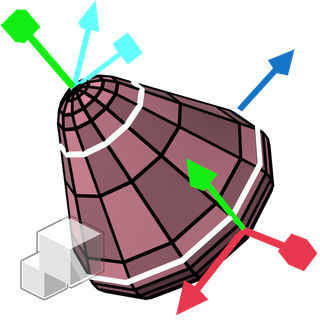
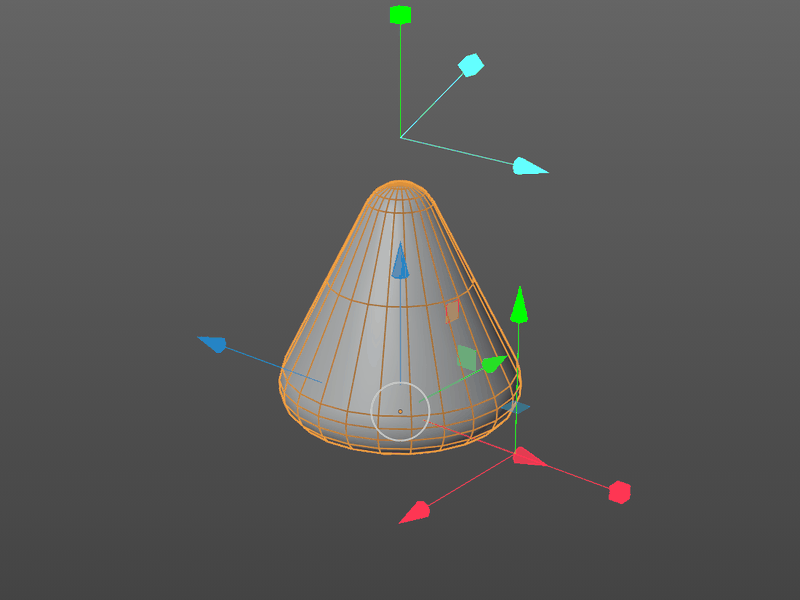
A cone with a smoother, more organic tip.
This asset uses the Smart Cone Rounded node group.
Gizmos
- Size: 2
- Loop resolution: 3
- Bevel Resolution: 1
- Bevel Scale: 1
Inputs
Height
Data typeFloat (distance)
Changes the height of the primitive in unit sizes. Default: 2 m.
Radius
Data typeFloat (distance)
Changes the radius of the primitive in unit sizes. Default: 1 m.
Bevel
Radius
Data typeFloat
Changes the radius percentage of the bevel. The bevel will clamp to the horizontal resolution, less horizontal loops increases bevel maximum limit. Default: 25.
Resolution
Data typeInteger
Changes the bevel geometry edges/loops resolution. Default: 3.
Resolution
Horizontal
Data typeInteger
Changes the horizontal resolution of the geometry edges/loops. Default: 3.
Vertical
Data typeInteger
Changes the vertical resolution of the geometry edges/loops. Default: 24.
Base
Data typeInteger
Changes the base resolution of the geometry edges/loops. Default: 3.
Outputs
Geometry
Data typeGeometry
The generated shape.
Cylinder
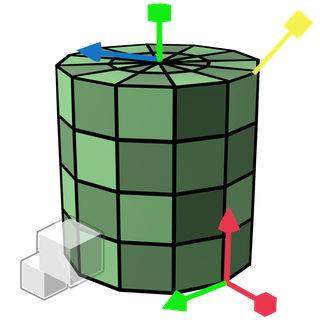
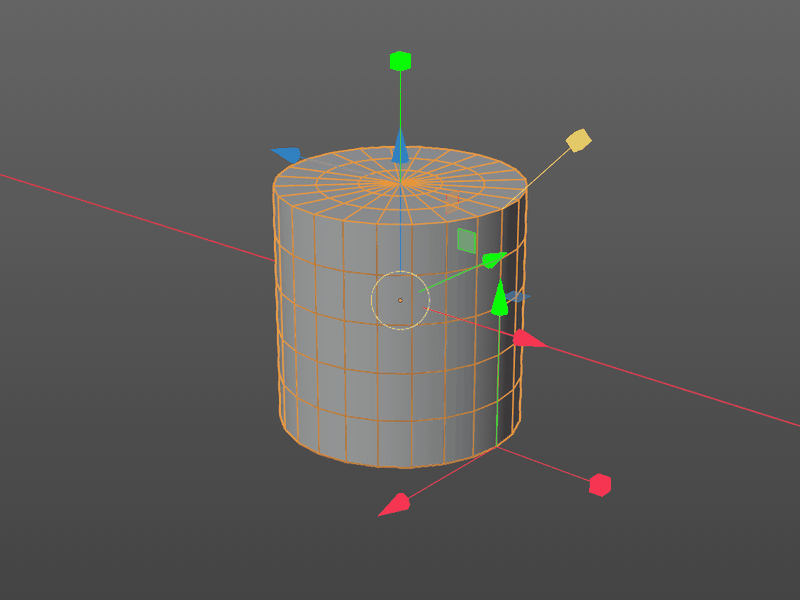
A uniform circular primitive, essential for pipes and tubes.
This asset uses the Smart Cylinder node group.
Gizmos
- Size: 2
- Loop resolution: 3
- Scale All: 1
Inputs
Radius
Data typeFloat (distance)
Changes the radius of the primitive in unit sizes. Default: 1 m.
Height
Data typeFloat (distance)
Changes the height of the primitive in unit sizes. Default: 2 m.
Resolution
Horizontal
Data typeInteger
Changes the horizontal resolution of the geometry edges/loops. Default: 5.
Vertical
Data typeInteger
Changes the vertical resolution of the geometry edges/loops. Default: 24.
Base
Data typeInteger
Changes the base resolution of the geometry edges/loops. Default: 3.
Outputs
Geometry
Data typeGeometry
The generated shape.
Cylinder Rounded
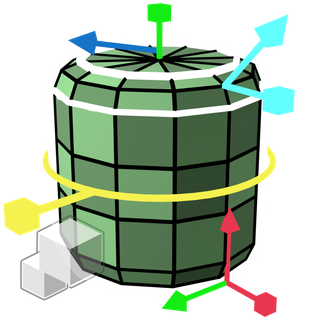
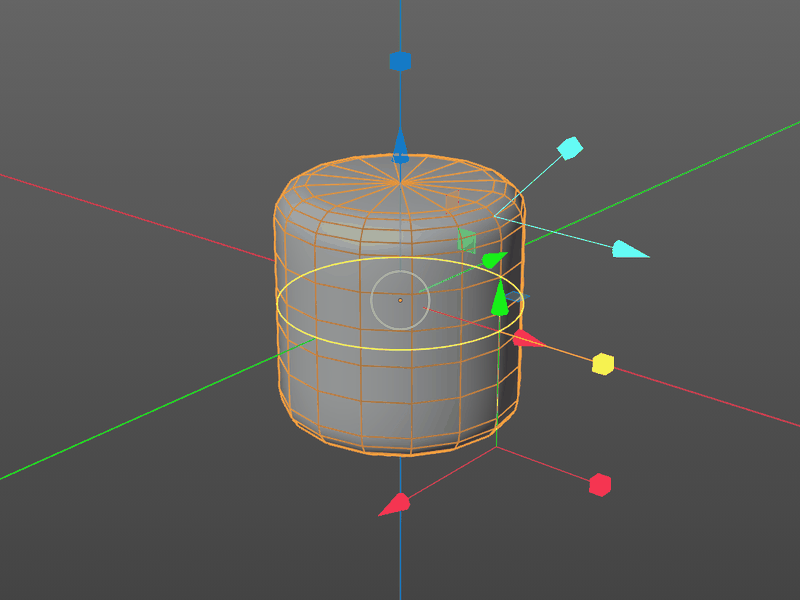
A cylinder with softened edges for better transitions.
This asset uses the Smart Cylinder Rounded Revolved node group. The same group is used by Cylinder Revolved, Cylinder Rounded Revolved; each asset starts from its own settings.
Gizmos
- Revolve Angle: 1
- Size: 2
- Loop resolution: 2
- Bevel Resolution: 1
- Bevel Scale: 1
- Scale All: 1
Inputs
Angle
Data typeFloat (angle)
Changes the revolve angle in degrees. 360° closes the revolution. Default: 270°. This asset starts at 360°.
Height
Data typeFloat
Changes the height of the primitive in unit sizes. Default: 1.
Width
Data typeFloat
Changes the radius of the primitive in unit sizes. Default: 1.
Bevel
Radius
Data typeFloat
Changes the radius percentage of the bevel. Default: 25.
Resolution
Data typeInteger
Changes the bevel geometry edges/loops resolution. Default: 4.
Resolution
Horizontal
Data typeInteger
Changes the horizontal resolution of the geometry edges/loops. Default: 6.
Vertical
Data typeInteger
Changes the vertical resolution of the geometry edges/loops. Default: 16.
Triangulate Center
Data typeBoolean
Triangulates the center faces to remove NGONs. Default: on.
Triangulate All
Data typeBoolean
Triangulates all faces. Default: off.
Outputs
Geometry
Data typeGeometry
The generated shape.
Tube
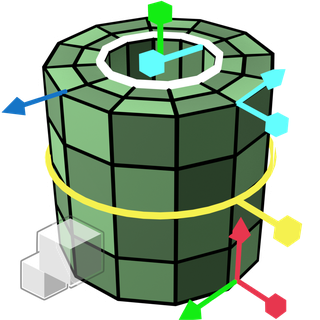
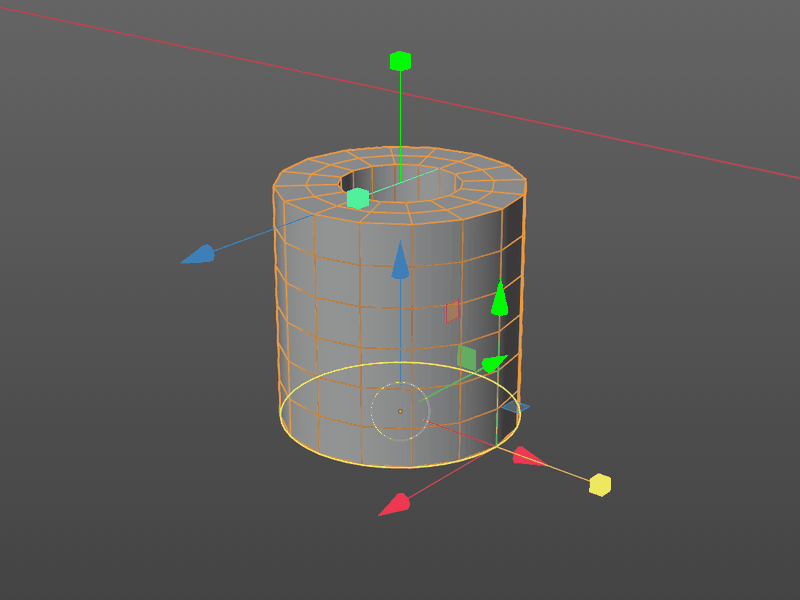
A hollow cylindrical primitive, great for mechanical parts.
This asset uses the Smart Tube Revolved node group. The same group is used by Tube Revolved; each asset starts from its own settings.
Gizmos
- Revolve Angle: 1
- Size: 2
- Loop resolution: 3
- Scale All: 1
- Bevel Scale: 1
Inputs
Angle
Data typeFloat (angle)
Changes the revolve angle in degrees. 360° closes the revolution. Default: 270°. This asset starts at 360°.
Radius
Data typeFloat (distance)
Changes the radius of the primitive in unit sizes. Default: 1 m.
Height
Data typeFloat (distance)
Changes the height of the primitive in unit sizes. Default: 2 m.
Inner Radius
Data typeFloat
Changes the inner radius percentage. 100% is a full circle, meanwhile 0% is no inner radius. Default: 50.
Resolution
Horizontal
Data typeInteger
Changes the horizontal resolution of the geometry edges/loops. Default: 6.
Vertical
Data typeInteger
Changes the vertical resolution of the geometry edges/loops. Default: 16.
Base
Data typeInteger
Changes the base resolution of the geometry edges/loops. Default: 2.
Triangulate Center
Data typeBoolean
Triangulates the center faces to remove NGONs. Default: on.
Triangulate All
Data typeBoolean
Triangulates all faces. Default: off.
Outputs
Geometry
Data typeGeometry
The generated shape.
Tube Rounded
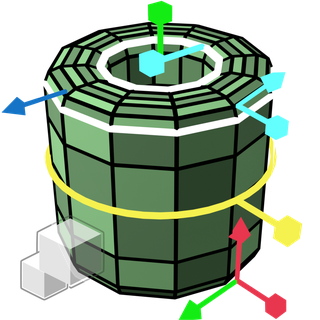
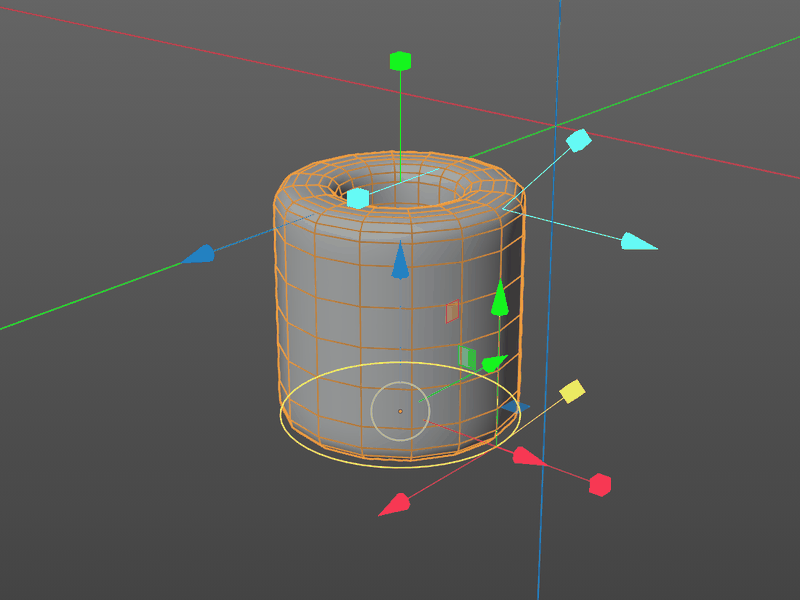
A tube with smooth edges for a more natural look.
This asset uses the Smart Tube Rounded Revolved node group. The same group is used by Tube Rounded Revolved; each asset starts from its own settings.
Gizmos
- Revolve Angle: 1
- Size: 2
- Loop resolution: 3
- Scale All: 1
- Bevel Scale: 2
- Bevel Resolution: 1
Inputs
Angle
Data typeFloat (angle)
Changes the revolve angle in degrees. 360° closes the revolution. Default: 270°. This asset starts at 360°.
Radius
Data typeFloat (distance)
Changes the radius of the primitive in unit sizes. Default: 1 m.
Inner Radius
Data typeFloat
Changes the inner radius percentage. 100% is a full circle, meanwhile 0% is no inner radius. Default: 50.
Height
Data typeFloat (distance)
Changes the height of the primitive in unit sizes. Default: 2 m.
Bevel
Radius
Data typeFloat (distance)
Changes the radius percentage of the bevel. Default: 0.15 m.
Resolution
Data typeInteger
Changes the bevel geometry edges/loops resolution. Default: 3.
Resolution
Horizontal
Data typeInteger
Changes the horizontal resolution of the geometry edges/loops. Default: 6.
Vertical
Data typeInteger
Changes the vertical resolution of the geometry edges/loops. Default: 16.
Base
Data typeInteger
Changes the base resolution of the geometry edges/loops. Default: 2.
Triangulate Center
Data typeBoolean
Triangulates the center faces to remove NGONs. Default: on.
Triangulate All
Data typeBoolean
Triangulates all faces. Default: off.
Outputs
Geometry
Data typeGeometry
The generated shape.
Advanced Forms
Capsule
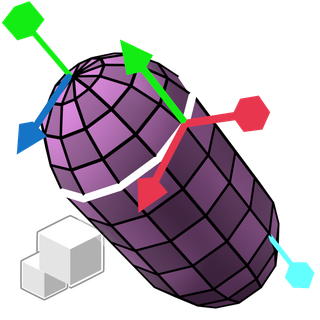
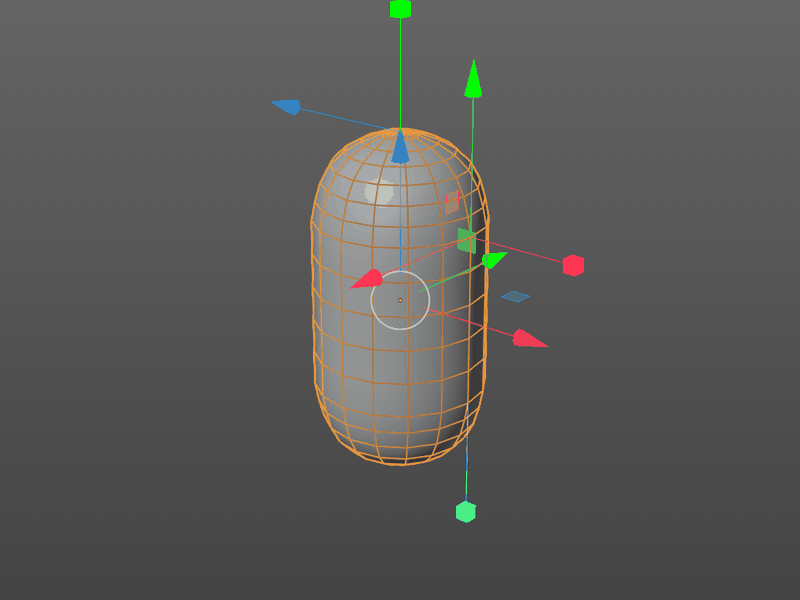
A stretched sphere useful for stylized characters and smooth objects.
This asset uses the Smart Capsule node group.
Gizmos
- Size: 2
- Loop resolution: 3
- Bevel Scale: 1
Inputs
Height
Data typeFloat (distance)
Changes the height of the primitive in unit sizes. Default: 1 m.
Radius
Data typeFloat (distance)
Changes the radius of the primitive in unit sizes. Default: 0.5 m.
Cap
Resolution
Data typeInteger
Changes the cap geometry edges/loops resolution. Default: 8.
Height
Data typeFloat (factor)
Changes the height of the cap with a factor. Smaller values flattens the cap. Default: 1.
Corrective Tangent
Data typeFloat (factor)
Controls the corrrective tangent of the cap. Tangent can be positive or negative. Useful to correct the cap shape. Default: 0.03.
Resolution
Horizontal
Data typeInteger
Changes the horizontal resolution of the geometry edges/loops. Default: 16.
Vertical
Data typeInteger
Changes the vertical resolution of the geometry edges/loops. Default: 6.
Outputs
Geometry
Data typeGeometry
The generated shape.
Capsule Revolved
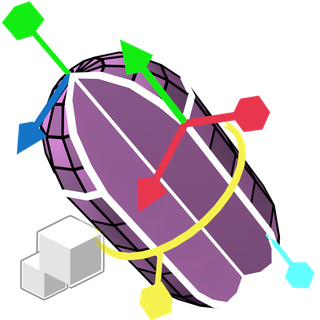
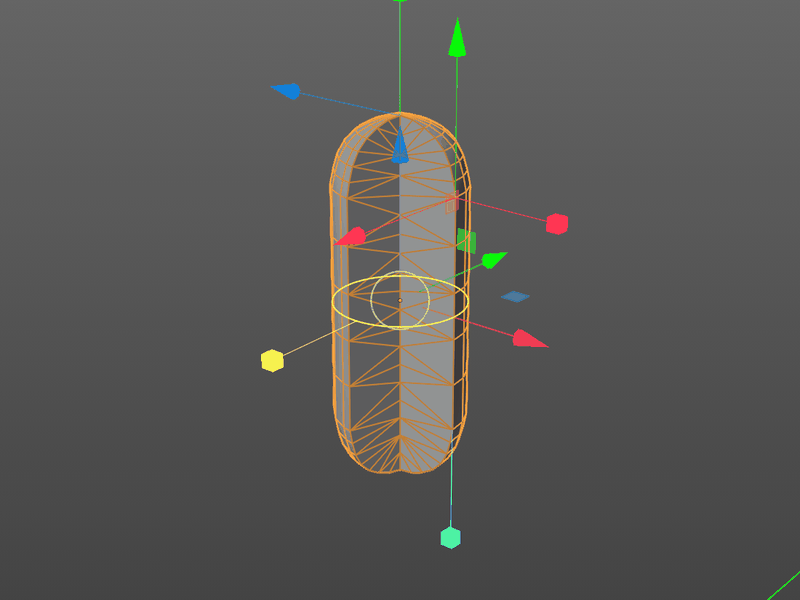
A capsule rotated for unique geometry shaping. Includes the ability to revolve around an angle.
This asset uses the Smart Capsule Revolved node group.
Gizmos
- Size: 2
- Loop resolution: 3
- Bevel Scale: 1
- Revolve Angle: 1
- Scale All: 1
Inputs
Angle
Data typeFloat (angle)
Changes the revolve angle in degrees. 360° closes the revolution. Default: 270°. This asset starts at 271.5°.
Height
Data typeFloat (distance)
Changes the height of the primitive in unit sizes. Default: 1 m. This asset starts at 1.8 m.
Radius
Data typeFloat (distance)
Changes the radius of the primitive in unit sizes. Default: 0.5 m.
Cap
Resolution
Data typeInteger
Changes the cap geometry edges/loops resolution. Default: 8.
Height
Data typeFloat (factor)
Control the cap height roundeness or flattness. Default: 1.
Corrective Tangent
Data typeFloat (factor)
Controls the tangent of the roundness of the cap. Useful to correct the shape. Default: 0.03.
Resolution
Horizontal
Data typeInteger
Changes the horizontal resolution of the geometry edges/loops. Default: 6.
Vertical
Data typeInteger
Changes the vertical resolution of the geometry edges/loops. Default: 16.
Triangulate Center
Data typeBoolean
Triangulates the center faces to remove NGONs. Default: on.
Triangulate All
Data typeBoolean
Triangulates all faces. Default: off.
Outputs
Geometry
Data typeGeometry
The generated shape.
Grid
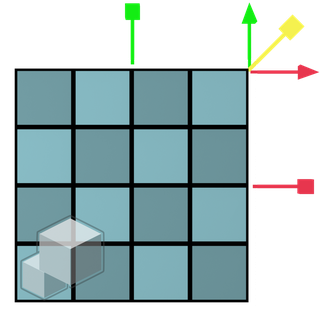
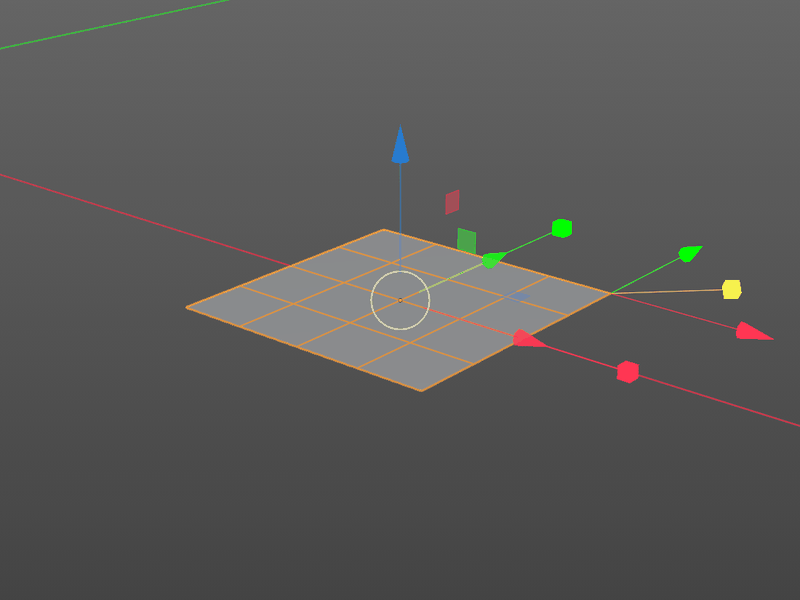
A flat subdivided plane useful for ground surfaces and mesh guides. Includes relative UVs.
This asset uses the Smart Grid node group.
Gizmos
- Size: 2
- Loop resolution: 2
- Scale All: 1
Inputs
X
Data typeFloat (distance)
Changes the width of the primitive in unit sizes. Default: 2 m.
Y
Data typeFloat (distance)
Changes the height of the primitive in unit sizes. Default: 2 m.
Resolution
X
Data typeInteger
Changes the horizontal resolution of the geometry edges/loops. Default: 5.
Y
Data typeInteger
Changes the vertical resolution of the geometry edges/loops. Default: 5.
UVs
Relative
Data typeBoolean
Creates a UV projection that is relative to object scale. Default: on.
Outputs
Geometry
Data typeGeometry
The generated shape.
Torus
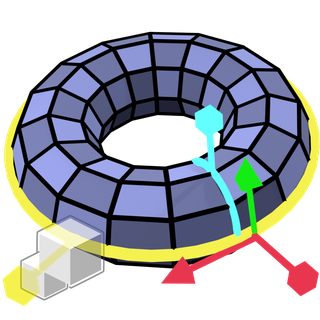
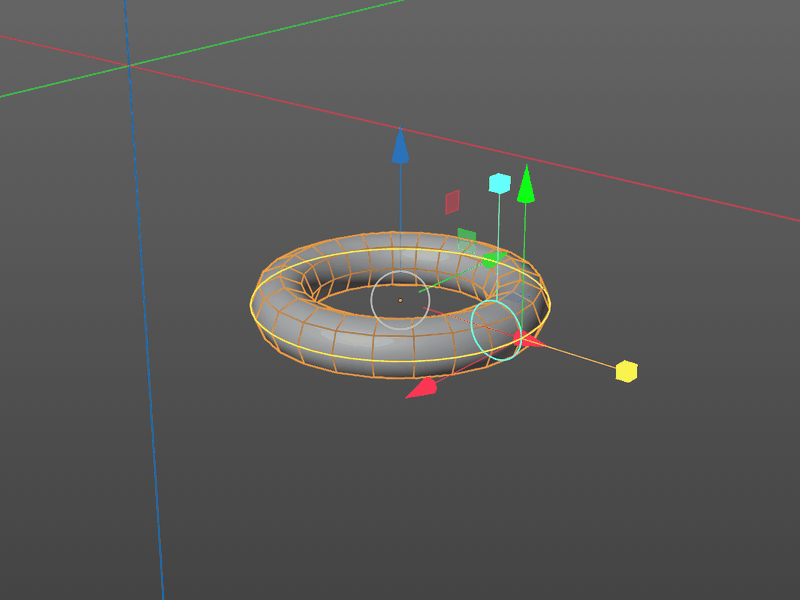
A ring-shaped primitive, ideal for looped structures.
This asset uses the Smart Torus node group. The same group is used by Torus Revolved; each asset starts from its own settings.
Gizmos
- Revolve Angle: 2
- Size: 1
- Bevel Scale: 1
- Loop resolution: 2
- Scale All: 1
Inputs
Angle
Data typeFloat (angle)
Changes the revolve angle in degrees. 360° closes the revolution. Default: 270°. This asset starts at 360°.
Radius
Data typeFloat (distance)
Changes the radius of the primitive in unit sizes. Default: 1 m.
Thickness
Data typeFloat (distance)
Changes the radius of the thickness. Default: 0.25 m.
Twist
Data typeFloat (angle)
Controls the twist of the torus is not fully revolved. Default: 0°.
Resolution
Horizontal
Data typeInteger
Changes the horizontal resolution of the geometry edges/loops. Default: 8.
Vertical
Data typeInteger
Changes the vertical resolution of the geometry edges/loops. Default: 24.
Triangulate Caps
Data typeBoolean
Triangulates the cap faces to remove NGONs. Default: off.
Outputs
Geometry
Data typeGeometry
The generated shape.
Torus Revolved
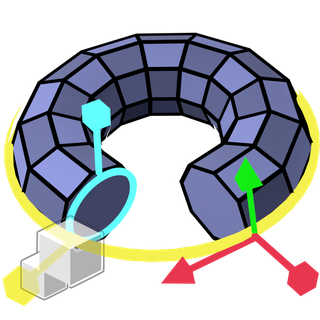
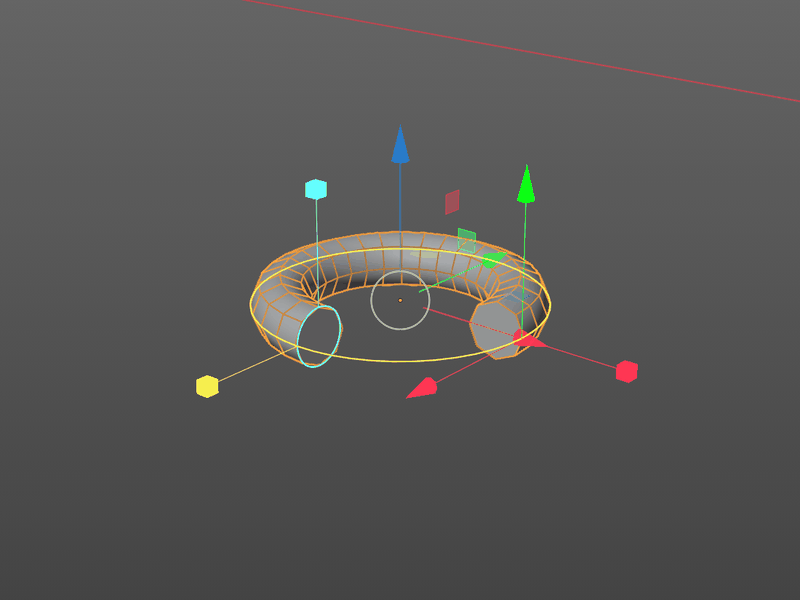
A torus rotated for specialized forms. Includes the ability to revolve around an angle.
This asset uses the Smart Torus node group. The same group is used by Torus; each asset starts from its own settings.
Gizmos
- Revolve Angle: 2
- Size: 1
- Bevel Scale: 1
- Loop resolution: 2
- Scale All: 1
Inputs
Angle
Data typeFloat (angle)
Changes the revolve angle in degrees. 360° closes the revolution. Default: 270°.
Radius
Data typeFloat (distance)
Changes the radius of the primitive in unit sizes. Default: 1 m.
Thickness
Data typeFloat (distance)
Changes the radius of the thickness. Default: 0.25 m.
Twist
Data typeFloat (angle)
Controls the twist of the torus is not fully revolved. Default: 0°.
Resolution
Horizontal
Data typeInteger
Changes the horizontal resolution of the geometry edges/loops. Default: 8.
Vertical
Data typeInteger
Changes the vertical resolution of the geometry edges/loops. Default: 24.
Triangulate Caps
Data typeBoolean
Triangulates the cap faces to remove NGONs. Default: off.
Outputs
Geometry
Data typeGeometry
The generated shape.
Spiral
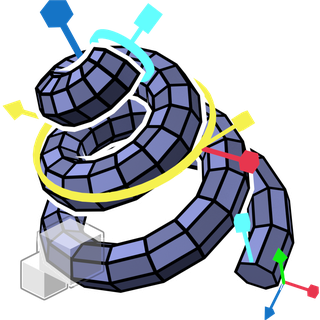
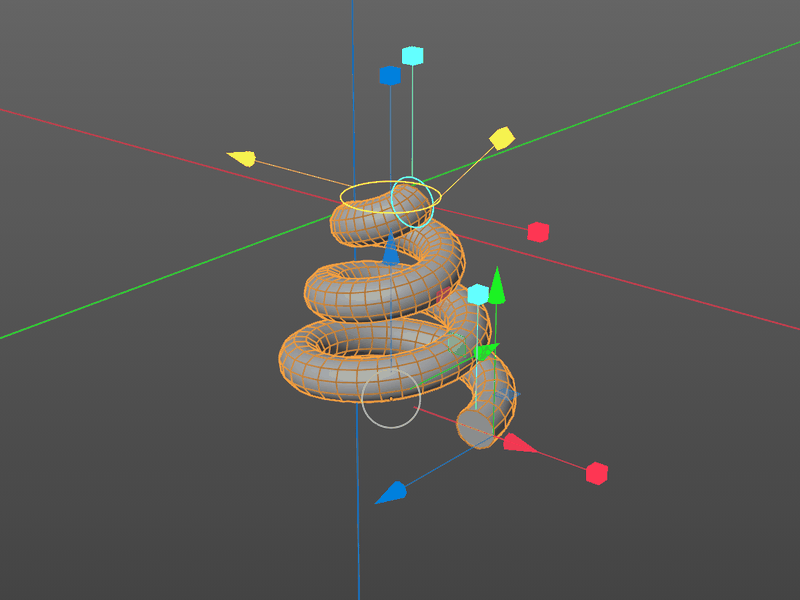
A coiled shape, useful for decorative and mechanical designs.
This asset uses the Smart Spiral node group.
Gizmos
- Size: 3
- Revolve Angle: 2
- Bevel Scale: 2
- Scale All: 1
- Loop resolution: 2
- Bend profile: 1
Inputs
Height
Data typeFloat (distance)
Changes the height of the primitive in unit sizes. Default: 2 m.
Rotations
Data typeFloat
Changes the rotations amount of the spiral. Default: 3.
Start Radius
Data typeFloat (distance)
Changes the start of the spiral radius. Default: 1 m.
End Radius
Data typeFloat (distance)
Changes the end of the spiral radius. Default: 0.25 m.
Profile
Radius
Data typeFloat (distance)
Changes the radius of the profile that is lofted on the spiral. Default: 0.2 m.
Taper
Data typeFloat (factor)
Changes the taper of the spiral by a factor. Negative values thickens the end radius. Default: 0.
Twist
Data typeFloat (angle)
Changes the tilt of the profile loft which creates a twist. Default: 0°.
Resolution
Horizontal
Data typeInteger
Changes the horizontal resolution of the geometry edges/loops. Default: 12.
Vertical
Data typeInteger
Changes the vertical resolution of the geometry edges/loops. Default: 32.
Triangulate Caps
Data typeBoolean
Triangulates the cap faces to remove NGONs. Default: off.
UVs
Scale
Data typeFloat
Scale the UVs. Default: 2.
U Scale
Data typeFloat
Scale UV's on the U axis. Default: 0.
V Scale
Data typeFloat
Scale UV's on the V axis. Default: 0.
Outputs
Geometry
Data typeGeometry
The generated shape.
Circle
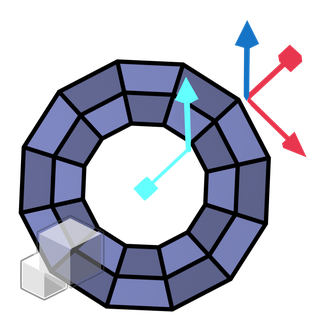
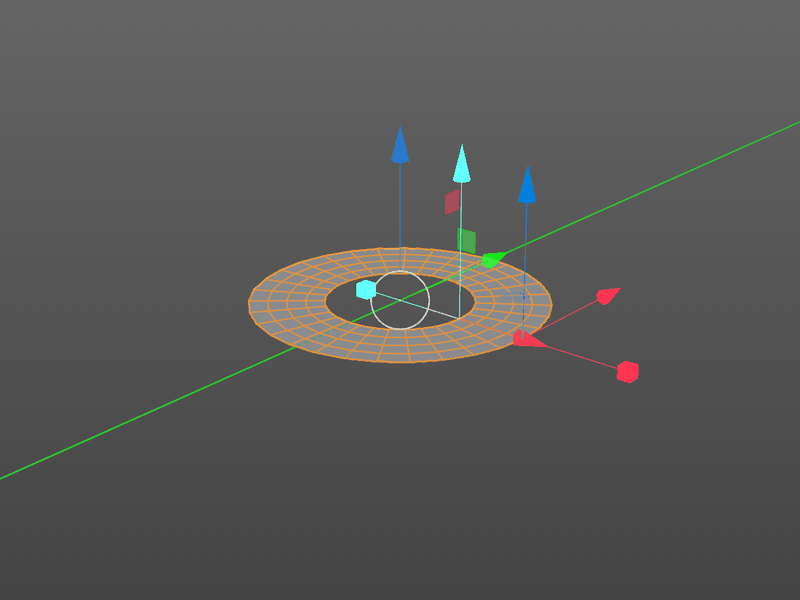
A simple 2D shape for base geometry and cutouts. Includes stamped or path based UVs.
This asset uses the Smart Circle node group.
Gizmos
- Size: 1
- Bevel Scale: 1
- Loop resolution: 2
- Bevel Resolution: 1
Inputs
Outer Radius
Data typeFloat (distance)
Changes the outer radius in unit sizes. Default: 1 m.
Inner Radius
Data typeFloat
Changes the inner radius percentage. 100% is a full circle, meanwhile 0% is no inner radius. Default: 50.
Inner Height
Data typeFloat (factor)
Change the inner edge height offset. This is clamped to 1, but it is essentially limitless. Default: 0.
Resolution
Horizontal
Data typeInteger
Changes the horizontal resolution of the geometry edges/loops. Default: 32.
Vertical
Data typeInteger
Changes the vertical resolution of the geometry edges/loops. Default: 4.
UVs
Stamped UVs
Data typeBoolean
Changes the UV's to stamped UV's, which is a flat top down projection. Otherwise, use path based UVs. Default: off.
Outputs
Geometry
Data typeGeometry
The generated shape.
Circle Revolved
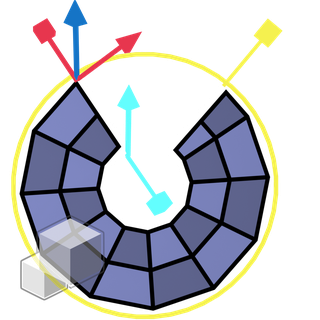
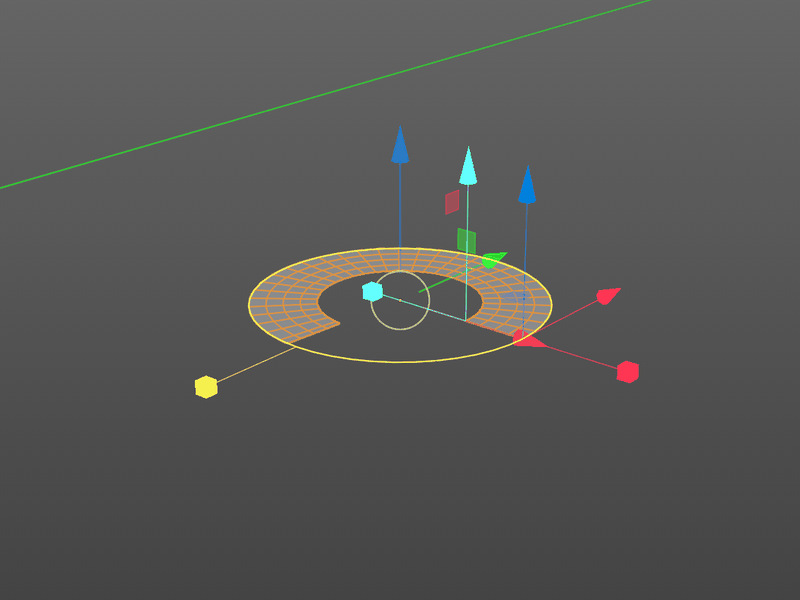
A circular shape rotated into a 3D form. Includes the ability to revolve around an angle.
This asset uses the Smart Circle Revolved node group.
Gizmos
- Size: 1
- Bevel Scale: 1
- Loop resolution: 2
- Revolve Angle: 1
- Bevel Resolution: 1
- Scale All: 1
Inputs
Angle
Data typeFloat (angle)
Changes the revolve angle in degrees. 360° closes the revolution. Default: 270°.
Outer Radius
Data typeFloat (distance)
Changes the outer radius in unit sizes. Default: 1 m.
Inner Radius
Data typeFloat
Changes the inner radius percentage. 100% is a full circle, meanwhile 0% is no inner radius. Default: 50.
Inner Height
Data typeFloat (factor)
Change the inner edge height offset. This is clamped to 1, but it is essentially limitless. Default: 0.
Resolution
Horizontal
Data typeInteger
Changes the horizontal resolution of the geometry edges/loops. Default: 32.
Vertical
Data typeInteger
Changes the vertical resolution of the geometry edges/loops. Default: 4.
UVs
Stamped UVs
Data typeBoolean
Changes the UV's to stamped UV's, which is a flat top down projection. Otherwise, use path based UVs. Default: off.
Outputs
Geometry
Data typeGeometry
The generated shape.
Curve Lofted
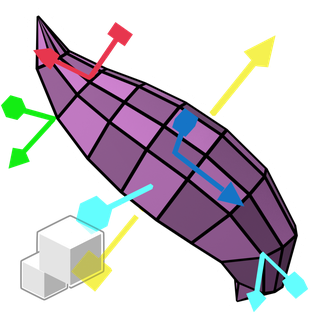
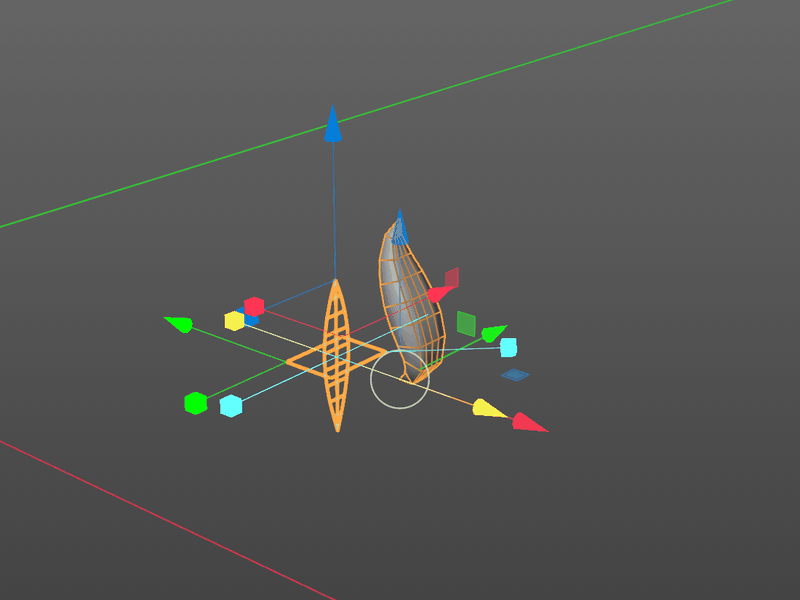
Generates complex surfaces using lofted curves with a central profile gizmo system. Includes taper, bend, swell and volume bevel controls.
This asset uses the Smart Curve Lofted node group.
Gizmos
- Size: 3
- Loop resolution: 3
- Bevel Scale: 2
- Bevel Resolution: 1
- Scale All: 1
- Bend profile: 1
Inputs
Volume
Data typeFloat
Controls the volume of the lofted curve or grease pencil. Default: 2.
Tips
Data typeFloat
Changes the width of the tips of the loftes curve or grease pencil. Default: 0.
Bias
Data typeFloat (factor)
Changes the bias of volume to the start or end of the curve or grease pencil. Default: 0.5.
Helper Gizmos
Data typeBoolean
Toggles the custom object selector if you want to use a grease pencil or another curve object. Default: on.
Custom Object
Custom Object
Data typeBoolean
Toggles the custom object selector if you want to use a grease pencil or another curve object. Default: off.
Curve Object
Data typeObject
Chooses the custom object or grease pencil.
Profile
Width
Data typeFloat
Changes the width of the profile shape that is used to loft. Default: 1.
Depth
Data typeFloat
Changes the depth of the profile shape that is used to loft. Default: 0.72.
Swell
Data typeFloat
Changes the swell of the profile shape that is used to loft. Default: 0.
Bend
Data typeFloat
Changes the internal bend of the profile shape that is used to loft. Default: 0.
Resolution
Resolution Method
Selects the resample method for horizontal resolution. Warning: length could be imperformant. Default: Count.
Length
Data typeFloat (distance)
If the resolution method is by length, this creates a point per length distance unit. Default: 0.1 m.
Count
Data typeInteger
If the resolution method is by count, this creates a total number of points per spline. Default: 10.
Vertical
Data typeInteger
Changes the vertical resolution of the geometry edges/loops. Default: 5.
Depth
Data typeInteger
Changes the depth resolution of the geometry edges/loops. Default: 2.
Bevel
Radius
Data typeFloat (factor)
Changes the bevel radius factor. Warning: bevel could be imperformant. Default: 0.
Resolution
Data typeInteger
Changes the resolution of the bevel. Default: 3. This asset starts at 2.
Smoothness
Inheriit
Data typeBoolean
Inherits the normals smoothness settings of the Curve object. Warning: Grease Pencil objects do not have smoothness information to inherit. Default: off.
Smooth
Data typeBoolean
Turns normals smoothness override on or off. Useful for Grease Pencil objects. Default: on.
Outputs
Geometry
Data typeGeometry
The generated shape.
Cylinder Revolved
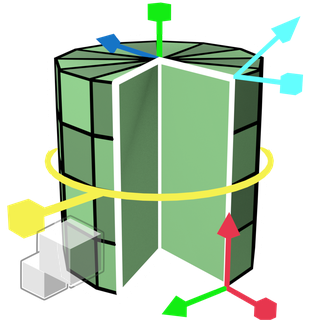
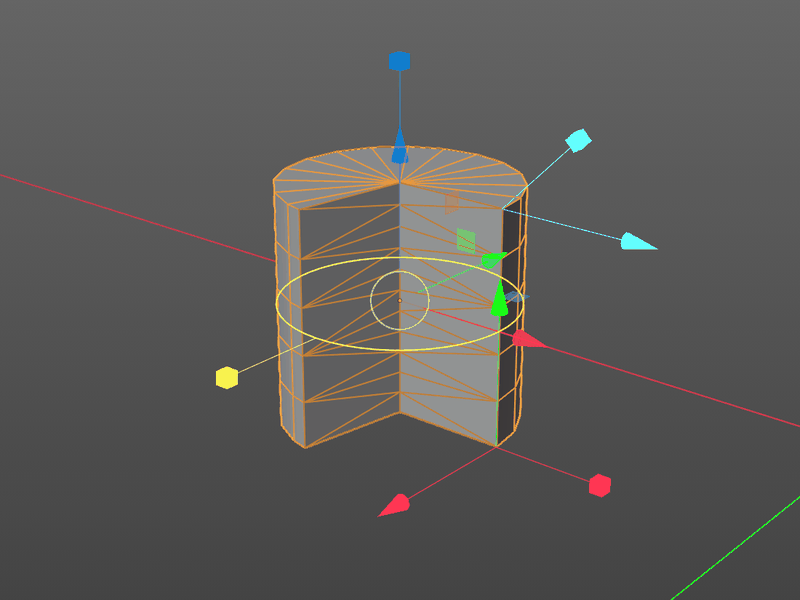
A cylindrical shape rotated for varied effects. Includes the ability to revolve around an angle.
This asset uses the Smart Cylinder Rounded Revolved node group. The same group is used by Cylinder Rounded, Cylinder Rounded Revolved; each asset starts from its own settings.
Gizmos
- Revolve Angle: 1
- Size: 2
- Loop resolution: 2
- Bevel Resolution: 1
- Bevel Scale: 1
- Scale All: 1
Inputs
Angle
Data typeFloat (angle)
Changes the revolve angle in degrees. 360° closes the revolution. Default: 270°. This asset starts at 270°.
Height
Data typeFloat
Changes the height of the primitive in unit sizes. Default: 1.
Width
Data typeFloat
Changes the radius of the primitive in unit sizes. Default: 1.
Bevel
Radius
Data typeFloat
Changes the radius percentage of the bevel. Default: 25. This asset starts at 0.
Resolution
Data typeInteger
Changes the bevel geometry edges/loops resolution. Default: 4.
Resolution
Horizontal
Data typeInteger
Changes the horizontal resolution of the geometry edges/loops. Default: 6.
Vertical
Data typeInteger
Changes the vertical resolution of the geometry edges/loops. Default: 16.
Triangulate Center
Data typeBoolean
Triangulates the center faces to remove NGONs. Default: on.
Triangulate All
Data typeBoolean
Triangulates all faces. Default: off.
Outputs
Geometry
Data typeGeometry
The generated shape.
Cylinder Rounded Revolved
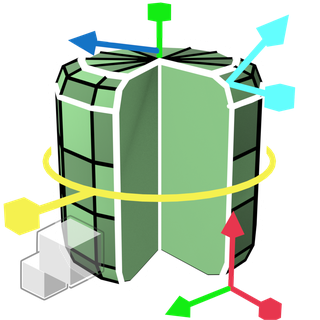
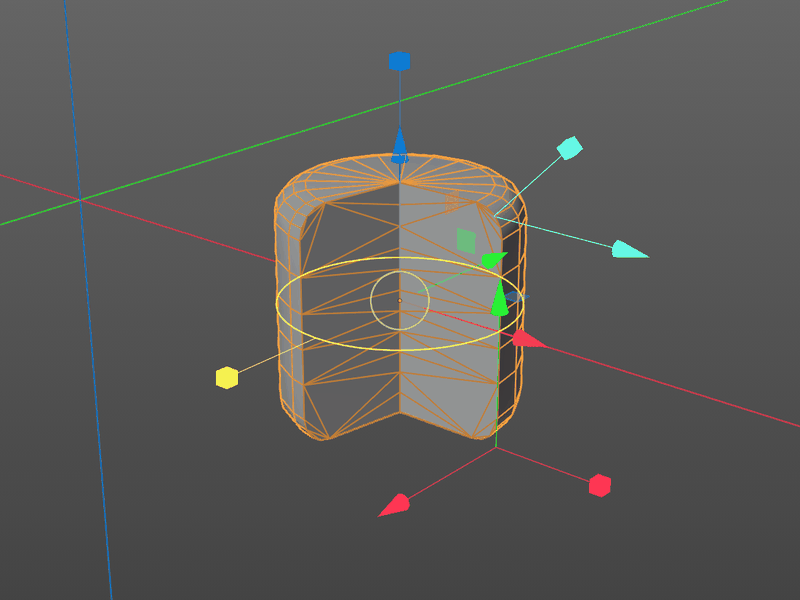
A rounded cylinder adapted for more curvature. Includes the ability to revolve around an angle.
This asset uses the Smart Cylinder Rounded Revolved node group. The same group is used by Cylinder Revolved, Cylinder Rounded; each asset starts from its own settings.
Gizmos
- Revolve Angle: 1
- Size: 2
- Loop resolution: 2
- Bevel Resolution: 1
- Bevel Scale: 1
- Scale All: 1
Inputs
Angle
Data typeFloat (angle)
Changes the revolve angle in degrees. 360° closes the revolution. Default: 270°.
Height
Data typeFloat
Changes the height of the primitive in unit sizes. Default: 1.
Width
Data typeFloat
Changes the radius of the primitive in unit sizes. Default: 1.
Bevel
Radius
Data typeFloat
Changes the radius percentage of the bevel. Default: 25.
Resolution
Data typeInteger
Changes the bevel geometry edges/loops resolution. Default: 4.
Resolution
Horizontal
Data typeInteger
Changes the horizontal resolution of the geometry edges/loops. Default: 6.
Vertical
Data typeInteger
Changes the vertical resolution of the geometry edges/loops. Default: 16.
Triangulate Center
Data typeBoolean
Triangulates the center faces to remove NGONs. Default: on.
Triangulate All
Data typeBoolean
Triangulates all faces. Default: off.
Outputs
Geometry
Data typeGeometry
The generated shape.
Tube Revolved
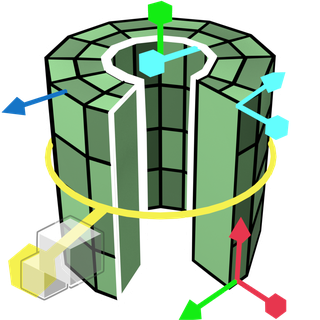
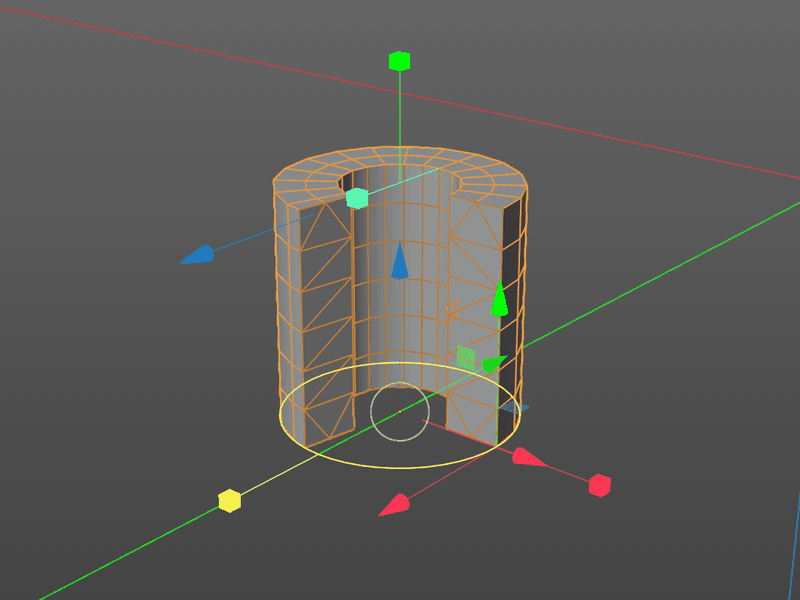
A tube rotated for improved modeling flexibility. Includes the ability to revolve around an angle.
This asset uses the Smart Tube Revolved node group. The same group is used by Tube; each asset starts from its own settings.
Gizmos
- Revolve Angle: 1
- Size: 2
- Loop resolution: 3
- Scale All: 1
- Bevel Scale: 1
Inputs
Angle
Data typeFloat (angle)
Changes the revolve angle in degrees. 360° closes the revolution. Default: 270°.
Radius
Data typeFloat (distance)
Changes the radius of the primitive in unit sizes. Default: 1 m.
Height
Data typeFloat (distance)
Changes the height of the primitive in unit sizes. Default: 2 m.
Inner Radius
Data typeFloat
Changes the inner radius percentage. 100% is a full circle, meanwhile 0% is no inner radius. Default: 50.
Resolution
Horizontal
Data typeInteger
Changes the horizontal resolution of the geometry edges/loops. Default: 6.
Vertical
Data typeInteger
Changes the vertical resolution of the geometry edges/loops. Default: 16.
Base
Data typeInteger
Changes the base resolution of the geometry edges/loops. Default: 2.
Triangulate Center
Data typeBoolean
Triangulates the center faces to remove NGONs. Default: on.
Triangulate All
Data typeBoolean
Triangulates all faces. Default: off.
Outputs
Geometry
Data typeGeometry
The generated shape.
Tube Rounded Revolved
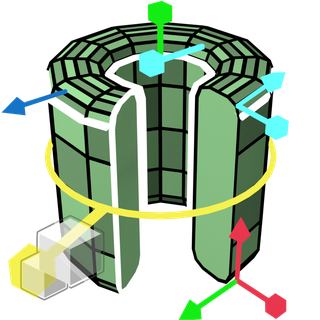
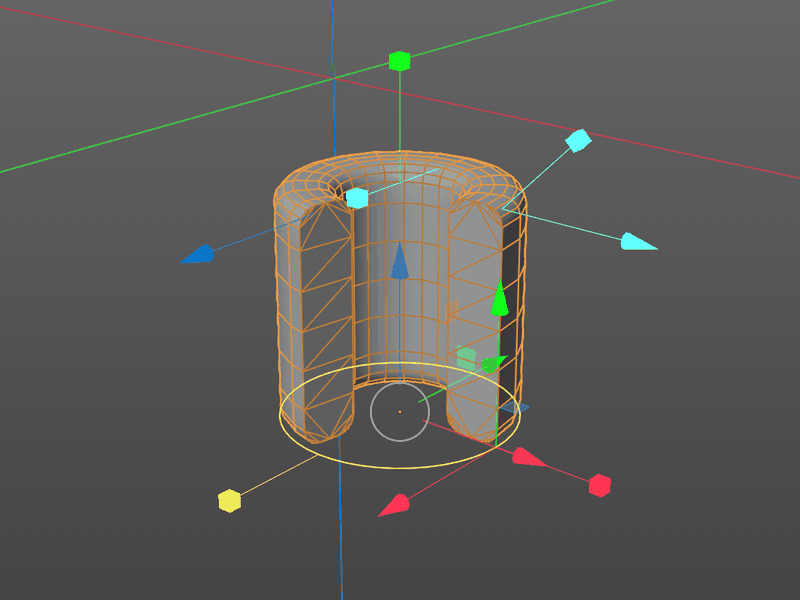
A smoothed, rotated tube for streamlined designs. Includes the ability to revolve around an angle.
This asset uses the Smart Tube Rounded Revolved node group. The same group is used by Tube Rounded; each asset starts from its own settings.
Gizmos
- Revolve Angle: 1
- Size: 2
- Loop resolution: 3
- Scale All: 1
- Bevel Scale: 2
- Bevel Resolution: 1
Inputs
Angle
Data typeFloat (angle)
Changes the revolve angle in degrees. 360° closes the revolution. Default: 270°.
Radius
Data typeFloat (distance)
Changes the radius of the primitive in unit sizes. Default: 1 m.
Inner Radius
Data typeFloat
Changes the inner radius percentage. 100% is a full circle, meanwhile 0% is no inner radius. Default: 50.
Height
Data typeFloat (distance)
Changes the height of the primitive in unit sizes. Default: 2 m.
Bevel
Radius
Data typeFloat (distance)
Changes the radius percentage of the bevel. Default: 0.15 m.
Resolution
Data typeInteger
Changes the bevel geometry edges/loops resolution. Default: 3.
Resolution
Horizontal
Data typeInteger
Changes the horizontal resolution of the geometry edges/loops. Default: 6.
Vertical
Data typeInteger
Changes the vertical resolution of the geometry edges/loops. Default: 16.
Base
Data typeInteger
Changes the base resolution of the geometry edges/loops. Default: 2.
Triangulate Center
Data typeBoolean
Triangulates the center faces to remove NGONs. Default: on.
Triangulate All
Data typeBoolean
Triangulates all faces. Default: off.
Outputs
Geometry
Data typeGeometry
The generated shape.
Cone Rounded Revolved
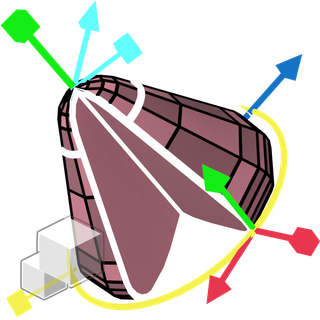
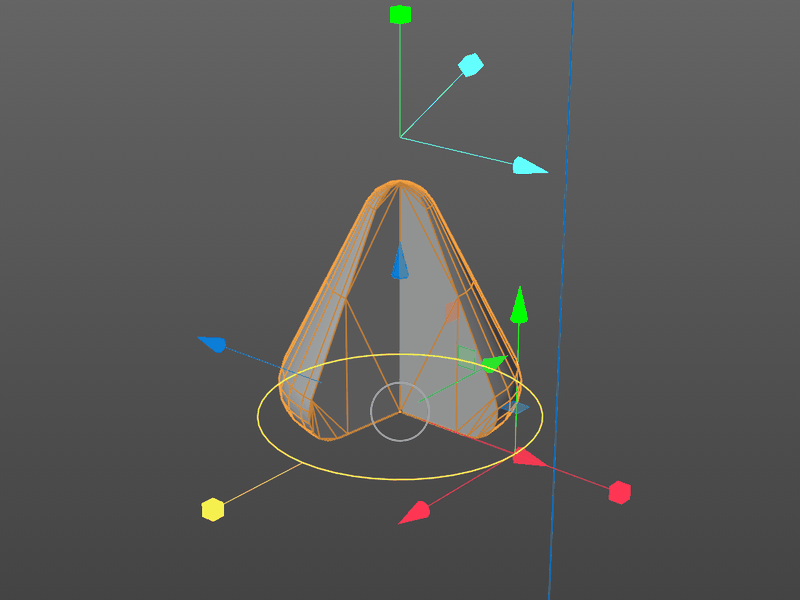
A tapered primitive that blends sharpness with curvature. Includes the ability to revolve around an angle.
This asset uses the Smart Cone Rounded Revolved node group.
Gizmos
- Size: 2
- Loop resolution: 3
- Bevel Resolution: 1
- Bevel Scale: 1
- Revolve Angle: 1
- Scale All: 1
Inputs
Angle
Data typeFloat (angle)
Changes the revolve angle in degrees. 360° closes the revolution. Default: 270°.
Height
Data typeFloat (distance)
Changes the height of the primitive in unit sizes. Default: 2 m.
Radius
Data typeFloat (distance)
Changes the radius of the primitive in unit sizes. Default: 1 m.
Bevel
Radius
Data typeFloat
Changes the radius percentage of the bevel. The bevel will clamp to the horizontal resolution, less horizontal loops increases bevel maximum limit. Default: 25.
Resolution
Data typeInteger
Changes the bevel geometry edges/loops resolution. Default: 3.
Resolution
Horizontal
Data typeInteger
Changes the horizontal resolution of the geometry edges/loops. Default: 3.
Vertical
Data typeInteger
Changes the vertical resolution of the geometry edges/loops. Default: 24.
Base
Data typeInteger
Changes the base resolution of the geometry edges/loops. Default: 3.
Triangulate Center
Data typeBoolean
Triangulates the center faces to remove NGONs. Default: on.
Triangulate All
Data typeBoolean
Triangulates all faces. Default: off.
Outputs
Geometry
Data typeGeometry
The generated shape.
Sphere Revolved
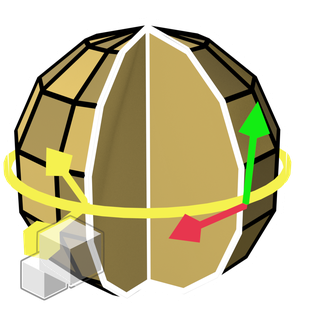
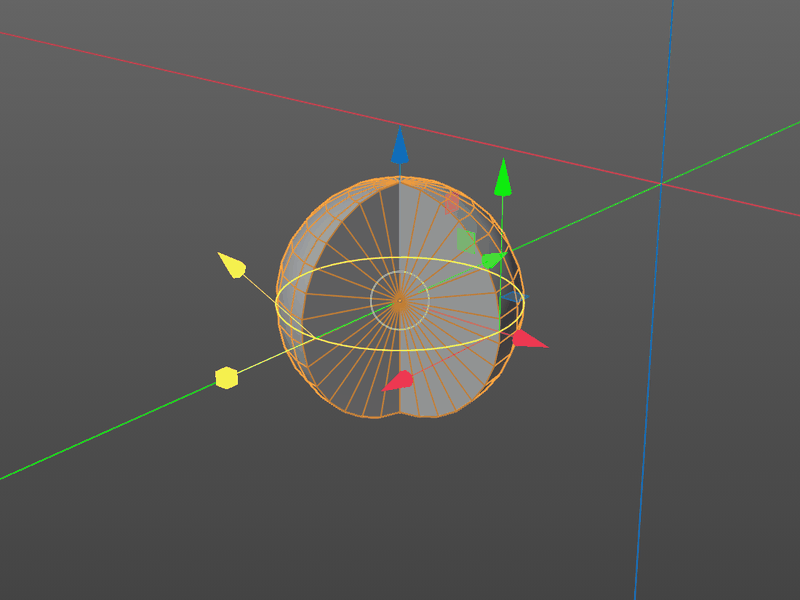
A sphere adjusted through rotation for unique formations. Includes the ability to revolve around an angle.
This asset uses the Smart Sphere Revolved node group.
Gizmos
- Revolve Angle: 1
- Scale All: 1
- Loop resolution: 2
- Bend profile: 1
Inputs
Angle
Data typeFloat (angle)
Changes the revolve angle in degrees. 360° closes the revolution. Default: 270°.
Radius
Data typeFloat (distance)
Changes the radius of the primitive in unit sizes. Default: 1 m.
Resolution
Horizontal
Data typeInteger
Changes the horizontal resolution of the geometry edges/loops. Default: 16.
Vertical
Data typeInteger
Changes the vertical resolution of the geometry edges/loops. Default: 16.
Triangulate Center
Data typeBoolean
Triangulates the center faces to remove NGONs. Default: on.
Outputs
Geometry
Data typeGeometry
The generated shape.
Utilities
Assets in this category will be documented here.